Marketable limit order: the order type scalpers actually use
By Scalpel Team. , updated . 9 min read.
In short
A marketable limit order is a limit order priced at or through the other side of the book: a buy limit at or above the best ask, or a sell limit at or below the best bid. It fills immediately against the shares offered, best price first, but never at a worse price than your limit, and anything the book cannot fill keeps working at the limit. Scalpers use it in place of a market order: the ask plus 5 to 10 cents to buy a $2 to $20 small cap, sized so the offset is no more than about a quarter of your stop.
The marketable limit order is the one order type most small-cap scalpers use for nearly every entry and exit. It is a plain limit order with one twist: the price is set so that it can trade right away. That gives you most of the speed of a market order with a hard cap on what you pay, and, unlike a market order, the exchanges accept it before 09:30 and after 16:00 ET.
This post covers what makes a limit "marketable", how it fills level by level, how far through the ask to price it, and how to build one in TWS. Rules and fees checked on October 22, 2026. Scalpel is independent and not affiliated with or endorsed by Interactive Brokers. For where it sits among the other order types, see our guide to day trading order types.
What is a marketable limit order?
The term has a precise legal meaning. SEC Regulation NMS defines a marketable limit order as "any buy order with a limit price equal to or greater than the national best offer at the time of order receipt, or any sell order with a limit price equal to or less than the national best bid" (Rule 600(b)). The national best offer is the lowest ask across all exchanges; the national best bid is the highest bid.
So "marketable" describes the price, not a special order type. A buy limit at 3.45 is marketable when the ask is 3.40 and not marketable when the ask is 3.50. The moment it reaches the market it either trades or, if the ask moved above it first, rests on the book like any other limit.
Traders call it different things: an ask plus order, buying at the ask plus, a limit through the offer. They all mean the same thing. Our glossary entry is under marketable limit.
It is not a niche order. In IBKR's Rule 606 report for the second quarter of 2026, marketable limit orders were 26.75% of its non-directed orders in non-S&P 500 stocks in June 2026. Market orders were 0.35%.
How a marketable limit fills: a worked example
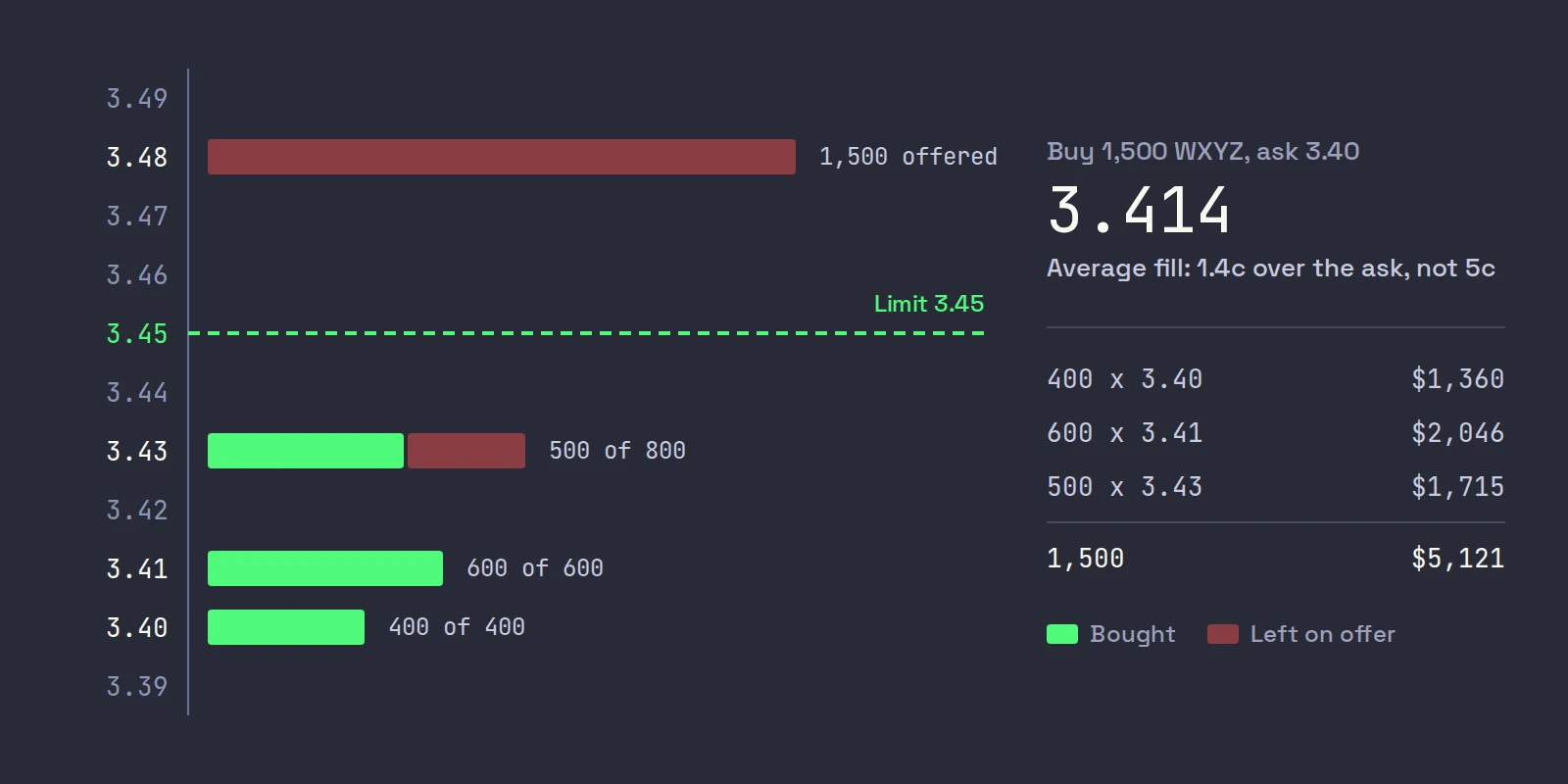
WXYZ is breaking out at 10:12 ET. The best ask is 3.40, and the offers look like this:
| Ask price | Shares offered |
|---|---|
| 3.40 | 400 |
| 3.41 | 600 |
| 3.43 | 800 |
| 3.48 | 1,500 |
You send a buy for 1,500 shares with a limit of 3.45, the ask plus 5 cents. The order takes the cheapest shares first:
- 400 at 3.40 = $1,360
- 600 at 3.41 = $2,046
- 500 at 3.43 = $1,715
That is 1,500 shares for $5,121, an average of 3.414. You paid 1.4 cents a share over the ask you saw, not 5 cents. The limit is a ceiling, not a price.
Now the version that happens on a fast tape. Between your look and your press, buyers take the 3.40 and 3.41 offers. Your order arrives to find 800 at 3.43 and 1,500 at 3.48:
- It takes the 800 at 3.43.
- 3.48 is above your 3.45 limit, so the other 700 shares rest as a bid at 3.45.
You hold 800 shares at 3.43 and a working order for 700 more. That is a partial fill, and it is the order doing its job: it refused to pay 3.48. A market order in the same moment would have bought all 1,500, the last 700 at 3.48 or higher.
And the version with no offset: a buy limit at exactly 3.40. On the fast tape it fills nothing and rests at 3.40 while WXYZ trades 3.48. That is the most common reason a hotkey "did not work"; our guide to an order that did not fill covers the rest.
Why it beats a market order on a thin book
A market order and a marketable limit behave the same when the book is deep enough. They differ only when it is not, which on a small cap is exactly when it matters:
| Situation | Market order | Marketable limit |
|---|---|---|
| Plenty of shares at the ask | Fills at the ask | Fills at the ask |
| Asks pulled as you press | Fills at whatever is left, however high | Fills up to the limit, rests the rest |
| A sudden spike | Can fill at the top of the spike | Cannot fill above the limit |
| Before 09:30 or after 16:00 at IBKR | Held for the open as a market-on-open order | Trades now, with outside RTH set |
The last row is a hard rule, not a preference. IBKR's commission page says "Market orders placed prior to regular trading hours will be treated as Market OnOpen orders" (IBKR commissions). The full cost comparison, in dollars and in R, is in market vs limit orders on small caps.
How far through the ask to price it
The offset is your slippage budget: the most you will pay above the ask. Too small and you miss fills; too large and a spike fills you at a price that ruins the trade's risk. We size it against two things.
Your stop. If your stop is 20 cents under the entry, a 5 cent offset means the worst full fill costs a quarter of your planned risk before the trade starts. Our rule of thumb: keep the offset at or under about a quarter of your stop distance.
The stock's price and speed. The offset is in cents, so the same number means very different things at different prices:
| Stock price | Offset we would start with | Offset as a share of price |
|---|---|---|
| $1 to $3 | 2 to 5 cents | Up to about 5% at $1 |
| $3 to $10 | 5 to 10 cents | 0.5% to 3.3% |
| $10 to $20 | 10 to 15 cents | 0.5% to 1.5% |
These are starting points, not rules. A stock printing every few cents with thousands of shares on each level needs less; a halt-resumption or a news spike with gaps in the book needs more, or no trade.
Under $1, think in percent. Stocks priced under $1 can quote in increments as small as $0.0001 under SEC Rule 612, while stocks at $1 and over quote in whole cents. A 10 cent offset on an $0.80 stock is 12.5% of the price. In TWS you can set the offset as a percentage or in ticks instead of an amount.
For the TWS side of offsets, including the ask plus cents setting on each hotkey, see TWS hotkey limit price offsets.
The fees of taking liquidity
A marketable limit takes liquidity: it trades against an order already resting on the book. On IBKR's Tiered plan you pay the exchange's fee for that. IBKR's Nasdaq fee table lists $0.0030 a share to remove liquidity in stocks at $1 and over, against a $0.0013 rebate for adding a displayed order. On top comes IBKR's own commission, $0.0035 a share for the first 300,000 shares a month, with a $0.35 minimum.
On the 1,500 WXYZ shares that is $5.25 commission plus about $4.50 in Nasdaq removal fees, before clearing and regulatory fees. On a trade where you are risking 20 cents a share, $300, that is noise. It is not noise if you scalp for 3 cents. IBKR also warns that SmartRouting may route to a venue "with a better quoted price but with substantially higher fees", and points to the removal charges on marketable orders in stocks under $2.50. Whether Fixed or Tiered is cheaper for your style is worked out in IBKR Tiered vs Fixed.
Marketable limits for exits and in the pre-market
Exits. The sell side mirrors the buy: a sell limit at the bid minus your offset. It gets you out now, at the bids that are there, and never below your floor. If the bids collapse under your floor, the order rests and you have to decide again; that is the price of the floor. For a resting scale-out, offering half at the ask, use a plain limit instead.
The pre-market. Before 09:30 ET the exchanges take limit orders only, so a marketable limit is not just the better choice, it is the only fast one. Two adjustments:
- Tick the outside RTH box. Without it, IBKR accepts the order and holds it for the open. In TWS it is Allow order to be activated, triggered or filled outside of regular trading hours (if available) under Presets > Stock > Timing.
- Trade smaller. Pre-market books are thinner, so the same offset buys you fewer shares before it hits the limit. Our post on IBKR extended hours trading has the session times and the rules for each.
How to set up a marketable limit buy in TWS
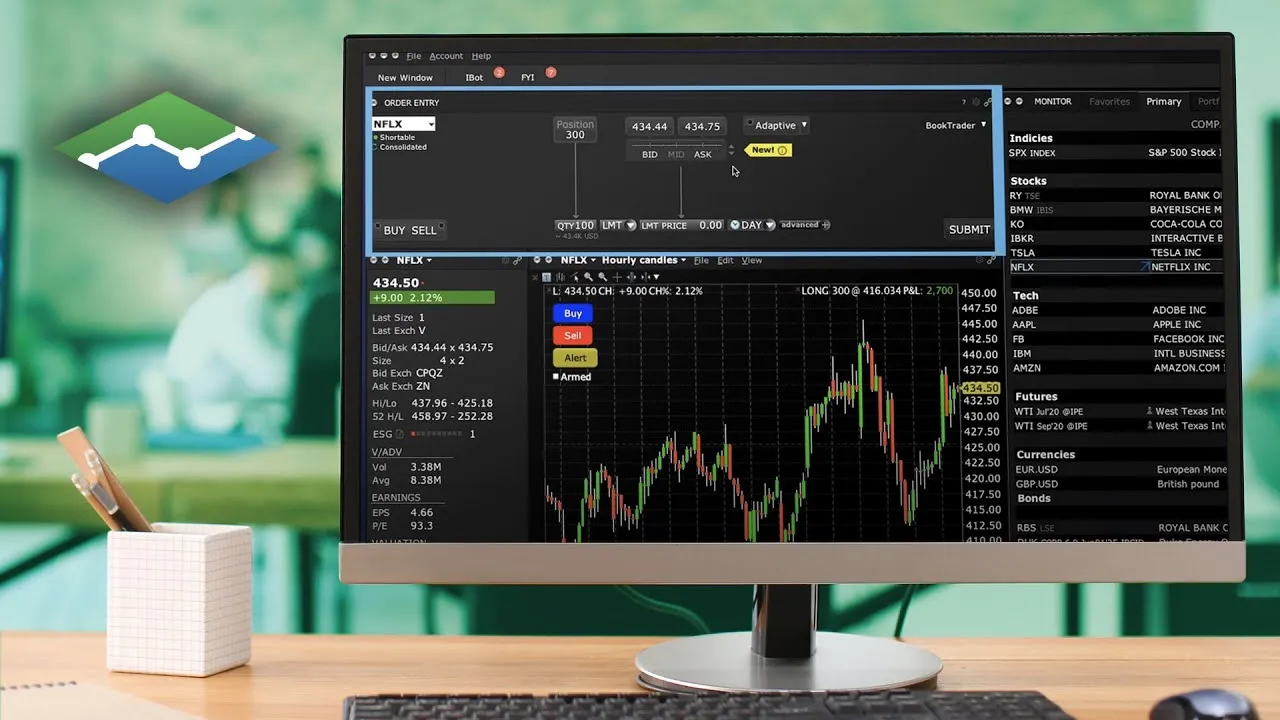
IBKR's limit order lesson shows the order entry panel these steps use:
Set the stock presets
Open Global Configuration (File in Mosaic, Edit in Classic), then Presets > Stock. Set the order type to LMT and the time in force to DAY. IBKR's preset guide lets you pick the default limit price from Bid, Ask, Last or the midpoint, with a plus or minus offset as an amount, a percentage or ticks.
Allow outside regular hours
Under Timing, tick Allow order to be activated, triggered or filled outside of regular trading hours (if available), then Apply and OK.
Build the buy key
In Global Configuration > Hotkeys, add a Buy action. On its Customize tab set the order type to LMT and the limit price to Ask plus your offset, for example 0.05. Tick Transmit the order instantaneously so the key sends the order instead of staging it.
Build the sell key
Add a Sell action priced off the Bid minus the same offset. In the stock presets, IBKR's Use closing position size if possible option makes a sell default to the shares you hold, so the key does not sell more than your position by accident.
Test it on paper
Log in to your paper account and try both keys on a liquid stock and a thin one. Check the order confirmation shows the limit price you expect and Outside Regular Trading Hours: True.
Our day trading order types guide has the rest of the order kit around this key.
Where Scalpel fits
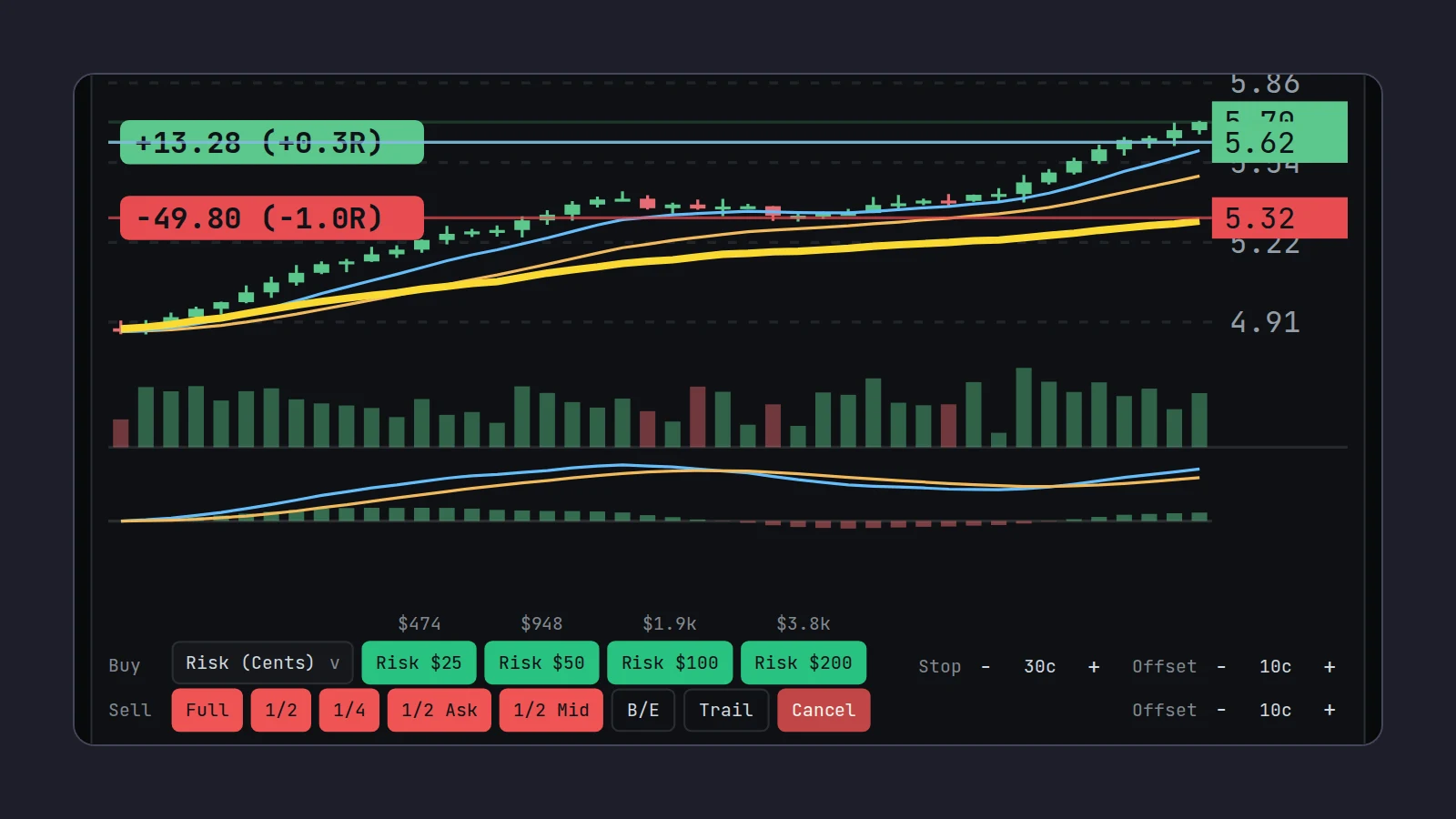
In Scalpel, every buy is a marketable limit by design. Press a buy key and it takes the best ask on the focused desk, works out the share count from your preset (sizing presets), and sends a limit at the ask plus your Buy offset, 10 cents by default. Sells from Full, 1/2 and 1/4 go out at the bid minus the Sell offset. Both offsets are steppers on the order bar and settings in Settings > Trading.
If the book runs out before your limit, the rest keeps working: the Orders tab shows the buy as Partial with the average so far, and Ctrl+Q cancels the remainder (entries and fills).
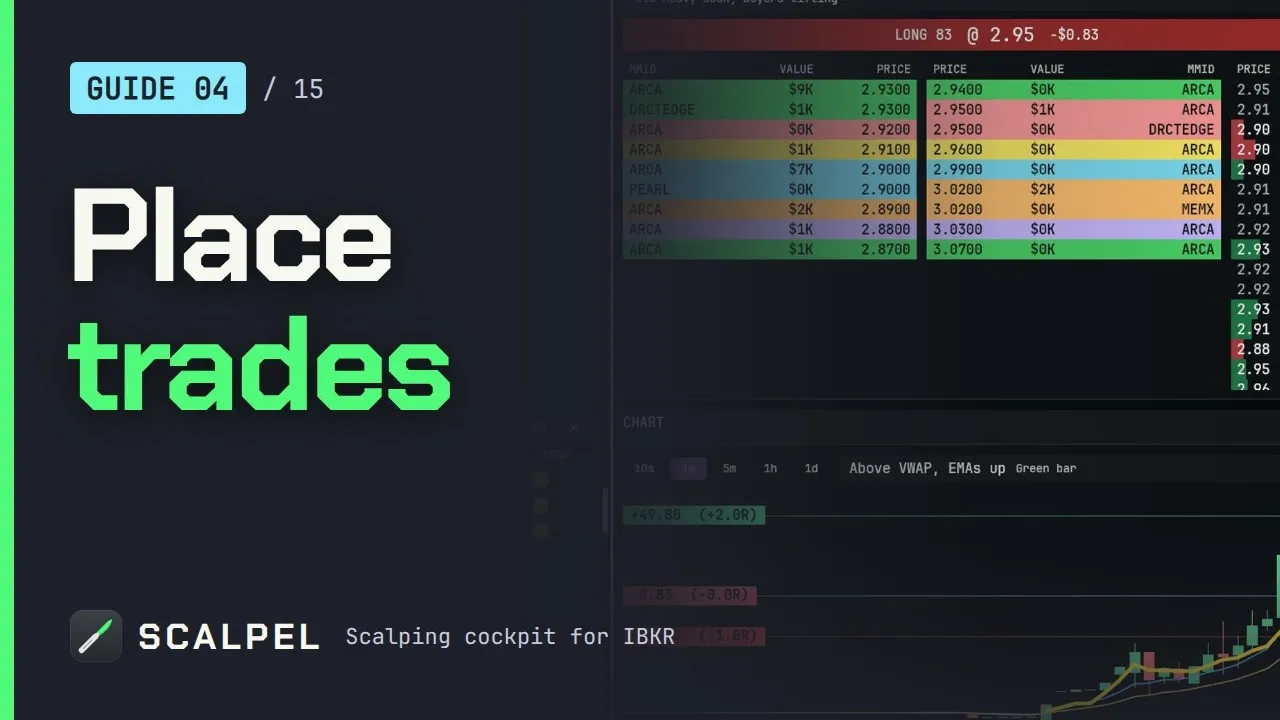
Our section video shows a marketable limit entry, the offset, and a scale-out on the keys:
Scalpel is long only and sends every LIVE order through IBKR SmartRouting from your own account. Its stops are held by the app, not resting at the broker, so they only work while Scalpel runs with a live feed. No order type, ours included, guarantees a good fill on a fast small cap; the slippage you do get is worth measuring, as our post on slippage in day trading explains.
Trading carries a significant risk of loss. Nothing here is financial advice.
Questions
- What is a marketable limit order?
- A limit order priced at or through the other side of the book: a buy at or above the best ask, or a sell at or below the best bid. It fills at once against the shares available up to your limit, and any remainder rests at the limit.
- Is a marketable limit order the same as a market order?
- No. Both fill right away when there are enough shares, but a marketable limit never fills above your limit price, and exchanges accept it outside regular hours. A market order fills at whatever price is left.
- How much above the ask should I set my limit?
- Enough to catch a moving ask, small next to your stop. On a $3 to $10 small cap, 5 to 10 cents is a common start; keep it under about a quarter of your stop distance, and think in percent on stocks under $1.
- Do I pay my full limit price on a marketable limit order?
- No. You pay the prices of the offers you trade against, starting at the ask. The limit is only the most you will pay; in the worked example a 3.45 limit filled at an average of 3.414.
- Why did my marketable limit order only partly fill?
- The shares offered up to your limit ran out, often because the ask moved as you pressed. The remainder stays working at your limit until it fills or you cancel it.
Related guides
Guide 4.4Entries: marketable limits, offsets and partial fillsHow a Scalpel buy is priced and filled: the marketable limit, the buy offset, partial fills, and why a buy is refused when the market is closed or halted.Guide 4.6The order bar and orders panelEvery button on the order bar under the chart, the method dropdown, offset and stop steppers, and the Positions and Orders tabs with net P&L and fees.Guide 13.6An order did not fill, or only part filledWhy a marketable limit can miss or part-fill in a fast book, what happens to the rest in SIM and LIVE, and how to clear a stuck exit or a stop exit.
Keep reading
- Day trading order types: what scalpers actually useDay trading order types: market, limit, marketable limit, stop, stop-limit and time in force, with a worked example and what scalpers really use on IBKR.
- Market order vs limit order in day trading: the small-cap costMarket order vs limit order in day trading small caps: what slippage costs in R on a thin book, why IBKR holds pre-market market orders, and what to use.
- IBKR SmartRouting vs direct routing for day tradersDoes IBKR give direct market access? How SmartRouting picks venues, why fills differ by venue, what direct routing costs and when day traders should use it.
Practice in SIM, against the live book.A lifetime license, every update included, with a 7-day refund guarantee.Ask in DiscordGet Scalpel