TWS hotkey limit price offset: ask plus cents, explained
By Scalpel Team. , updated . 9 min read.
In short
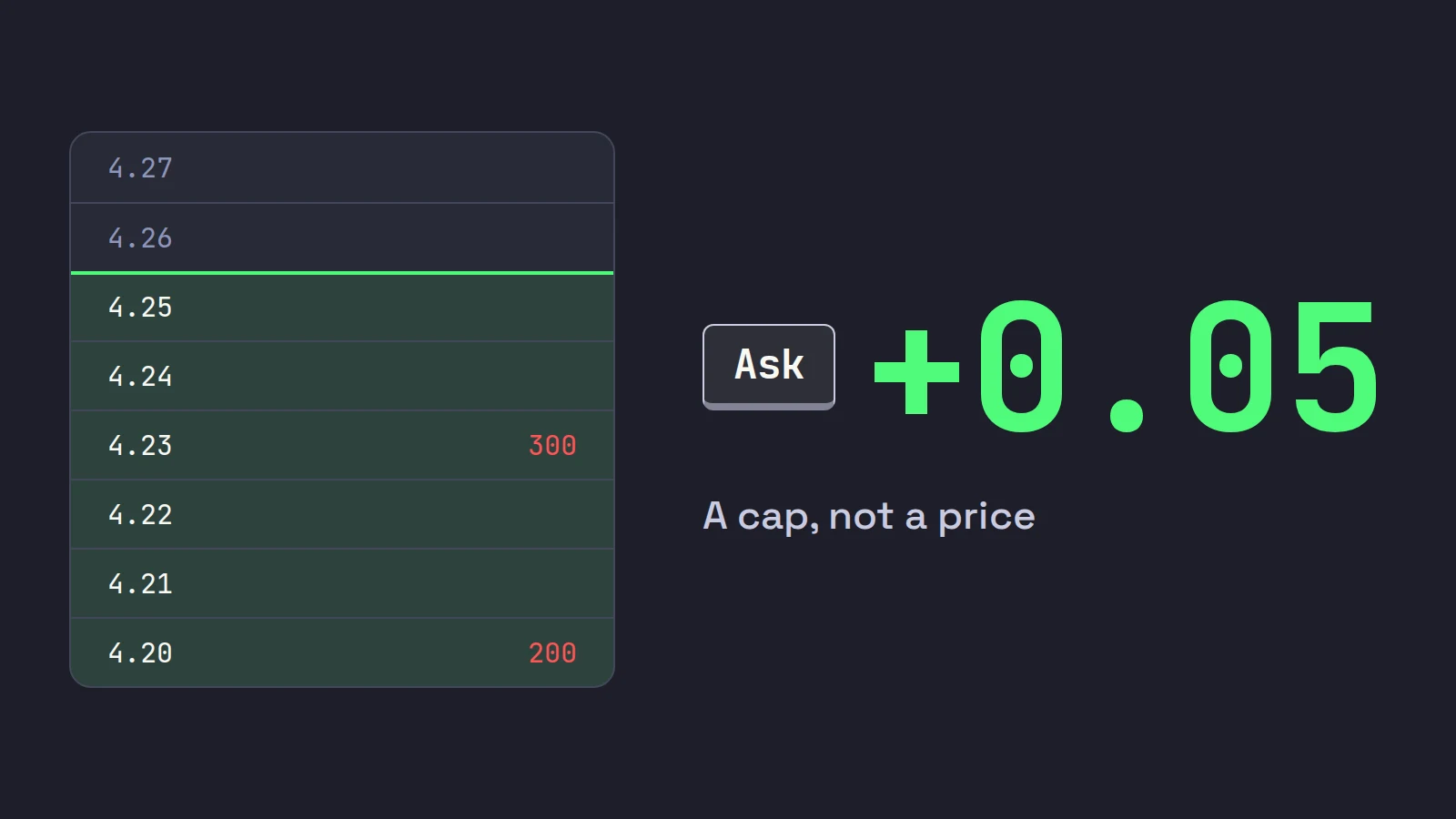
A TWS hotkey's limit price offset is set on the key's Customize tab (Global Configuration > Hotkeys, select the key, Configure): pick the price the limit starts from, Ask for a buy key and Bid for a sell key, and type the offset next to it, for example Ask + 0.05. The offset is a ceiling, not the price you pay: the order fills at the prices on the book up to that cap. Size it to the stock's price (a few cents on a $2 stock, more on a $20 one), check whether your build reads it as an amount, a percentage or ticks, and test every key in paper first.
"Ask plus a nickel" is the most common buy hotkey on IBKR, and the TWS hotkey limit price offset is the number that makes it work. Set it too tight and your buy key misses every breakout. Set it too wide and a thin stock fills you deep in the book. This post covers where the offset lives, which side of the book to price from, how to size it in cents, percent or ticks, and what happens when the stock moves between your press and the fill.
Checked against IBKR's TWS hot keys guide and preset documentation on October 22, 2026. For the whole key set this offset belongs to, start with our guide to TWS hotkeys for day trading. Scalpel is independent and not affiliated with or endorsed by Interactive Brokers.
Where the TWS hotkey limit price offset lives
There are two places in TWS that hold a limit price and an offset, and they do different jobs:
| Where | Path | What it sets |
|---|---|---|
| The hotkey itself | Global Configuration > Hotkeys, select the key, Configure, Customize tab | The order type, limit price basis and offset for that one key |
| Stock presets | Global Configuration > Presets > Stock, Primary Order section, Limit price | The default price for orders you build in order entry |
IBKR's preset field reference says the preset Limit price can start from Bid, Ask, Last or Bid/Ask Midpoint, and that the +/- offset field takes "an offset amount, percentage or ticks", positive or negative. The same page notes that preset values "are for buy orders and will be flipped for sell orders". Keep that in mind, because it is the source of most sign mistakes on sell keys.
A buy key built with Transmit the order instantaneously ticked does not wait for you to look at the price, so the Customize tab is where the offset that actually trades is set.
Open the hotkey
File > Global Configuration in Mosaic, or Edit > Global Configuration in Classic TWS, then Hotkeys. Select your buy key under Configured Shortcuts and click Configure, or pick Buy under Possible Actions and click Create Shortcut for a new one.
Set the order type to limit
On the Customize tab, set Order Type to LMT. A market order has no price to offset, and outside regular hours US exchanges accept only limit orders (glossary: pre-market).
Pick the price basis and type the offset
For the buy key, choose Ask and enter the offset, for example 0.05. For the sell key, choose Bid and set the offset so the limit lands under the bid. If your dialog shows a unit choice (amount, percent or ticks), pick it on purpose: 5 cents, 5 percent and 5 ticks are three very different orders.
Decide on instant transmit, then apply
Leave Transmit the order instantaneously unticked for your first paper sessions so you can read each order before it goes. Click Apply and OK: the key works at once, with no restart.
Read the first order on paper
Press the key on a liquid stock in a paper login and check the limit price on the order line against the ask or bid you saw. This is how you confirm the sign on the sell key: if the sell limit came out above the bid, flip it.
Ask plus or bid minus: why the basis matters
The basis decides whether the key is an entry or a wish. A buy priced at or above the ask reaches across the spread to the sellers who are there; anything below the ask joins the line of buyers and waits.
| Buy key basis | What the order does | Use it for |
|---|---|---|
| Ask + offset | Takes the offers up to your cap: a marketable limit | Momentum entries, the scalper's default |
| Ask, no offset | Takes only what is offered at that exact price | Liquid stocks where a cent of slippage matters |
| Bid/Ask Midpoint | Rests inside the spread and waits for a seller | Patient entries, not breakouts |
| Last | Prices off the last print, which can sit below the ask or lag a spike | Rarely a good idea on a fast small cap |
| Bid or Bid - offset | Rests with the buyers | Bids on a pullback, never a breakout |
Sell keys mirror it: Bid - offset sells into the buyers who are there now, Ask offers your shares and waits. Our marketable limit order post goes deeper into why "ask plus" beats a plain market order on thin stocks, and how a limit at the ask can still miss.
One more TWS action is worth knowing here. IBKR lists Update Limit Prices, which "updates the limit price of the active, unexecuted order to reflect the price/offset you define on the Customize page" (TWS hotkey actions). It is the one-key way to re-price a buy that the market left behind.
Cents, percent or ticks: sizing the offset by stock price
An offset in cents means very different things at different prices. The same 5 cents is a big premium on a $1.50 stock and a rounding error on a $25 one:
| Stock price | 5 cent offset as a share of price | A 1% offset in cents |
|---|---|---|
| $1.50 | 3.33% | 1.5 cents, which has to land on a whole cent |
| $4.00 | 1.25% | 4 cents |
| $10.00 | 0.50% | 10 cents |
| $25.00 | 0.20% | 25 cents |
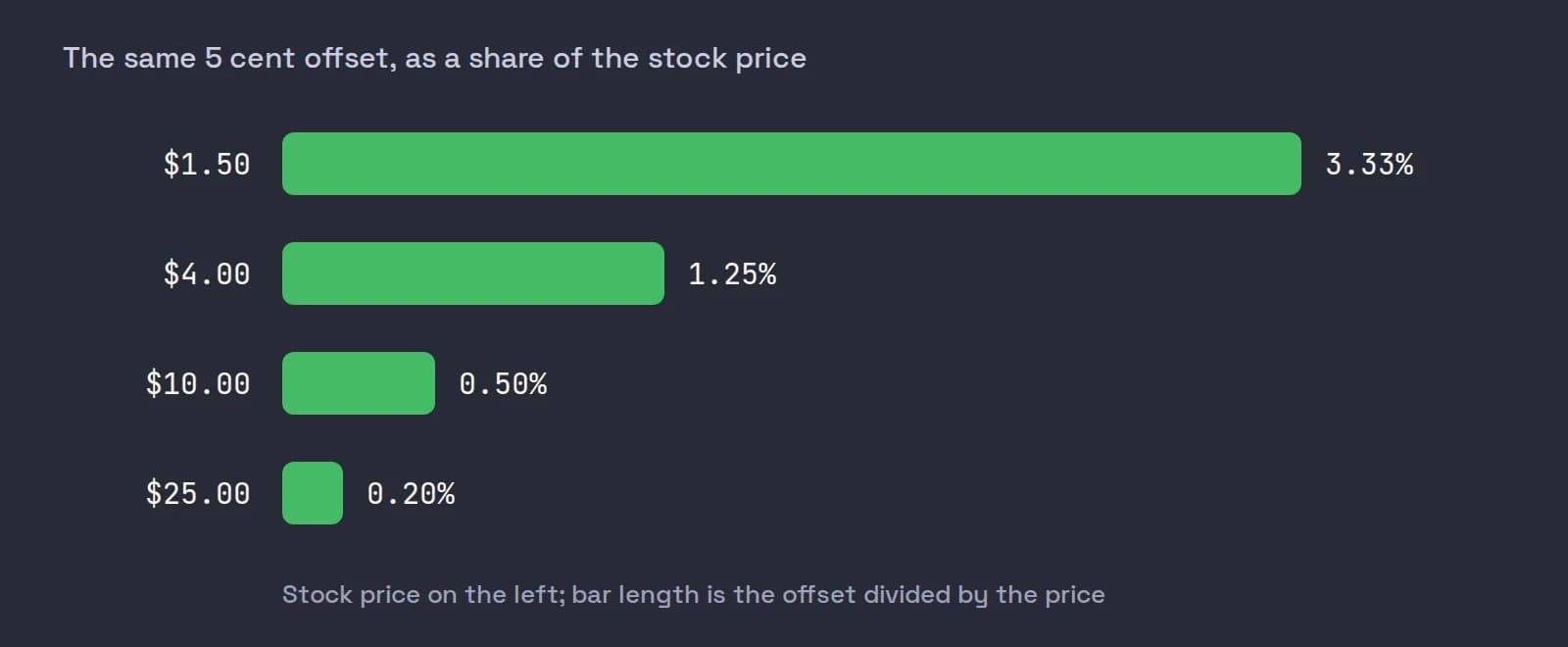
That is the case for a percentage offset: it scales with price, so one buy key behaves the same on a $3 stock and a $15 one. The case against is that small caps do not move in percentages of their price on a single press; they move in cents of spread and book depth. A $2 stock with a 3-cent spread does not need a 2-cent cap, and a $14 stock that just broke out may need more than 14 cents.
Ticks sound neutral but are a trap below $1. Under Rule 612 of Regulation NMS, quotes in stocks priced $1.00 or more move in whole cents, while stocks under $1.00 can be quoted down to $0.0001. So a "5 tick" offset is 5 cents on a $1.20 stock and can be a tiny fraction of a cent on a $0.80 one. The SEC adopted a half-cent increment for stocks whose average quoted spread is $0.015 or less, but on June 11, 2026 it extended the compliance date to the first business day of November 2027. Those are tightly quoted large caps anyway, not the small caps scalpers trade.
Our view: use cents, and keep a mental table by price. These are starting points for liquid momentum names, not rules:
| Stock price | Buy offset to start with | Widen when |
|---|---|---|
| Under $3 | 2 to 5 cents | The spread is wider than the offset |
| $3 to $10 | 5 to 10 cents | The stock is breaking a level on volume |
| $10 to $20 | 10 to 20 cents | The book is thin above the ask |
| Pre-market, any price | One step wider than your regular-hours value | Always check the spread first |
If your offset is regularly smaller than the spread, your buy key is a resting bid in disguise.
What happens to the offset on a fast move
TWS reads the ask when you press the key. Everything after that is a race between your order and the book.
A worked example. ABCD shows 200 shares offered at 4.20 and 300 at 4.23. You press a 500-share buy key set to Ask + 0.05, so the limit is 4.25.
- The book holds. You take 200 at 4.20 and 300 at 4.23, an average of 4.218. The offset cost you nothing: you never paid 4.25.
- The ask lifts to 4.24 before you arrive. You fill what is offered at 4.24 and 4.25, and anything left rests at 4.25 as a partial fill.
- The ask jumps to 4.28. Nothing fills. Your order is now a bid at 4.25, under the market.
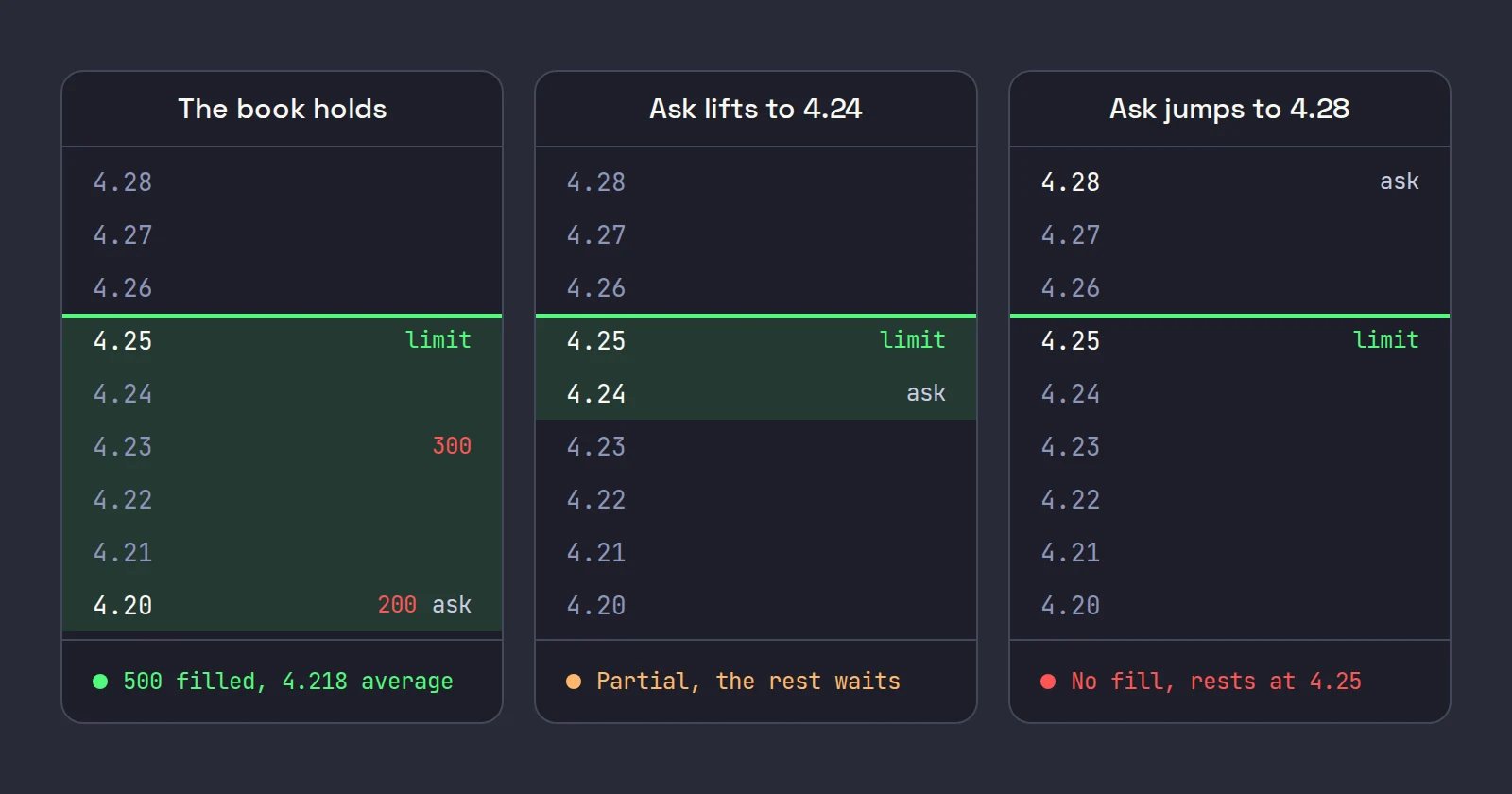
In the third case you have three choices: re-price with an Update Limit Prices key (it applies the Customize tab's price and offset again), nudge the price with an Increase price key by a number of ticks, or cancel. Chasing is a decision, not a reflex: a stock that ran past your cap in a fraction of a second is the one most likely to come straight back. And re-pricing in a hurry is how a wrong unit or an extra digit slips in, one of the hotkey mistakes that cost traders money.
Two more things can stop a wide offset:
- Your precautionary settings. TWS lets you set a percentage or a number of ticks away from the market; an order priced beyond it raises a warning you must confirm (IBKR knowledge base). The market price used is the ask for a buy, at the moment you transmit. A 25-cent offset on a $2 stock is 12.5% through the ask, so a tight percentage check will stop an instant-transmit key with a popup. Set the check above your widest real offset, not to zero.
- Limit up, limit down. In regular hours (09:30 to 16:00 ET), most small caps above $3.00 are Tier 2 stocks with a 10% price band around their five-minute average, and stocks from $0.75 to $3.00 have a 20% band. A stock that sits at its band for 15 seconds is paused for five minutes (FINRA). No offset buys through a pause. More in trading halts and LULD.
Offsets in the pre-market
Pre-market books are thinner and spreads wider, so an offset that fills at 10:00 can sit untouched at 07:30. Three checks before you trust a key before the open:
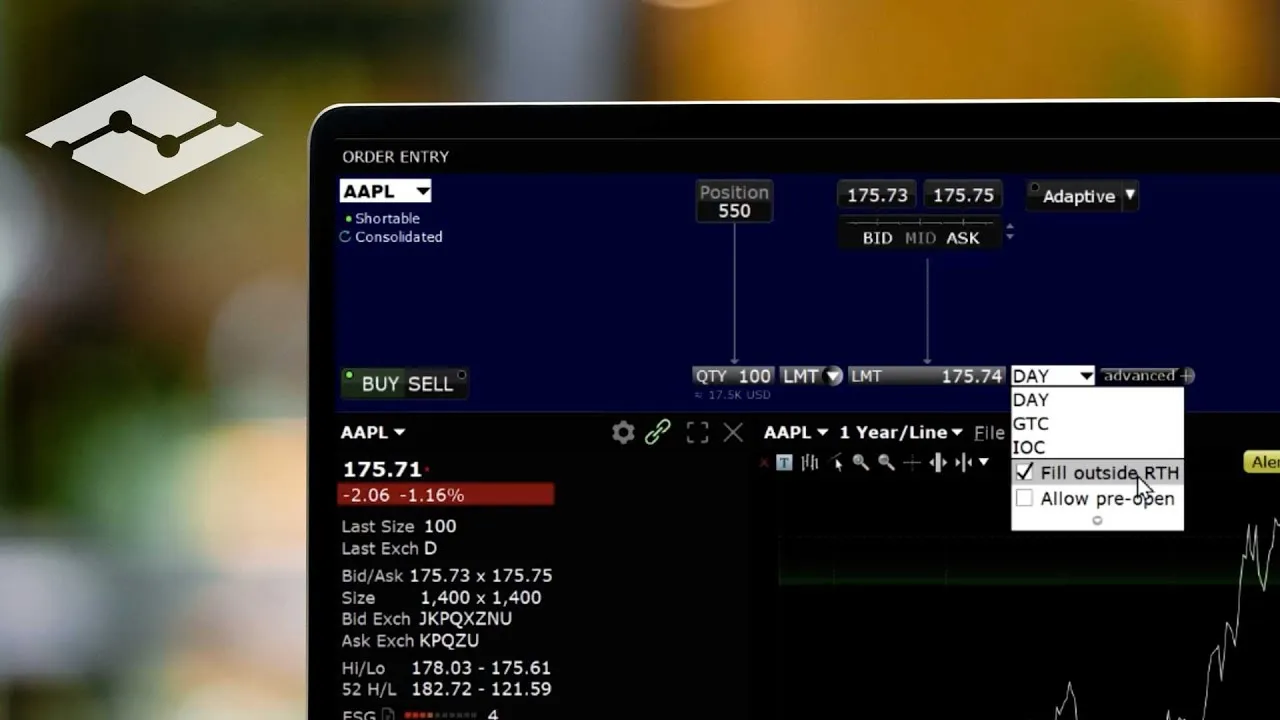
- The outside regular hours box is ticked in Presets > Stock > Timing, or the order waits for 09:30.
- The key sends LMT, never a market order.
- The offset is at least the spread. Look at the spread on the stock before you press, every time.
IBKR's short video on trading outside regular trading hours shows where the outside RTH box lives in Presets and how to confirm it on the order, which is the setting most pre-market offset problems trace back to.
If a key still does nothing in the pre-market, our checklist for IBKR hotkeys not working covers the other causes. And if you are about to set a wide offset because you plan to stop out fast, read attaching a stop loss with a TWS hotkey first: an attached stop order does not trigger outside regular hours on US stocks.
Where Scalpel fits
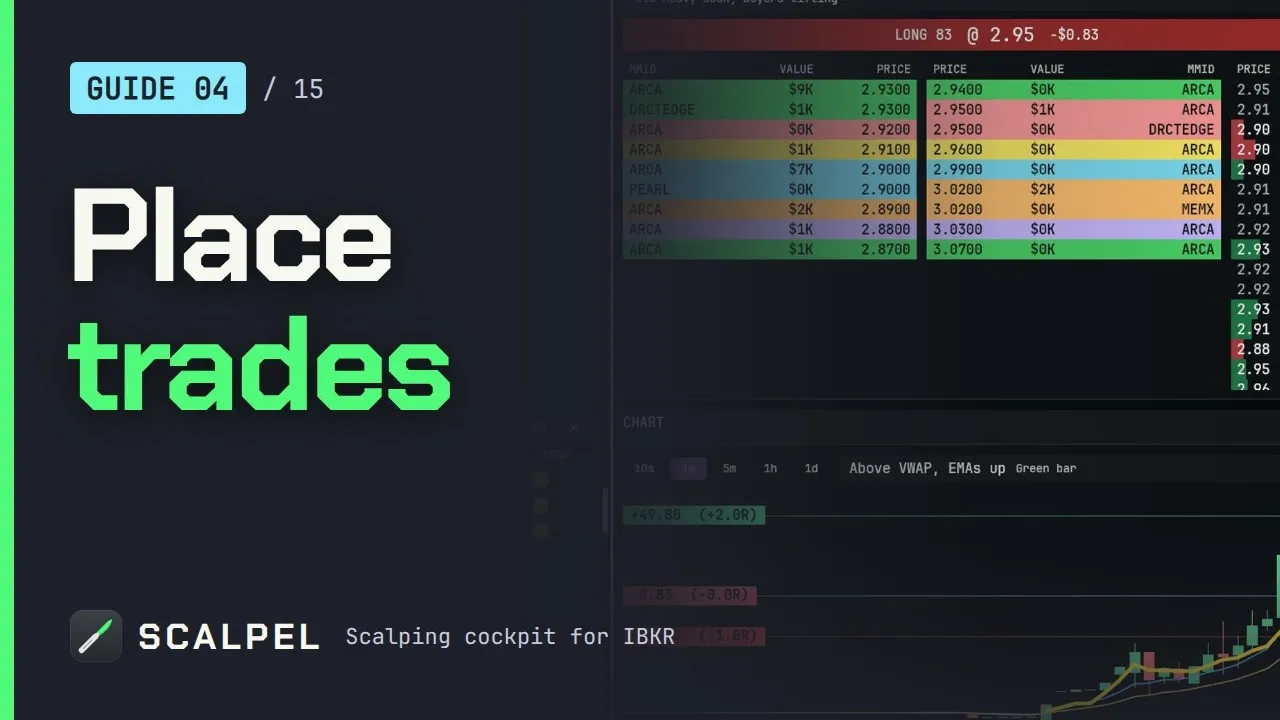
Scalpel is a keyboard-first desktop cockpit that trades your own IBKR account through TWS or IB Gateway with the API enabled. Every buy is a marketable limit at the ask plus your Buy offset (c), and the bid exits go out at the bid minus your Sell offset (c). Both are 10 cents by default, live in Settings > Trading, and can be changed from the order bar's Offset steppers mid-session, 10 cents a click (guide to entries and fills).
A few differences from a TWS key are worth knowing:
- Cents only. There is no percent or tick mode, so there is no unit to get wrong. The Trading settings guide suggests 3 to 5 cents if you mostly trade under $3.
- Some exits ignore the sell offset. Sell half (ask) and Sell half (mid) sit at the ask or the mid and wait. A stop exit in LIVE is a sell limit 5 cents under the last trade, re-priced if the market runs away, and Flatten All crosses about 1% through the price.
- A missed fill keeps working at the limit, shown as Partial in the Orders tab, until it fills or you cancel it with Ctrl+Q (fix an order that did not fill).
The guide video below walks through the buy keys, offsets and scale-outs in under two minutes.
The trade-off is the same as with any app-monitored setup: Scalpel's stops and take-profits only work while it runs with a live feed, and no offset guarantees a fill. All the keys and their defaults are in the hotkeys guide.
Trading carries a significant risk of loss. Nothing here is financial advice.
Questions
- Where do I set the limit price offset for a TWS hotkey?
- In Global Configuration, Hotkeys, select the key and click Configure, then open the Customize tab. Set Order Type to LMT, pick Ask (for a buy) or Bid (for a sell) as the price basis, and type the offset next to it.
- What does ask plus 0.05 mean on an IBKR hotkey?
- The buy key sends a limit order priced 5 cents above the ask you saw when you pressed. It fills against the offers up to that cap, often at better prices, and never pays more than the limit.
- Should a TWS hotkey offset be in cents or percent?
- Cents are easier to reason about on small caps, because spreads and book gaps are in cents. A percentage scales with price but can be too tight on cheap stocks and too loose on expensive ones. Whichever you use, check the unit your dialog shows before you type a number.
- Why did my ask plus hotkey not fill?
- The ask moved past your limit before the order reached the book, so the order now rests below the market. Re-price it with an Update Limit Prices key, raise the offset for that kind of stock, or cancel and wait for a better entry.
- Is the sell offset negative in TWS?
- A sell key needs a limit under the bid, so the offset must take the price down. TWS presets flip buy values for sells automatically, so check the first paper order from your sell key and flip the sign if the limit came out above the bid.
Related guides
Guide 4.4Entries: marketable limits, offsets and partial fillsHow a Scalpel buy is priced and filled: the marketable limit, the buy offset, partial fills, and why a buy is refused when the market is closed or halted.Guide 13.6An order did not fill, or only part filledWhy a marketable limit can miss or part-fill in a fast book, what happens to the rest in SIM and LIVE, and how to clear a stuck exit or a stop exit.Guide 11.2Settings: TradingEvery option on Scalpel's Trading tab: SIM or LIVE, header P&L, buy and sell offsets and extended-hours fills for entries, with defaults and examples.
Keep reading
- TWS hotkeys for day trading: a setup that actually worksSet up TWS hotkeys for day trading: where IBKR hotkeys live, the presets they need, a five-key scalping set with exact settings, and a printable cheat sheet.
- IBKR hotkeys not working? The causes and how to fix each oneIBKR hotkeys not working? Go through the checklist: row not selected, no instant transmit, popups, outside RTH unset, unmarketable prices. Exact TWS fixes.
- Day trading hotkeys: the keys every scalper should set upDay trading hotkeys that work: the five keys every scalper needs, how to price and size each one, where to put them on the keyboard, and drills to learn.
Practice in SIM, against the live book.A lifetime license, every update included, with a 7-day refund guarantee.Ask in DiscordGet Scalpel