Move stop to breakeven: when to do it, and what it costs
By Scalpel Team. , updated . 7 min read.
In short
Move your stop to breakeven once the trade has earned it: usually at +1R, after you have sold part of the position, or when a new higher low forms above your entry. Not before: on a stock that swings 10 cents either way, a stop at entry gets tagged by normal noise and turns winners into scratches. And count costs: a breakeven stop still loses commissions, fees and any slippage, so a stop a cent or two above entry is the real breakeven.
Moving the stop to breakeven feels like the safest thing in trading. The trade can no longer lose, so you can relax. Sometimes that is exactly right. Often it is a way of paying to feel safe: the stop sits where every pullback reaches, you get scratched, and the stock runs to your target without you. This post works through when to move your stop to breakeven, what it really costs, the math of doing it at +1R and after a scale-out, and how to do it in TWS.
Scalpel is independent and not affiliated with or endorsed by Interactive Brokers. Fees were checked on October 22, 2026.
What a breakeven stop does, and does not do
A breakeven stop is a stop moved up to your entry price. If it is hit, you are out at roughly what you paid. What it changes is the shape of your results, not, on its own, whether you make money.
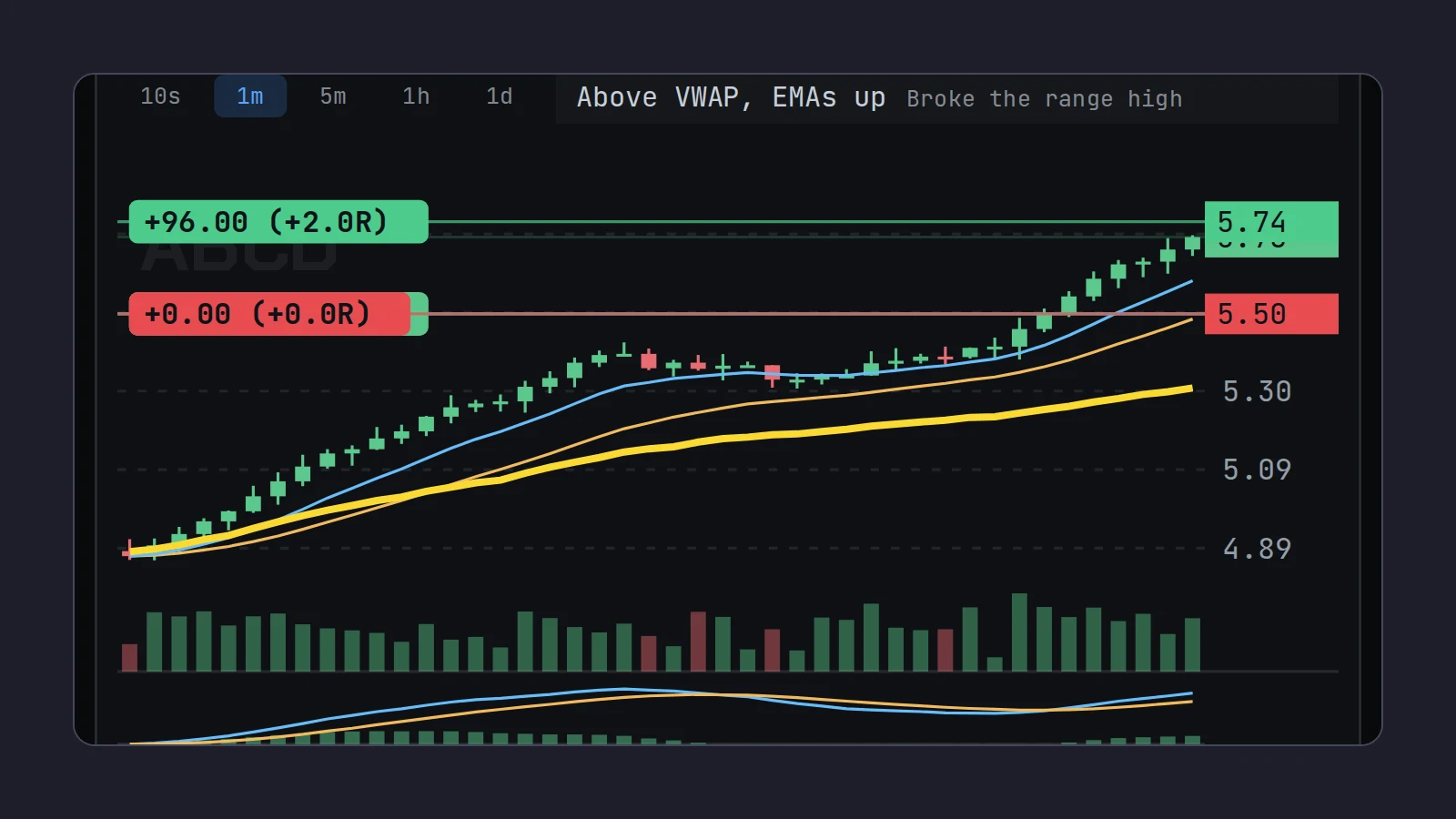
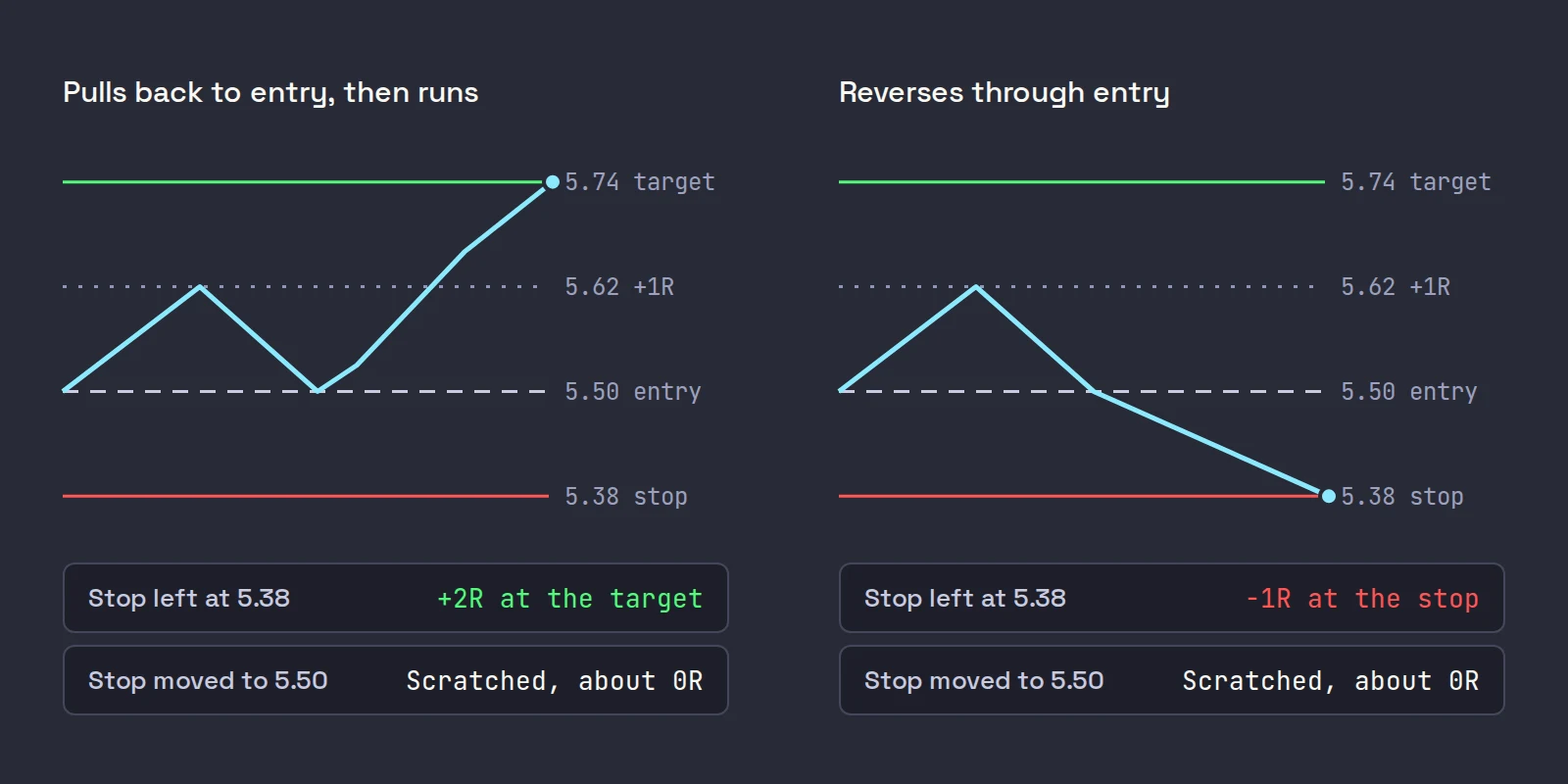
Our example trade throughout: 400 ABCD bought at 5.50, stop at 5.38 (12 cents, $48, our 1R), target at 5.74 (+2R). Price reaches 5.62, +1R, and you are deciding whether to move the stop to 5.50.
The math of moving the stop to breakeven at +1R
Imagine, for a moment, that from 5.62 the stock has no edge in either direction. The chance of hitting a level above before a level below is the distance to the lower level divided by the total distance between them.
| From 5.62 (+1R) | Stop | Chance target hits first | Outcomes | Expectancy |
|---|---|---|---|---|
| Leave the stop at 5.38 | -1R | 24 / 36 = 66.7% | 2 in 3 win +2R, 1 in 3 lose -1R | 0.667 x 2 - 0.333 x 1 = +1.0R |
| Move it to 5.50 | 0R | 12 / 24 = 50.0% | Half win +2R, half scratch at 0R | 0.5 x 2 + 0.5 x 0 = +1.0R |
Same expectancy. Moving to breakeven trades a 66.7% win rate with full losers for a 50% win rate with scratches. It removes your losers on this trade and costs you a third of your winners, and before costs the two cancel out exactly.
So a breakeven stop is not an edge. It earns its place in two situations:
- When your read says a return to entry means you were wrong. On a breakout over a level, a trade back to your entry is a failed breakout, and the odds of the target from there are worse than a coin flip. Getting out flat beats holding a broken trade.
- When it stops you making a worse decision. Traders who are down take more risk to get back to even. Coval and Shumway found that Chicago Board of Trade proprietary traders with morning losses had a 31.2% chance of taking above-average risk in the afternoon, against 27% for those with morning gains (CFA Institute summary of the 2005 Journal of Finance paper). A winner that turns into a full loser is exactly the trade that tilts a session.
A breakeven stop loss still costs money
"Out at breakeven" means out at your entry price, not out with your money. On IBKR Pro Tiered, Interactive Brokers charges $0.0035 a share, $0.35 minimum, plus $0.0002 a share clearing, and the SEC's Section 31 fee on sales is $20.60 per million dollars from April 4, 2026.
| On 400 ABCD | Amount |
|---|---|
| Commission in and out | $2.80 |
| Clearing in and out | $0.16 |
| SEC fee on a $2,200 sale | $0.05 |
| Cost of a "breakeven" scratch | about $3.01, plus exchange fees |
And the exit is rarely at the stop price. A stop is a trigger; the fill comes from the bids that are there. Two cents of slippage on 400 shares is another $8, so a typical breakeven scratch on this trade costs about $11, nearly a quarter of an R. Ten scratches a week is 2R gone. More in the real cost of day trading.
Breakeven plus costs. For a stop that really is flat, add the round-trip cost per share to your entry: $3.01 / 400 is 0.75 cents, so the stop goes at 5.51, the next whole cent. Some traders add a further cent or two for typical slippage.
When to move your stop to breakeven
| Moment | Why it works | Watch out for |
|---|---|---|
| At +1R | The trade has paid for its own risk; a common default | On a stock whose normal pullback is more than 1R, it is too early |
| After a scale-out | Part of the profit is locked, the rest rides free | Size the remainder so a scratch on it still nets positive |
| After a new higher low above entry | The chart, not a number, says entry should hold | Needs a closed candle, so it is slower |
| When the trade reaches the next level | Price is through the resistance that mattered | Moving it on a level you have not cleared yet |
When not to: in the first minute after entry, on a stock that has not left your entry zone yet, on wide-spread stocks where the spread alone is half your stop, and in a thin pre-market book where one print can tag your entry. A rule many scalpers use: never move to breakeven before the stock has shown you a higher low.
Breakeven after a scale-out
This is where a breakeven stop shines. Sell half at +1R, then move the stop on the rest to entry:
- Sell 200 at 5.62: +$24 locked.
- The other 200 now has a stop at 5.50. Worst case it scratches: +$24 less about $3 in costs, about +0.44R.
- Best case it reaches 5.74: another +$48, for +$72 in total, +1.5R.
You have turned a trade that could lose 1R into one that cannot lose, short of a gap, while keeping half of the upside. The price you paid is the half you sold at +1R instead of +2R.
How to move your stop to breakeven in TWS
By hand. Find the working stop in your orders, change its stop price to your entry (or entry plus costs), and transmit the change.
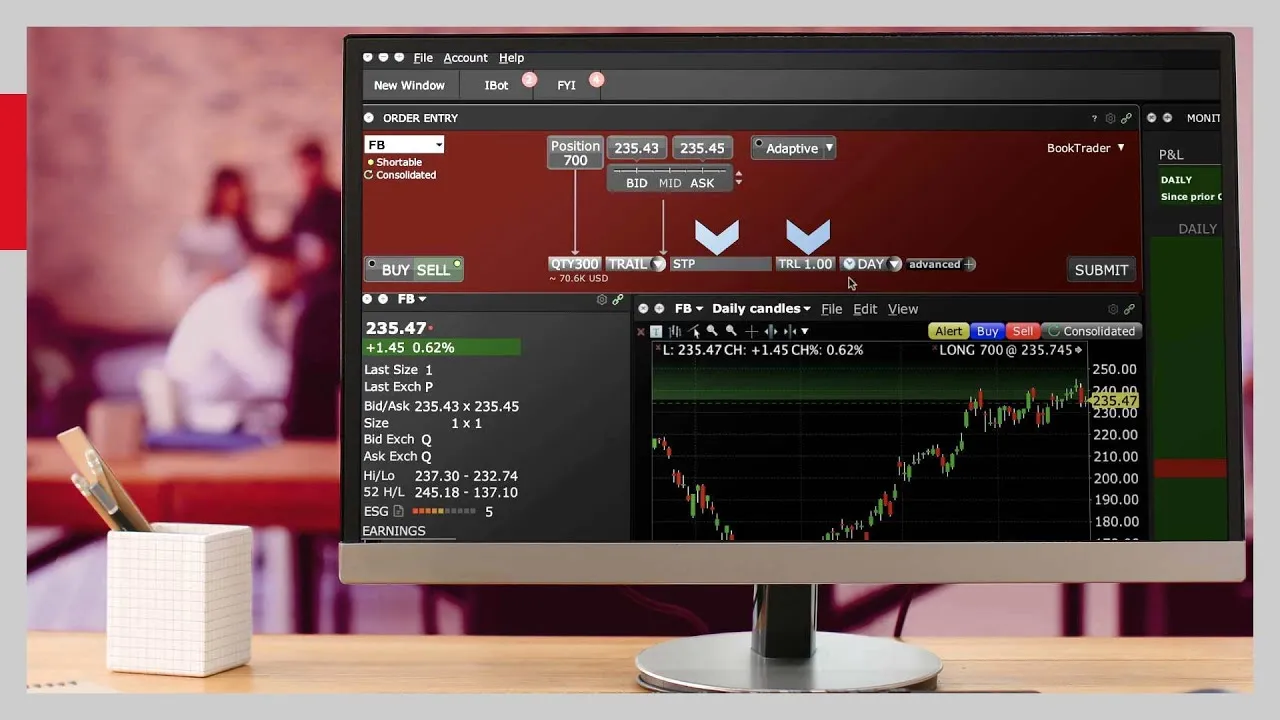
Automatically, with an adjustable stop. TWS can change a stop for you when price reaches a trigger. IBKR's adjustable stop lets you "attach one-time adjustments to stop, stop limit, trailing stop and trailing stop limit orders": when the trigger price trades, the stop is modified instead of sent. For the example, set the stop at 5.38, the Trigger Price at 5.62 and the Adjusted Stop Price at 5.51. To make it a default, go to File > Global Configuration > Presets, open the All possible fields tab and scroll to Adjusted Stop Fields.
Or trail it. A trailing stop moves up with the price by itself and never moves down; past breakeven it locks in more as the trade works. IBKR's short lesson shows how the TWS trailing stop is set up and how its trailing amount behaves.
Choosing how the stop trails, by cents, percent or chart structure, is its own question: see trailing stops for day trading.
Where Scalpel fits
In Scalpel, press B (or B/E on the order bar) and the working stop jumps to your entry price; the voice says "Breakeven." and the stop chip reads +0.00 (+0.0R). B only ever moves the stop up, so a late press never pulls down a stop that trailing has already lifted. If you added shares, breakeven means your new average price. To do it hands-free, set Breakeven at (R) in Settings > Stops: at 1, the stop moves to entry by itself once the trade is up 1R. It is off (0) by default (breakeven and trailing stops).
The scale-out above is two keys: Ctrl+X sells half at the bid, then B (scale out and flatten). You can also drag the stop line up to one tick under the last price, including a cent or two above your entry to cover costs (drag stops and targets).
Two things to keep in mind. A Scalpel breakeven stop exits at entry less fees and any slippage, the same as any stop: in LIVE the exit is a sell limit 5 cents under the last trade. And Scalpel's stops are app-monitored, not resting orders at IBKR, so they work in the pre-market but only while Scalpel runs with a live feed (R multiples explains how scratches show in your stats). The design behind that is in why Scalpel's stops live in the app.
The video above shows breakeven, trailing and dragging the stop on Scalpel's chart. For where the original stop should go, see stop loss placement; for how the target side of the same trade works, risk reward ratio; and for the rules around all of it, the pillar on day trading risk management.
Trading carries a significant risk of loss. Nothing here is financial advice.
Questions
- When should I move my stop to breakeven?
- Once the trade has earned it: commonly at +1R, after selling part of the position, or when a new higher low forms above your entry. Moving it earlier mostly turns winners into scratches on normal pullbacks.
- Is moving your stop to breakeven a good idea?
- It does not add an edge by itself. In a market with no edge it keeps the same expectancy and swaps full losers for scratches and fewer winners. It helps when a return to entry means the trade failed, and when it keeps a winner from turning into a loss that tilts your day.
- Does a breakeven stop really mean no loss?
- No. You still pay commissions and fees on both sides, about $3 on a 400-share trade on IBKR Pro Tiered, and the exit can fill below the stop. Set the stop a cent or two above entry for a true breakeven.
- How do I move my stop to breakeven automatically in TWS?
- Attach an adjustable stop: set a trigger price, for example +1R, and an adjusted stop price at your entry. When the trigger trades, TWS modifies the stop. Stops on US stocks still only trigger in regular trading hours.
- What is breakeven plus one?
- A stop set a little above entry, usually by the round-trip cost per share plus a cent, so that a scratch really is flat after fees.
Related guides
Guide 5.3Breakeven and trailing stopsMove the stop to breakeven with one key, trail it by your stop, cents, percent or 1-minute candle lows, and make both start by themselves at a set R.Guide 5.4R multiples: how Scalpel measures a tradeWhat R is, how Scalpel shows P&L in R on the chart and in the orders panel, how take-profit at N x R works, and why R makes trades on any stock comparable.Guide 5.2Move your stop and target on the chartDrag the stop or take-profit line (or its axis tag) on Scalpel's chart, add a target with the + TP handle, reset with a double-click, and know the limits.
Keep reading
- Day trading risk management: the rules that keep you tradingDay trading risk management in five rules: fixed risk per trade, sizing from the stop, a daily loss limit, exposure caps and the math of drawdowns.
- Why your stop loss did not trigger in the pre-market on IBKRIBKR stop loss pre-market: why a plain stop does nothing before 09:30, how a stop-limit gets jumped in a thin book, and the TWS settings that help.
- Position sizing for day trading: size every trade by riskPosition sizing for day trading: shares = dollar risk / stop distance. Worked examples, caps from buying power and liquidity, and fees in the size.
Practice in SIM, against the live book.A lifetime license, every update included, with a 7-day refund guarantee.Ask in DiscordGet Scalpel