Fat finger trading errors: hotkey mistakes and the guards that work
By Scalpel Team. , updated . 9 min read.
In short
The costly hotkey mistakes are few and repeat: a size or price typo (an extra zero, or shares and price swapped), a key that fires on the wrong window or stock, a second press before the first fill shows, and a sell key that sells more than you hold and opens a short. The documented fat finger trading errors run from Mizuho's 610,000 shares at 1 yen in 2005 to Citigroup's $444 billion basket in 2022. The guards that work are hard caps set just above your largest normal order, sells that can never exceed your position, a daily loss limit, and never clicking past a warning you have not read. Do not count on getting a bad fill reversed: in regular hours most of them stand.
Every fast trader has a story about the key they did not mean to press. Most of those stories are small, a few cents on the wrong side or a hundred shares too many. The ones that make the news are the same mistakes at a scale that moves an index. They are worth studying because the causes are ordinary: a number typed in the wrong box, a warning clicked away, a system that did not notice its own fills.
This post covers three documented incidents and what regulators said about them, the hotkey mistakes retail traders make on IBKR, what the exchanges will and will not reverse, and the settings that stop each mistake. Facts and rules were checked on October 22, 2026. Scalpel is independent and not affiliated with or endorsed by Interactive Brokers.
Fat finger trading errors that made the news
A "fat finger" is an order you did not mean to send: the wrong size, the wrong price, the wrong side or the wrong stock (glossary: fat finger). These three cases are documented by regulators or major news outlets, with the numbers they reported.
| Date | Firm | What went wrong | Reported cost |
|---|---|---|---|
| December 8, 2005 | Mizuho Securities | 610,000 shares sold at 1 yen instead of 1 share at 610,000 yen | At least 27 billion yen, about $225 million |
| August 1, 2012 | Knight Capital | A router that could not see its fills sent over 4 million orders | A loss of more than $460 million, plus a $12 million SEC settlement |
| May 2, 2022 | Citigroup Global Markets | A $58 million basket entered as $444 billion | $1.4 billion of stock sold in error; UK fines totaling 61.6 million pounds |
Mizuho, 2005: size and price swapped. On the debut day of the recruitment firm J-Com, a Mizuho Securities trader tried to sell 610,000 shares at 1 yen each, meaning to sell one share at 610,000 yen. The order was 41 times the number of J-Com shares outstanding, and the exchange processed it anyway. The BBC reported a loss of 27 billion yen, almost the group's net profit for the previous financial year, and the Associated Press reported that Mizuho tried to cancel the order three times.
Knight Capital, 2012: the system did not see its fills. According to the SEC's order, a botched code deployment left Knight's order router "unable to recognize when orders had been filled". In the first 45 minutes after the open, it sent more than 4 million orders while trying to fill just 212 customer orders, traded more than 397 million shares and lost more than $460 million. It was the SEC's first enforcement action under the market access rule. Not a fat finger in the typing sense, but the retail version is familiar: pressing again because you did not see the fill.
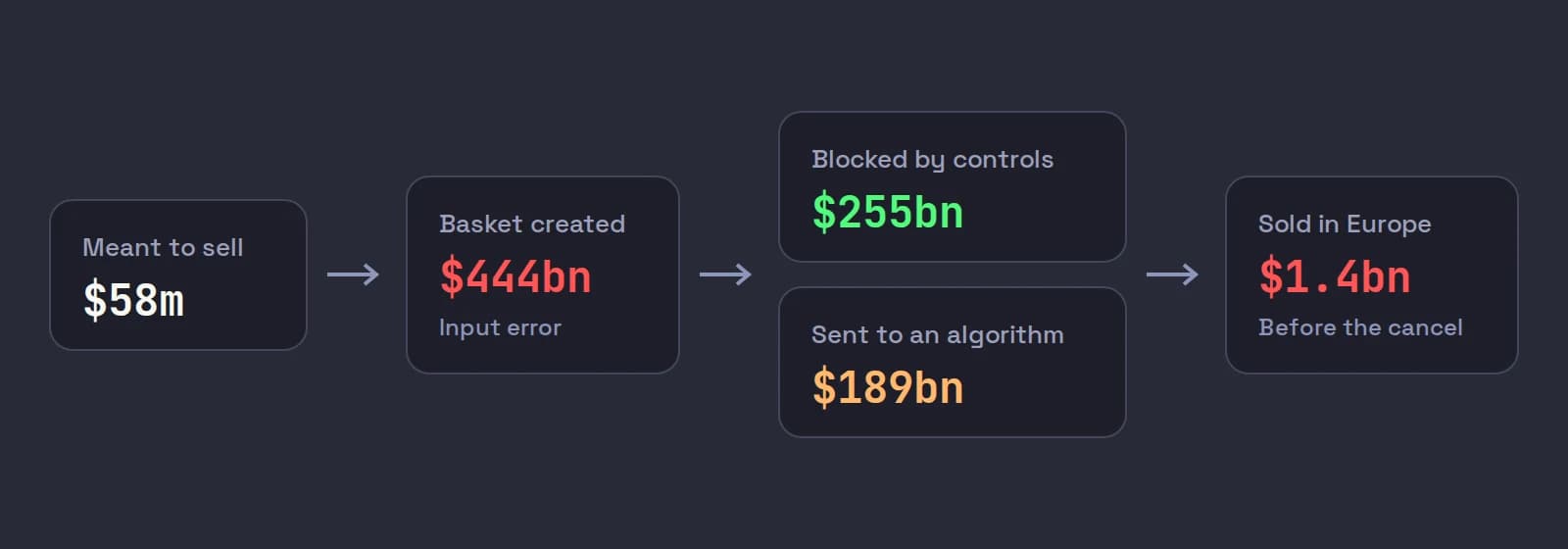
Citigroup, 2022: the popup that was clicked past. A trader at Citigroup Global Markets meant to sell a basket of stocks worth $58 million and made an input error that created a $444 billion basket. Controls blocked $255 billion of it; the remaining $189 billion went to an algorithm, and $1.4 billion of stock was sold across European exchanges before the trader cancelled. The FCA fined the firm 27,766,200 pounds and the PRA 33,880,000 pounds, 61.6 million pounds in total. Two findings stand out: there was "no hard block" that would have rejected the whole basket, and the trader could override a pop-up alert "without being required to scroll down and read all the alerts within it".
What the big cases teach a retail trader
Strip away the scale and each case has a lesson that fits a one-account scalper:
- A warning is not a block. Citigroup had a popup; it was overridden. A cap that refuses the order outright is worth more than any number of dialogs you can click through on reflex.
- Size and price live next to each other. Mizuho's two numbers were the same digits in each other's boxes. A dollar cap catches that, because 610,000 of anything is never your normal order.
- Not seeing a fill is dangerous. Knight's router kept sending because it could not tell what had already filled. A trader who presses a sell key again because the position has not updated yet does the same thing on a small scale.
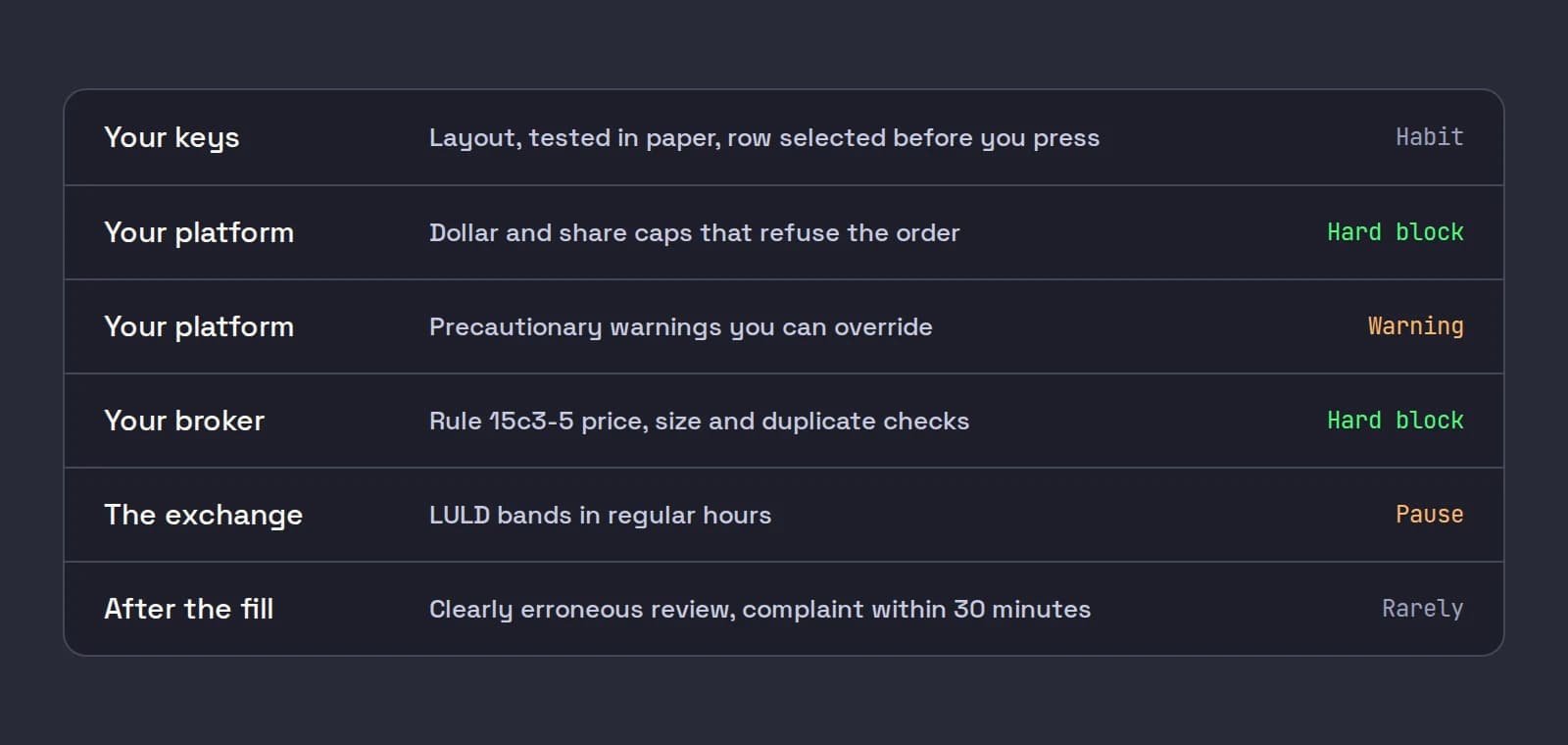
US brokers are required to have controls of their own. Rule 15c3-5 says a broker with market access must "prevent the entry of erroneous orders, by rejecting orders that exceed appropriate price or size parameters, on an order-by-order basis or over a short period of time, or that indicate duplicative orders" (17 CFR 240.15c3-5). Those limits are set for the broker's risk, not for the size of your account, so they will not stop an order that is legal and affordable but ten times what you meant.
Hotkey mistakes in trading, the retail edition
These mistakes come up again and again in traders' questions on IBKR Campus and trading forums. Here is what each one does and the guard that stops it.
| Mistake | What happens | The guard |
|---|---|---|
| The key fires on the wrong window or stock | TWS keys act on the selected row, so the order goes to the last stock you clicked | Click the row before you press; link windows in Mosaic |
| A second press before the fill shows | A second full order, or a second sell | Wait for the fill or the voice; caps on size |
| A fixed-size sell pressed twice | In a margin account, the extra shares sold can open a short | Close Position for the last shares; a long-only tool |
| Reverse Position used to scale out | Reversing a long means selling it and going short | Never use Reverse Position to exit |
| The wrong unit in a price offset | 5 percent or 5 dollars where you meant 5 cents | Read the first paper order of every key |
| An extra zero in a size preset | 5,000 shares where you meant 500 | A dollar cap per order |
| A risk preset with a very tight stop | A huge share count for the same dollar risk | A dollar cap per order and per position |
| A trading key on a common shortcut | Copy or undo sends an order | Keep order keys off Ctrl+C, Ctrl+Z and the like, or know they trade |
| Overriding a warning on reflex | The one order the warning was for goes out | Set warnings so they only fire on real mistakes |
Some of these are documented in IBKR's own pages. On IBKR Campus, a trader wrote on September 12, 2024 that the Reverse Position key he used to scale out started returning "not available for shorting". Another reported on June 7, 2024 that chart hotkeys stopped working after any click elsewhere until he clicked the ticker again, and IBKR replied that a fix was on its roadmap (IBKR Campus: Configuring TWS Hotkeys). The same lesson notes that Close Portion of Positions warns you it will not apply your precautionary checks.
Two of these deserve their own posts. The price unit problem is in TWS hotkey limit price offsets, and the safe way to scale out without a fixed-size sell key going short is in TWS hotkeys to sell half. If you are moving your keys to a pad, read macro pads and Stream Deck for day trading for layouts that make the wrong key harder to hit.
Can a fat finger trade be reversed?
Rarely, and not quickly enough to plan around. The exchanges' clearly erroneous rules set how far from the market a trade must be before it can be broken. On Nasdaq (clearly erroneous rules):
- In regular hours, a trade in a stock covered by the limit up, limit down plan is generally not reviewable as clearly erroneous. If it printed inside the price bands, it stands.
- In the pre-market and after hours, a trade in a stock priced up to $25.00 must be at least 20% away from the reference price, normally the last sale before it. The threshold is 10% from $25.01 to $50.00 and 6% above $50.00.
- A complaint must reach Nasdaq within 30 minutes of the execution, and it comes from a member firm, so as a retail trader you would be calling IBKR, fast.
So a buy that paid 15 cents too much on a $4 stock, or bought 5,000 shares instead of 500, is your trade. In regular hours the LULD bands put a ceiling on how far one print can run, but that ceiling is a long way from your stop. Our post on trading halts and LULD covers the bands in detail.
Trading error prevention: the guards to set today
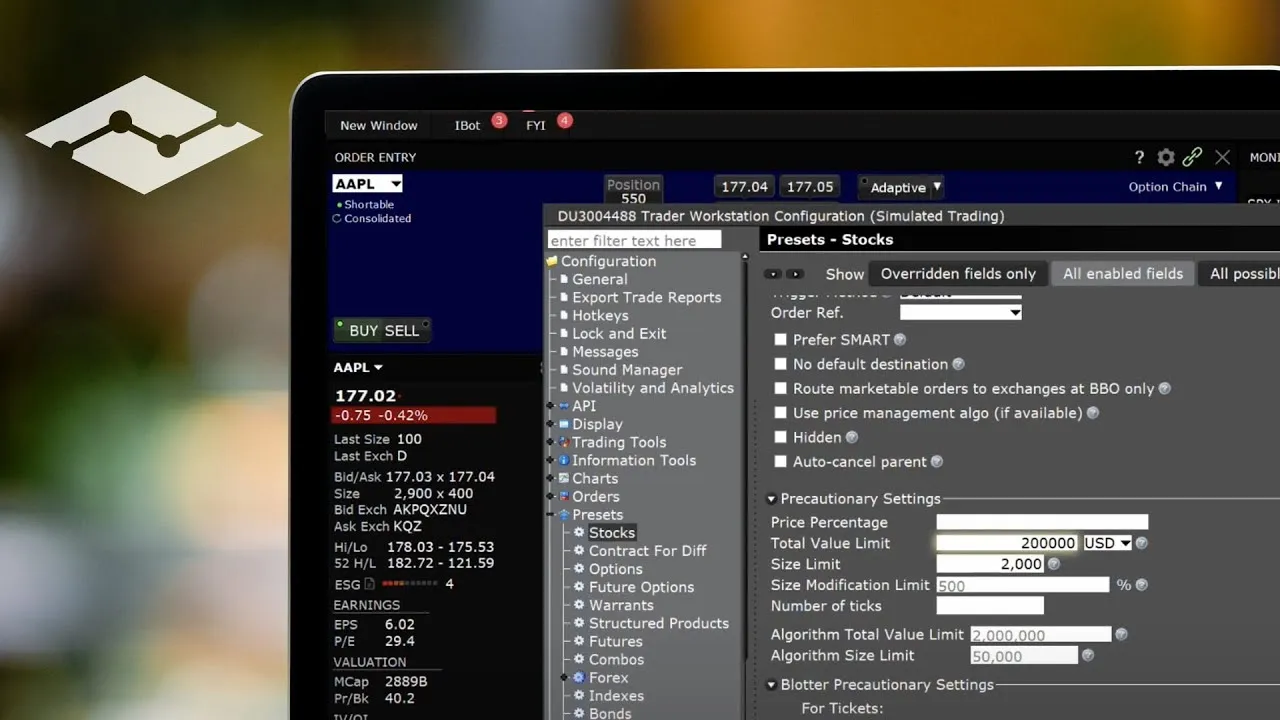
In TWS, open Global Configuration > Presets > Stock and find Precautionary Settings. The size and total value limits warn you before an order above them goes out, and the percentage and ticks checks warn on a limit price far from the market. IBKR's knowledge base is clear that these warnings do not prevent an order: you can acknowledge them and submit. That makes the setting as good as your habit:
- Set each limit just above your largest normal order, so it never fires on a routine trade.
- Never set it to zero to make the popup go away. Zero turns the check off.
- When it fires, read it. It only fires when something is wrong.
IBKR's video on configuring TWS presets walks through the precautionary settings at the end, including how the Override and Transmit warning looks when an order is over your limits.
In your routine, three habits do most of the work: build and test every key in paper, use Close Position rather than a fixed-size sell for the last shares, and keep a hard daily loss limit so one bad press cannot become a bad day. Our max daily loss post covers how to size that limit.
Where Scalpel fits
Scalpel is a keyboard-first desktop cockpit for your own IBKR account, through TWS or IB Gateway with the API enabled. Its guards are hard blocks, not warnings:
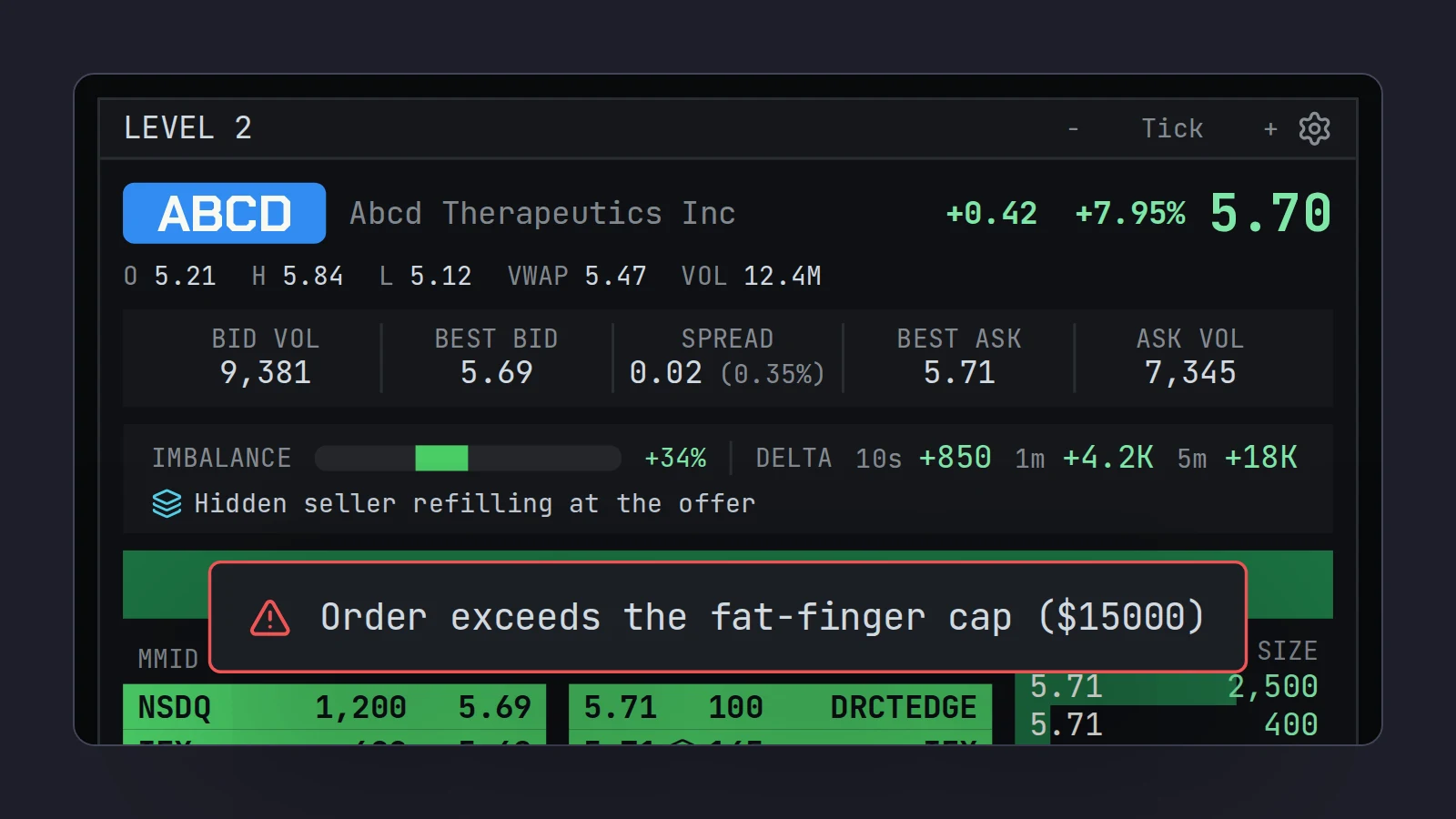
- Fat-finger ($) refuses any single buy worth more than that many dollars, and Max position ($) refuses a buy that would take one stock past that value. Both default to $250,000, far above most accounts, so set them to yours. A capped order is refused whole, never shrunk, with a red toast and the voice saying "Rejected." (fat-finger and position caps).
- Daily loss ($) trips a RISK LOCK that refuses every new buy, and can flatten your positions if you tick Auto-flatten on daily loss (daily loss limit).
- Long only. Every sell is capped to the shares you hold, counting sells already working, so a double press or a stop firing during your own exit cannot leave you short (long only).
- Typing never trades. Order keys do not fire while a text box has the cursor.
Scalpel has its own sharp edges, and you should know them. Esc flattens every position on every desk whenever nothing is open, so a habit of pressing Escape to close things is a habit of flattening. Sell quarter (bid) defaults to Ctrl+C, so rebind it if you copy and paste while trading (Hotkeys settings). On a Mac, Cancel all orders is Shift+Q because Cmd+Q quits the app, and quitting switches off its app-monitored stops. The risk controls video shows the caps and the lock in action.
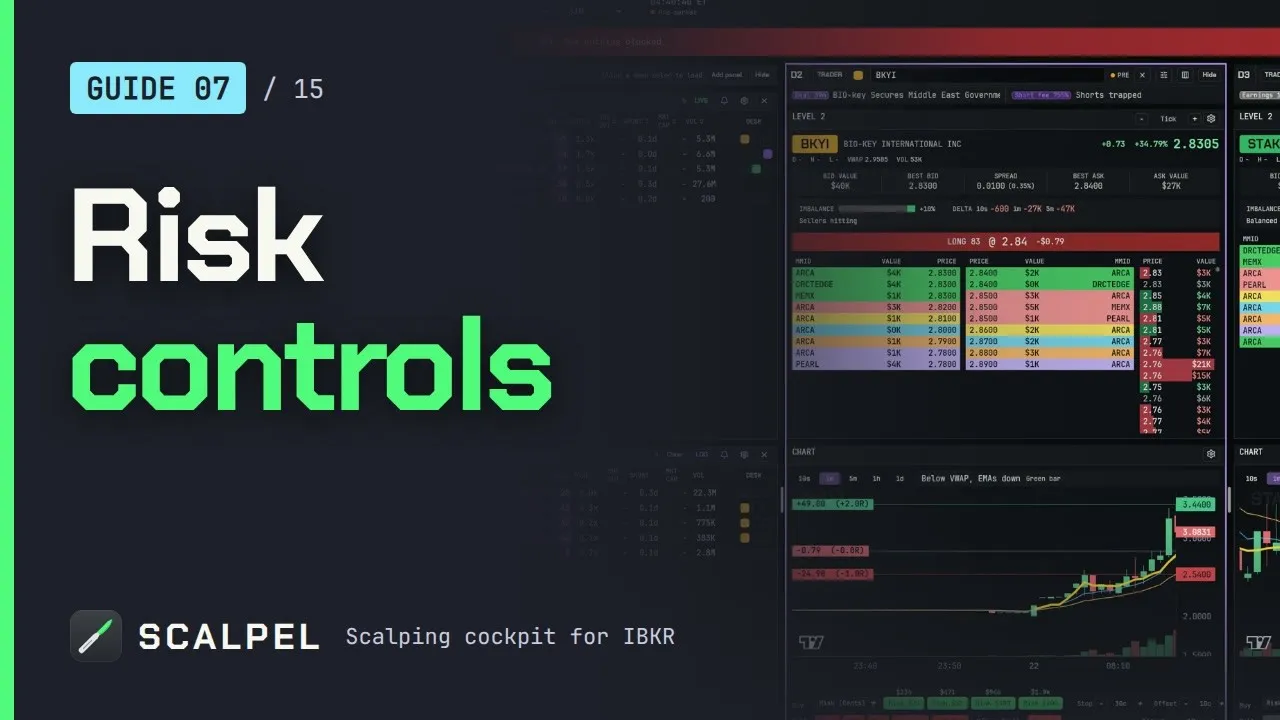
The caps catch mistakes; they cannot make a bad trade safe, and Scalpel's stops only work while it runs with a live feed. For the full key list and the fixed keys, see the hotkeys guide, and for the TWS side of the same setup, TWS hotkeys for day trading.
Trading carries a significant risk of loss. Nothing here is financial advice.
Questions
- What is a fat finger trading error?
- An order sent by mistake: the wrong size, price, side or stock, usually from a typo or the wrong key. Well-known cases include Mizuho's 610,000 shares at 1 yen in 2005 and Citigroup's $444 billion basket in 2022.
- Can a fat finger trade be cancelled after it fills?
- Rarely. Exchanges only break clearly erroneous trades that are far from the market, for example 20% from the last sale for a stock up to $25 in the pre-market on Nasdaq, and in regular hours trades inside the LULD bands generally stand. A complaint has to be filed within 30 minutes.
- How do I prevent fat finger errors in TWS?
- Set the Precautionary Settings in Global Configuration, Presets, Stock just above your largest normal order, never set them to zero, and read the warning when it appears. Test every hotkey in a paper login before you trade with it.
- Can a TWS hotkey accidentally short a stock?
- Yes. In a margin account a Sell key with a fixed size does not know what you hold, so pressing it twice, or after a partial fill, can sell more than your position and open a short. Use Close Position for the last shares.
- What is the difference between a warning and a hard cap?
- A warning asks you to confirm and lets the order through if you click. A hard cap refuses the order outright. The Citigroup case turned partly on a popup that could be overridden without reading it.
Related guides
Guide 7.2Fat-finger and max-position capsWhat Scalpel's fat-finger cap and max-position cap block, how they interact with risk sizing, and sensible values for small, medium and larger accounts.Guide 7.1Set a daily loss limit (the kill-switch)Set a max daily loss in Scalpel: when your P&L hits it, new entries stop, a RISK LOCK banner shows, and it can flatten everything. How to resume trading.Guide 7.3Why Scalpel is long-onlyScalpel is long-only by design: every sell is capped to the shares you hold, so a double press never puts you short. No shorts, futures, options or crypto.
Keep reading
- TWS hotkeys for day trading: a setup that actually worksSet up TWS hotkeys for day trading: where IBKR hotkeys live, the presets they need, a five-key scalping set with exact settings, and a printable cheat sheet.
- IBKR hotkeys not working? The causes and how to fix each oneIBKR hotkeys not working? Go through the checklist: row not selected, no instant transmit, popups, outside RTH unset, unmarketable prices. Exact TWS fixes.
- Day trading hotkeys: the keys every scalper should set upDay trading hotkeys that work: the five keys every scalper needs, how to price and size each one, where to put them on the keyboard, and drills to learn.
Practice in SIM, against the live book.A lifetime license, every update included, with a 7-day refund guarantee.Ask in DiscordGet Scalpel