Max daily loss: how to set a daily loss limit that holds
By Scalpel Team. , updated . 7 min read.
In short
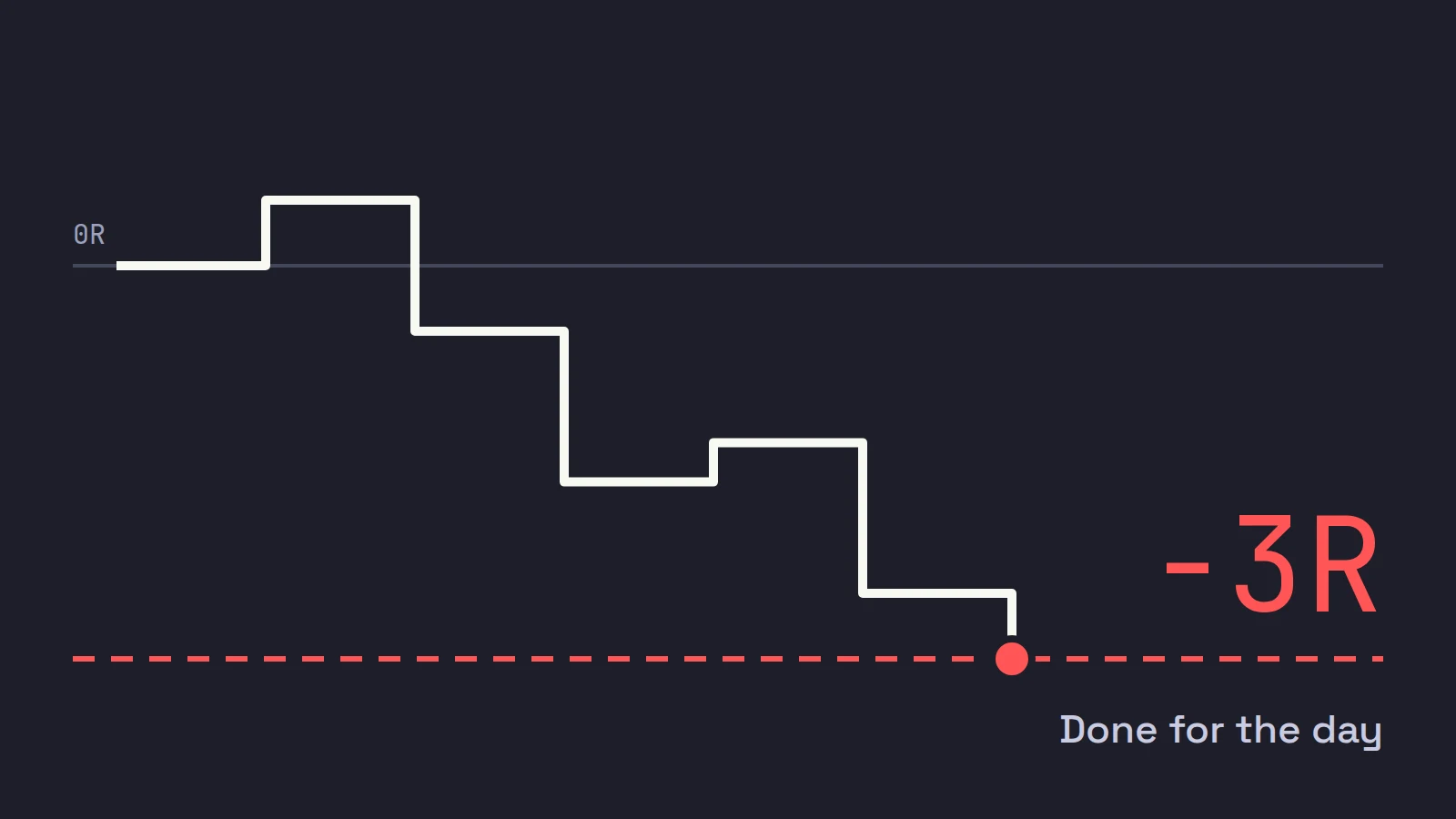
A daily loss limit is the most you allow yourself to lose in one day before you stop trading until tomorrow. For day trading, set it in R: about 3 to 4 times your normal risk per trade, and no more than 1 to 2% of the account. Count open losses, not just closed trades, and enforce it with something that blocks new orders, because a limit you have to obey by willpower fails on exactly the days it exists for.
Every trader has had the day that turned from a small loss into the worst week of the month in forty minutes. The trades that do the damage are rarely the first losers. They are the ones taken after them, bigger and faster, to get back to even. A max daily loss is the rule that ends the day before that happens. This post covers how big to make it, what to count, when to stop trading for the day even before you hit it, and how to make it hold.
Scalpel is independent and not affiliated with or endorsed by Interactive Brokers, FTMO or any firm named here. Rules and figures were checked on October 22, 2026.
Why a daily loss limit day trading rule matters
The research on traders who are losing is blunt. Coval and Shumway studied proprietary traders at the Chicago Board of Trade and found they "regularly" took above-average risk in the afternoon to recover morning losses (Journal of Finance, 2005). In the CFA Institute's summary of the paper, traders with morning losses had a 31.2% chance of taking above-average afternoon risk, against 27% for traders with morning gains. These were professionals, trading for a living, on a trading floor.
The trades made to recover also tended to be bad ones: the paper found that prices set by loss-averse traders reversed significantly faster than prices set by other traders. Losing makes you trade more, and worse. A limit set in the morning, with a clear head, is how you take that decision away from the person you will be at 10:40.
The wider statistics make the same point from the other side. In Brazil's futures market, Chague, De-Losso and Giovannetti found that 97% of people who day traded for 300 days or more lost money, and found no evidence that they learned with experience. Most traders will have far more losing days than they expect. The limit decides how much each one costs.
How to set your max daily loss in R
Start from your per-trade risk, 1R: the dollars you lose when a normal stop is hit (R multiples). Then pick how many full losers end your day.
| Risk per trade (1R) | Limit at 2R | Limit at 3R | Limit at 4R |
|---|---|---|---|
| $50 | $100 | $150 | $200 |
| $100 | $200 | $300 | $400 |
| $200 | $400 | $600 | $800 |
Three to four R is where most traders land, and it is what Scalpel's own guides suggest: two or three times your normal risk at the tight end, three to five at the loose end. Fewer than 2R ends the day after a couple of ordinary stops. More than about 5R lets a tilted morning do real damage.
Then check it against the account. On a $25,000 account, a $100 risk per trade is 0.4%, and a 3R limit of $300 is 1.2% of the account. If your limit is over about 2% of the account, your per-trade risk is probably too big, and the fix is there, not in a wider limit (position sizing for day trading).
Leave room for stop slippage
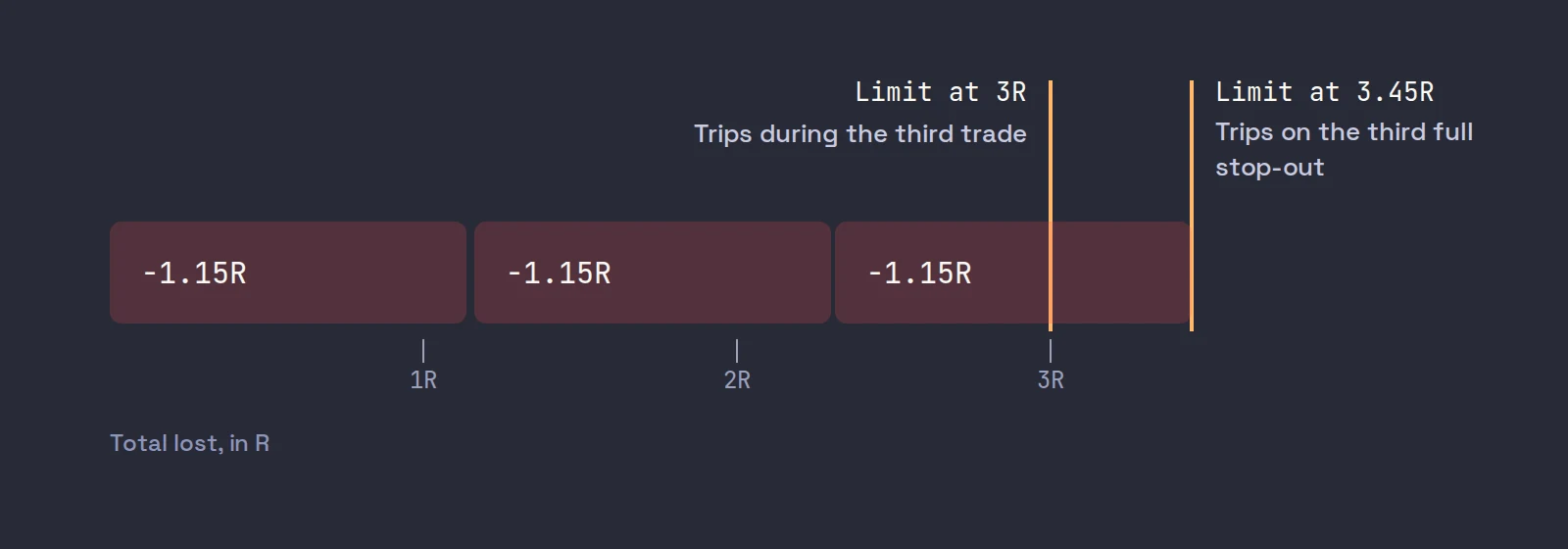
Stops in fast small caps fill below the stop more often than at it. If your losers average -1.15R after fees and slippage, three of them add up to 3.45R, not 3R. Set the limit at exactly 3R and it trips partway through the third trade, on open losses, before that trade's stop is reached.
That can be what you want. But decide it on purpose. If you mean "three losers and I am done," set the limit at three times your average real loser: 3.45R here, or $345 with $100 trades, so it is the third full stop-out that trips it. If you mean "never more than 3R," keep it at 3R and accept that it may cut the third trade short.
What counts toward the limit
- Closed trades, after commissions and fees. Not gross P&L. A day of twelve scratches can be a $40 loss in fees alone.
- Open positions, marked to market. A position down $250 counts as $250 lost, even before you sell. If you only count closed trades, the worst position of the day, the one you are holding and hoping on, is invisible to the rule.
- The whole account, not one stock. The limit is per day across everything you trade.
- A fixed clock. Midnight New York time is the simplest reset. A limit that resets when you restart your platform is not a limit.
Prop firm conventions
Proprietary trading firms enforce daily loss limits on their traders mechanically, and the published rules are a useful reference even if you trade your own money. FTMO, for example, sets a maximum daily loss of 5% of starting capital on its 2-Step accounts and 3% on its 1-Step and Instant accounts. It counts open P&L (equity, not balance), and it recalculates the limit at midnight Central European time.
Two things are worth copying: open losses count, and the rule is enforced mechanically, not by the trader. A prop firm's percentage is set for a firm's capital, though. A personal account that risks $100 a trade on $25,000 is better served by the R-based limit above, which here comes to 1.2%.
When to stop trading for the day before the limit
The dollar limit is the backstop. Many traders also stop earlier on these rules:
| Rule | Example | Why it helps |
|---|---|---|
| Consecutive losers | Three full stops in a row | Three in a row usually means you are reading the market wrong today |
| Giveback from the day's high | Stop when you give back half of a green day's peak | Protects a good morning from a bad late morning |
| Time | Stop at 11:00 ET | Small-cap momentum often fades after the first hours |
| Broken rule | One trade outside your plan | The first broken rule is rarely the last |
A trading journal tells you which of these matters for you. If your hour-by-hour P&L is green before 10:00 and red after, a time stop does more than any dollar limit. And if you notice yourself sizing up after a loser, read revenge trading before your next session.
Enforcement: willpower vs a hard lock
A daily loss limit has to be enforced by something other than you, because the limit is reached at the moment your judgment is worst.
In TWS. We could not find a setting in IBKR's TWS user guide that blocks new orders after a daily loss; the Lock and Exit page locks the workstation after a period of inactivity, which is a different thing. The closest tool is a Daily P&L alert: right-click an instrument, open the alert bell, choose Advanced Settings, pick Daily P&L as the condition and set "less than or equal to" your limit. The alert can send a pop-up, an email or a text, and can trigger an order. It is set per instrument, so it does not see your whole day, and it does not stop you from placing the next trade.
Willpower plus friction. If your platform cannot lock you out, add friction: close the trading platform when the limit is hit, and keep a written rule that you do not reopen it that day. It works better than nothing and worse than a lock.
A hard lock. The strongest version refuses new buys when the limit is reached and leaves exits working. That is what prop firms do, and what a trading app can do for you.
Where Scalpel fits
Scalpel enforces the limit for you. Set Daily loss ($) in Settings > Risk (the default is $1,000; 0 turns it off). Scalpel adds your realized P&L after fees to the open P&L on what you hold, checks it on every price change, and counts the day from midnight New York time, in SIM and LIVE (daily loss limit).
When the limit is hit, a red RISK LOCK banner appears and every new buy is refused. Sells, stops, take-profits and Flatten All keep working, so you can always get out. Tick Auto-flatten on daily loss and Scalpel also sells every open position the moment it trips. Resume trading on the banner lifts the lock, but it comes back if the day's loss grows by another quarter of the limit, and the button is deliberately the only way back in. In LIVE, trades you place in TWS outside Scalpel are not counted. The other caps on the same tab, fat-finger and max position, are in settings: risk.
Scalpel's stops are app-monitored, not resting orders at IBKR, so they and the lock only work while Scalpel runs with a live feed.
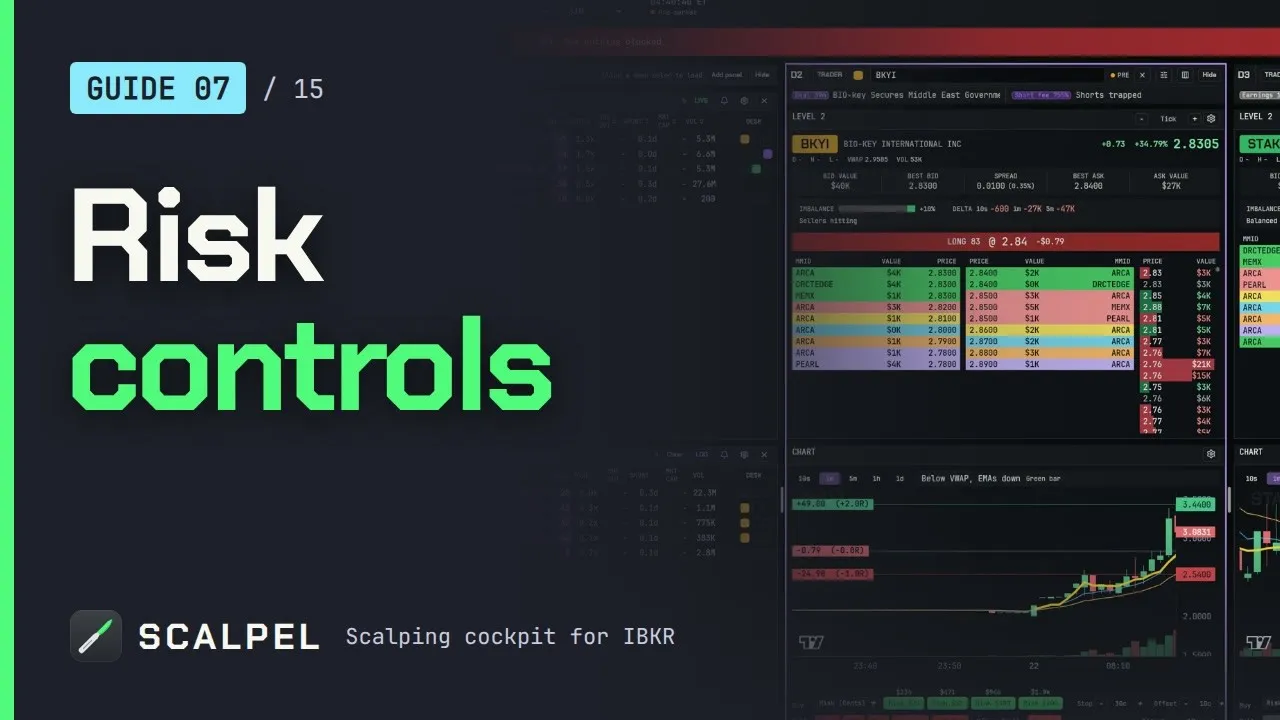
The video above walks through the daily loss limit, the RISK LOCK banner and the per-order caps in under two minutes.
For how the limit fits with the rest of your rules, see the pillar on day trading risk management, and for the per-trade side of the same math, risk reward ratio.
Trading carries a significant risk of loss. Nothing here is financial advice.
Questions
- What is a good daily loss limit for day trading?
- Most traders set it at 3 to 4 times their normal risk per trade, and keep it under 1 to 2% of the account. With $100 risked per trade, that is a $300 to $400 daily limit.
- Should a daily loss limit include open positions?
- Yes. Count open losses marked to market, not only closed trades. Otherwise the position you are holding and hoping on is invisible to the rule. Prop firms count open P&L for the same reason.
- When should I stop trading for the day?
- When you hit your daily loss limit, and often earlier: after three full losers in a row, after giving back half of a green day, at a set time, or after the first trade that breaks your plan.
- Does TWS have a daily loss limit?
- We could not find a TWS setting that blocks new orders after a daily loss. TWS can raise a Daily P&L alert per instrument, with a pop-up, email or text, or trigger an order, but it does not lock you out.
- What is the max daily loss at a prop firm?
- It varies by firm and plan. FTMO, for example, uses 5% of starting capital on its 2-Step accounts and 3% on 1-Step, and counts open P&L.
Related guides
Guide 7.1Set a daily loss limit (the kill-switch)Set a max daily loss in Scalpel: when your P&L hits it, new entries stop, a RISK LOCK banner shows, and it can flatten everything. How to resume trading.Guide 11.4Settings: RiskEvery option on Scalpel's Risk tab: SIM balance and slippage, the commission plan, fat-finger, position and daily loss caps, auto-flatten and SIM reset.Guide 5.4R multiples: how Scalpel measures a tradeWhat R is, how Scalpel shows P&L in R on the chart and in the orders panel, how take-profit at N x R works, and why R makes trades on any stock comparable.
Keep reading
- Day trading risk management: the rules that keep you tradingDay trading risk management in five rules: fixed risk per trade, sizing from the stop, a daily loss limit, exposure caps and the math of drawdowns.
- Why your stop loss did not trigger in the pre-market on IBKRIBKR stop loss pre-market: why a plain stop does nothing before 09:30, how a stop-limit gets jumped in a thin book, and the TWS settings that help.
- Position sizing for day trading: size every trade by riskPosition sizing for day trading: shares = dollar risk / stop distance. Worked examples, caps from buying power and liquidity, and fees in the size.
Practice in SIM, against the live book.A lifetime license, every update included, with a 7-day refund guarantee.Ask in DiscordGet Scalpel