Stream Deck trading: macro pads for day trading hotkeys
By Scalpel Team. , updated . 9 min read.
In short
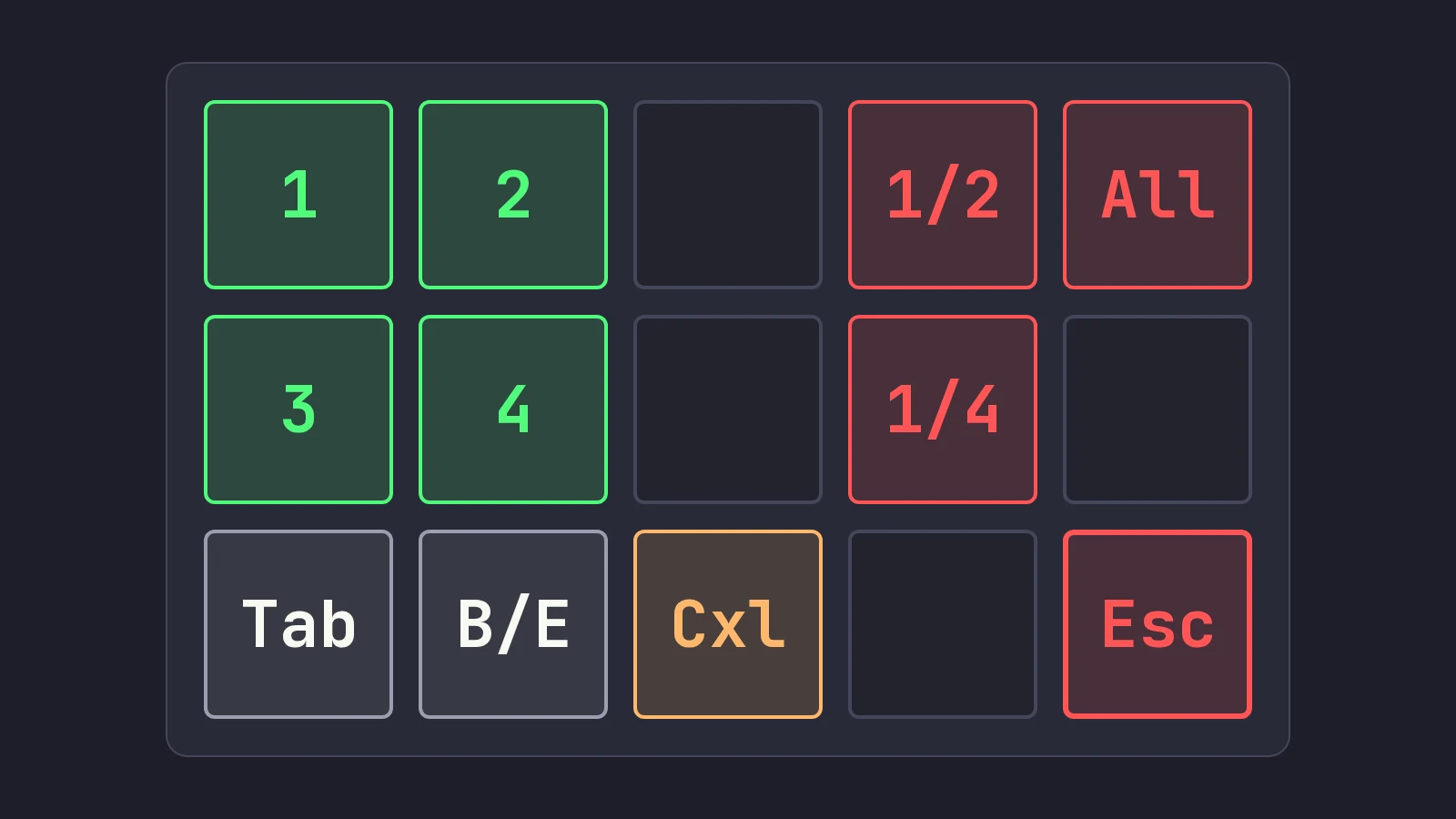
Stream Deck trading, or trading from any macro pad, works well as long as you remember what the pad is: a keyboard that types. Build your hotkeys in the trading platform first, then program each pad key to send exactly that keystroke, such as Ctrl+B for a TWS buy key or Shift+1 for a Scalpel buy preset. Color the keys by action (green buys, red exits, orange cancel), isolate the flatten key, keep double-press and multi-step macros off order keys, and test every key in paper. The order goes to whichever window has focus, so the pad cannot fix a focus mistake.
Stream Deck trading setups look great in desk photos: a grid of lit keys with BUY and SELL on them. The appeal is real. A dedicated pad gives every order its own key, its own label and its own place under your hand, and you stop hunting for Ctrl+Shift combinations on a full keyboard in the middle of a move. But the pad does not know what a trade is. It sends a keystroke, and everything that can go wrong with a keyboard hotkey can still go wrong, plus a few new things.
This post covers how a macro keyboard for day trading actually sends orders, the three kinds of hardware, a layout that separates buys from exits, the mis-press risks and how to guard against them, and what to check when a pad key does nothing. Product facts were checked on October 22, 2026. Scalpel is independent and not affiliated with or endorsed by Interactive Brokers or Elgato.
How Stream Deck trading works: the pad only types
Every trading pad, from a spare number pad to a 32-key LCD deck, works the same way:
- You press a pad key.
- The pad, or its software, sends a keystroke to the computer, for example Ctrl+B.
- The operating system delivers that keystroke to the window that has focus.
- If that window is your trading platform, and Ctrl+B is a hotkey there, the platform builds the order and, if the key is set to transmit instantly, sends it.
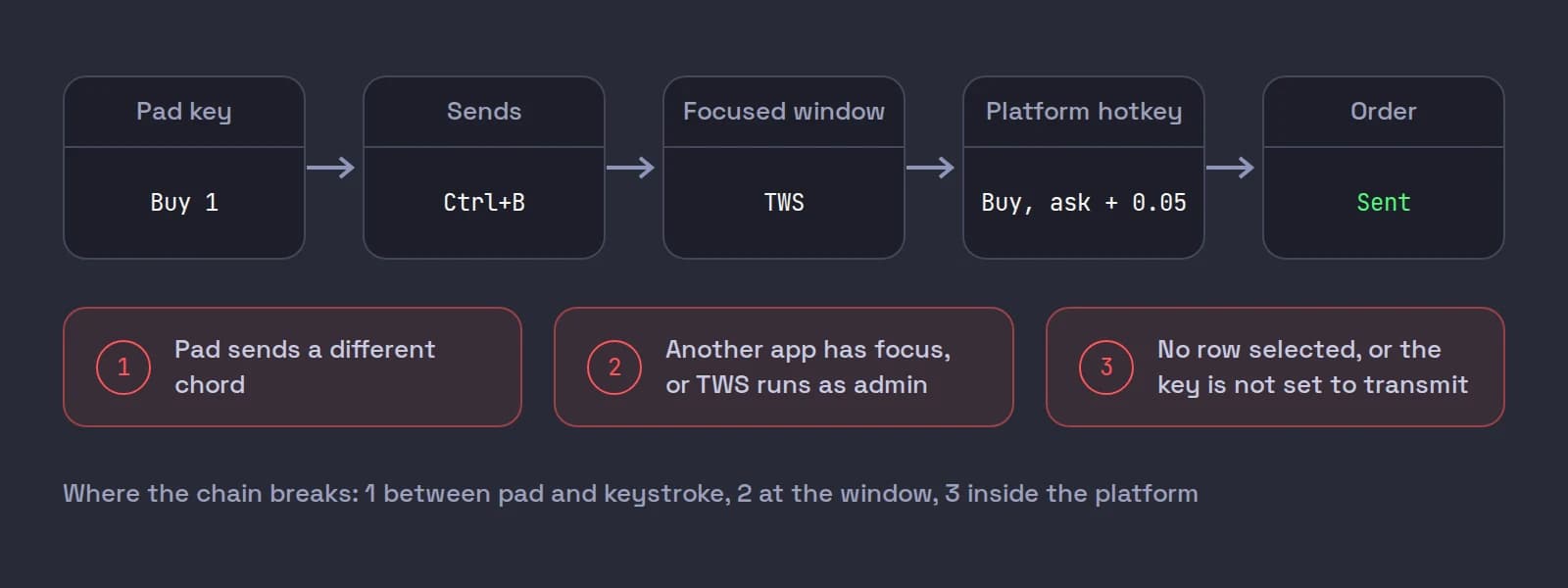
Steps 3 and 4 are where pad setups fail. The pad has no idea whether TWS is in front, which stock row is selected, or whether the cursor is sitting in a symbol box. In TWS, hotkeys act on the selected instrument: IBKR's own list describes Buy as creating "a buy order for the selected asset" (TWS hotkey actions). Our TWS hotkeys for day trading guide covers that focus model in full, and it applies to every key on your pad.
Trading keyboards: three kinds of hardware
| Kind | How keys reach the platform | Good | Watch out for |
|---|---|---|---|
| Stream Deck and other LCD decks | Companion software sends keystrokes or runs plugins | Labels and colors on the key itself; profiles per app | The software must be running; keystroke injection rules on Windows (below) |
| Programmable macro pad or keyboard | Firmware sends real key codes, like any USB keyboard | No software needed once programmed; works with any app | Labels are physical caps or stickers; reprogramming takes a tool |
| Spare numeric keypad or second keyboard | Plain keys you bind in the platform | Cheapest, nothing to program | Only works for keys your platform can bind directly |
Stream Deck. Elgato's own product page says Stream Deck lets you control apps "either by sending keyboard shortcuts (hotkeys) or by using dedicated plugins", which for a trading platform with no plugin means hotkeys. The range on Elgato's US store on October 22, 2026:
| Model | Keys | Listed price |
|---|---|---|
| Stream Deck Mini | 6 | $59.99 |
| Stream Deck Neo | 8 | $99.99 |
| Stream Deck | 15 | $149.99 |
| Stream Deck XL | 32 | $249.99 |
Prices change and the store runs sales, so check before you buy. Fifteen keys is plenty for one trading layout; the 6-key Mini fits buys and a sell, not much more.
Programmable pads. Many enthusiast macro pads run open-source firmware such as QMK, where each key is assigned a key code. QMK's keycode list includes F13 to F24, keys no normal keyboard has, which is handy for hotkeys that can never collide with typing, if your platform accepts them. Test that before you design around it.
A spare keypad. If your platform can bind single keys, a plain number pad can be a trading pad for the cost of a few stickers. TWS allows "any keystroke, or a combination of the Ctrl and Shift keys with one of the 26 keyboard letters" (TWS hot keys).
Map pad keys to TWS hotkeys
Build and test the hotkeys in TWS first
Open Global Configuration > Hotkeys (from File in Mosaic, Edit in Classic TWS), create each action, click Record, and press the combination. Alt is reserved and TWS rejects it. Set each order key's order type, price and size on its Customize tab, and check each one with your real keyboard in a paper login before the pad is involved.
Program the pad to send the same chord
On a Stream Deck, drag a hotkey action onto a key and set it to the combination. On a programmable pad, assign the key codes with its configuration tool. One pad key, one chord: do not chain an order key with anything else.
Label and color the key
Write the action, not the chord: BUY 500, SELL HALF, CANCEL. Use one color per kind of action (see the layout below) and the same colors on every profile.
Test each pad key in paper
With TWS in front and a liquid stock's row selected, press every pad key and read the order it produces. Then click into another app and press again, so you know what each key does when TWS does not have focus.
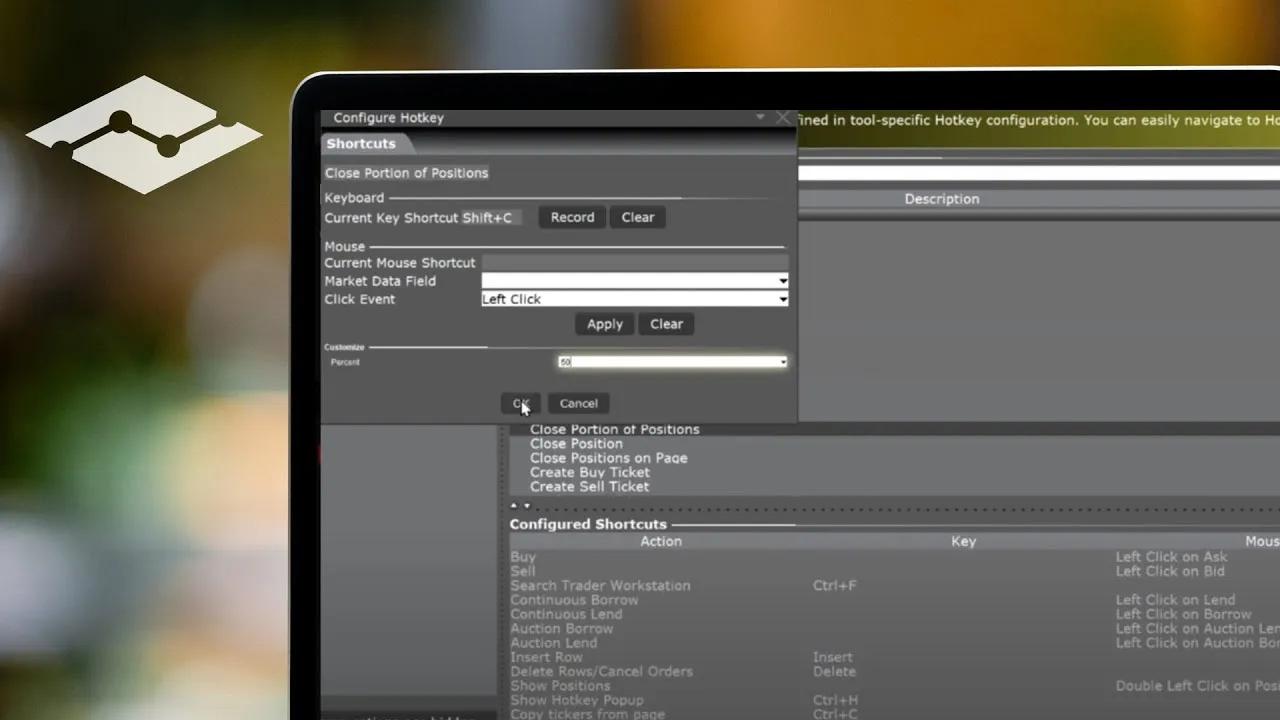
IBKR's five-minute lesson on configuring TWS hotkeys shows the Hotkeys page, recording a combination and the tool-specific hotkeys, which is the half of the setup that has to work before any pad key can.
A trading pad layout: colors by action
A good pad layout follows the same rules as a good hotkey layout, made physical. On a 15-key, 3-by-5 deck:
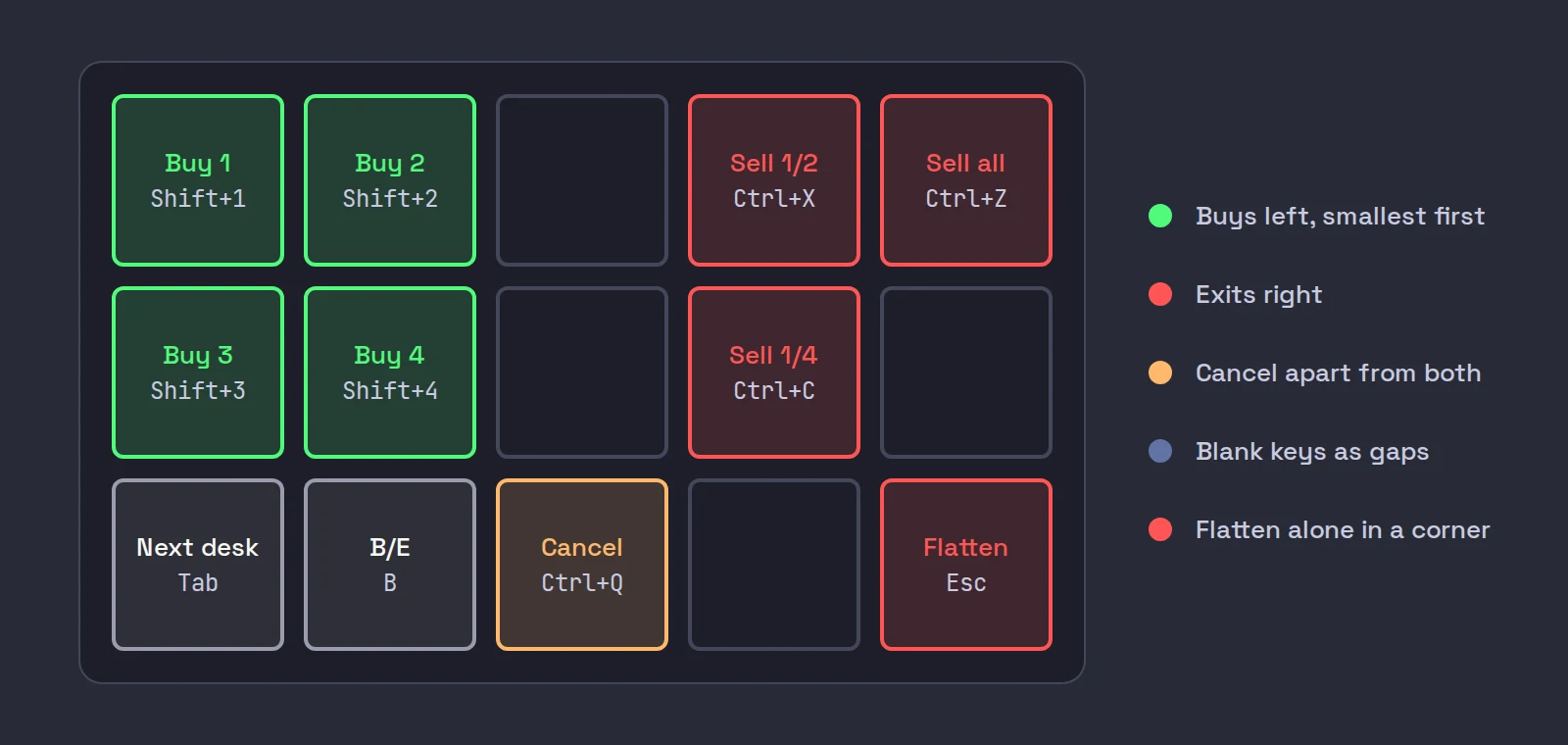
- Buys on one side, exits on the other. Your hand learns "left is in, right is out" faster than it learns labels.
- Sizes in order, smallest first. If buy keys run from smallest to largest, a slip to the next key buys less than you meant, never more. Our day trading hotkeys post covers which sizes to put on them.
- Green buys, red exits, orange cancel. One color, one meaning, everywhere. Do not paint a sell key green because it takes profit.
- Flatten in a corner, alone. The everything-out key should be the hardest to hit by accident and the easiest to find without looking: a corner with blank keys around it.
- Blank keys as gaps. An unused key between buys and exits is worth more than one more function.
- Nothing dangerous next to something you press all day. If a key toggles a chart or a window, keep it away from order keys.
The risk of mis-presses
Pads make the press faster, which makes the mistake faster too. A large study of everyday typing gives a sense of the base rate: Dhakal, Feit, Kristensson and Oulasvirta (2018) recorded 136 million keystrokes from 168,000 volunteers and found an average uncorrected error rate of 1.167%, with substitution errors (pressing one key instead of another) the most frequent type at 1.65% in their detailed sample (CHI 2018, DOI 10.1145/3173574.3174220). On a keyboard, that is a typo you fix. On a trading pad, a wrong key is an order.
So design the pad assuming you will hit the wrong key sometimes:
- Keep double-press and hold logic off order keys. Elgato's Key Logic gives "one key, three actions" on a press, double-press or press-and-hold. On an order key, a double-press action means a fast second press does something different from what your hand expects. If you use hold at all, use it on the flatten key, where a short delay is a feature.
- No multi-step macros that place orders. A Multi Action that buys and then does something else turns one mistake into two. In TWS, attach stops through the order itself; in Scalpel, the stop arms on the fill.
- Use per-app profiles as a guard, not a guarantee. Stream Deck can switch profiles automatically by the app in front. A trading profile that only appears when your platform is active helps, but the keystroke still goes to whichever window has focus inside that app.
- Practice in paper until the layout is in your fingers. Do not move keys around after that.
More guards, from position caps to daily loss limits, are in hotkey mistakes that cost traders money. If you are building the whole station, our day trading computer setup post covers monitors and the rest of the desk.
When a pad key does nothing
| Symptom | Likely cause | Fix |
|---|---|---|
| The key works on the keyboard but not on the pad | The pad sends a different chord than the one recorded | Set the pad to the exact chord TWS recorded, modifiers included |
| Nothing happens on Windows, no error anywhere | The platform runs as administrator and the pad software does not | Run both at the same level, normally neither as administrator |
| The order goes to the wrong stock | Focus or the selected row changed | Click the row, or the desk, before you press |
| Keys stopped after a restart | The pad's companion software is not running | Start it with Windows, or use a firmware pad |
| One profile works, another does not | An app-based profile switched | Pin the trading profile while you trade |
The administrator case catches people because it fails silently. Microsoft's documentation for SendInput, the standard Windows call for injected keystrokes, says applications "are permitted to inject input only into applications that are at an equal or lesser integrity level", and that neither the return value nor the error code says the input was blocked (Microsoft Learn: SendInput). A firmware pad avoids this, because to Windows it is a real keyboard. For everything else that stops a TWS key, see IBKR hotkeys not working.
Where Scalpel fits
Scalpel is a keyboard-first desktop cockpit for your own IBKR account, connected through TWS or IB Gateway with the API enabled. It suits a pad well, with three details to plan around:
- Bindable keys are character keys with Ctrl, Shift or both. Function keys, arrows, Space and Alt chords cannot be bound (Hotkeys settings), so program the pad to send Shift+1 for Buy preset 1, Ctrl+Z for Sell full (bid) and so on. On a Mac, send Cmd where the guides say Ctrl, except Cancel all orders, which is Shift+Q.
- The fixed keys are pad keys too. A pad key that sends Esc is a flatten key whenever nothing is open, so it belongs in the isolated corner. Keys that send Tab or the arrows move focus between desks.
- Typing never trades. Trading keys only fire when no text box has the key, so a pad press while you type a ticker lands in the box, not in the market.
Each key acts on the focused desk and answers with a short voice line ("Filled, level two.", "Out, half."), which matters with a pad: you hear what happened without looking down (voice callouts). If you did not hear "Filled", look before you press again. The full key list is in the hotkeys guide, and a whole trade on the keys is in trade without touching the mouse.
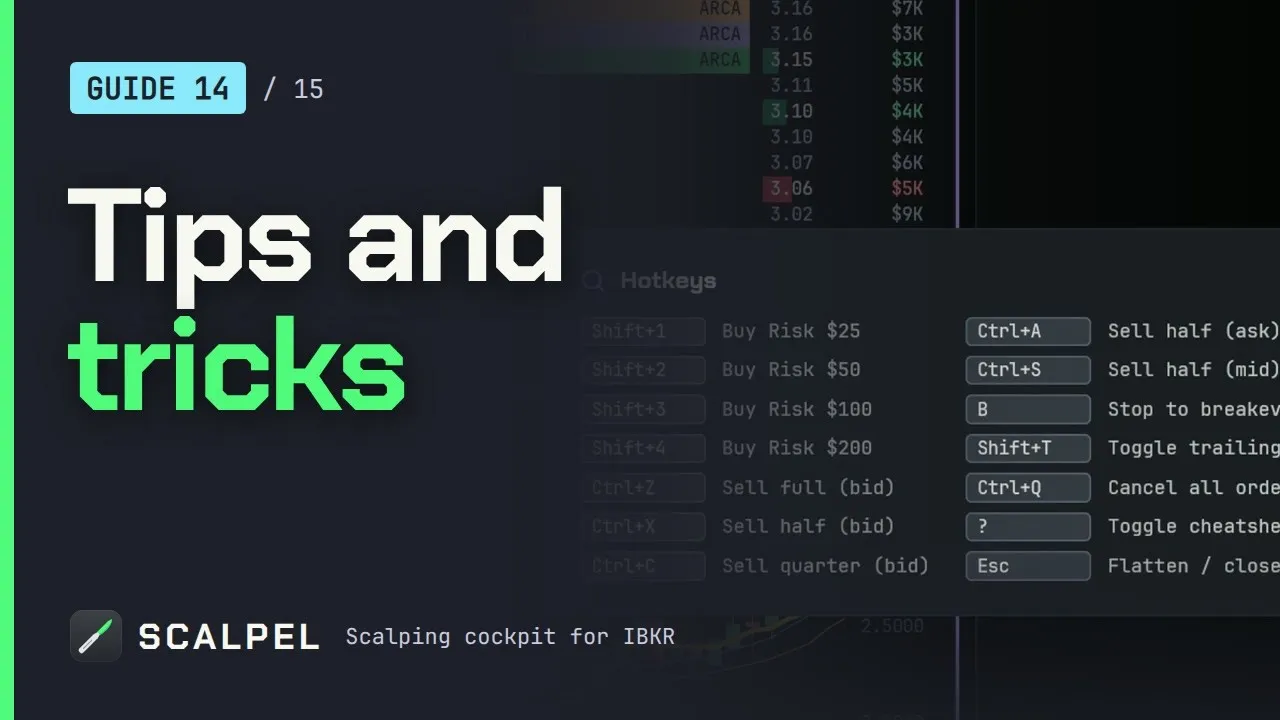
Our tips video covers the cheatsheet, rebinding and the keyboard habits that carry straight over to a pad.
Scalpel is long only, so no pad key can open a short: every sell is capped to what you hold. Its stops are app-monitored and only work while it runs with a live feed. Practice the layout in SIM before it touches money (paper trading in SIM), and see keyboard-only day trading for why the keys beat the mouse in the first place.
Trading carries a significant risk of loss. Nothing here is financial advice.
Questions
- Can you use a Stream Deck for day trading?
- Yes. Program each Stream Deck key to send a hotkey your trading platform already has, such as a TWS buy key. The deck only types the keystroke, so the platform's hotkey settings and the window in focus decide what order is sent.
- Does Stream Deck work with TWS?
- Yes, through hotkeys. Create the hotkeys in TWS under Global Configuration, Hotkeys, then set each Stream Deck key to send the same combination. Test every key in a paper login before you trade with it.
- Why does my Stream Deck hotkey not work in TWS?
- Usually TWS does not have focus, the stock row is not selected, the deck sends a different combination than the one TWS recorded, or TWS runs as administrator while the Stream Deck software does not. Windows silently blocks injected keys into a higher-privilege app.
- What is the best macro pad for trading?
- Any pad that reliably sends the key combinations your platform accepts. LCD decks are easiest to label; firmware-programmed pads need no software running. Fifteen keys covers buys, exits, cancel and flatten with room for gaps.
- How should I color trading hotkeys?
- Green for buys, red for sells and exits, orange for cancel, and keep the flatten key alone in a corner. Use the same colors on every profile so a color always means one thing.
Related guides
Guide 4.3Hotkeys: the defaults and how to change themEvery Scalpel hotkey and its default: buys, scale-outs, breakeven, trailing and cancel, each with a spoken confirmation. Esc's rules and how to rebind.Guide 14.3Trade without touching the mouseLoad symbols, move between desks, enter, scale out, manage stops and flatten using only the keyboard: a full hotkey workflow for scalping in Scalpel.Guide 11.8Settings: HotkeysScalpel's Hotkeys tab: every trading action and its default key, how to rebind one by pressing a new chord, and the fixed keys such as Esc and Enter.
Keep reading
- TWS hotkeys for day trading: a setup that actually worksSet up TWS hotkeys for day trading: where IBKR hotkeys live, the presets they need, a five-key scalping set with exact settings, and a printable cheat sheet.
- IBKR hotkeys not working? The causes and how to fix each oneIBKR hotkeys not working? Go through the checklist: row not selected, no instant transmit, popups, outside RTH unset, unmarketable prices. Exact TWS fixes.
- Day trading hotkeys: the keys every scalper should set upDay trading hotkeys that work: the five keys every scalper needs, how to price and size each one, where to put them on the keyboard, and drills to learn.
Practice in SIM, against the live book.A lifetime license, every update included, with a 7-day refund guarantee.Ask in DiscordGet Scalpel