A day trading computer setup: specs, monitors and internet
By Scalpel Team. , updated . 9 min read.
In short
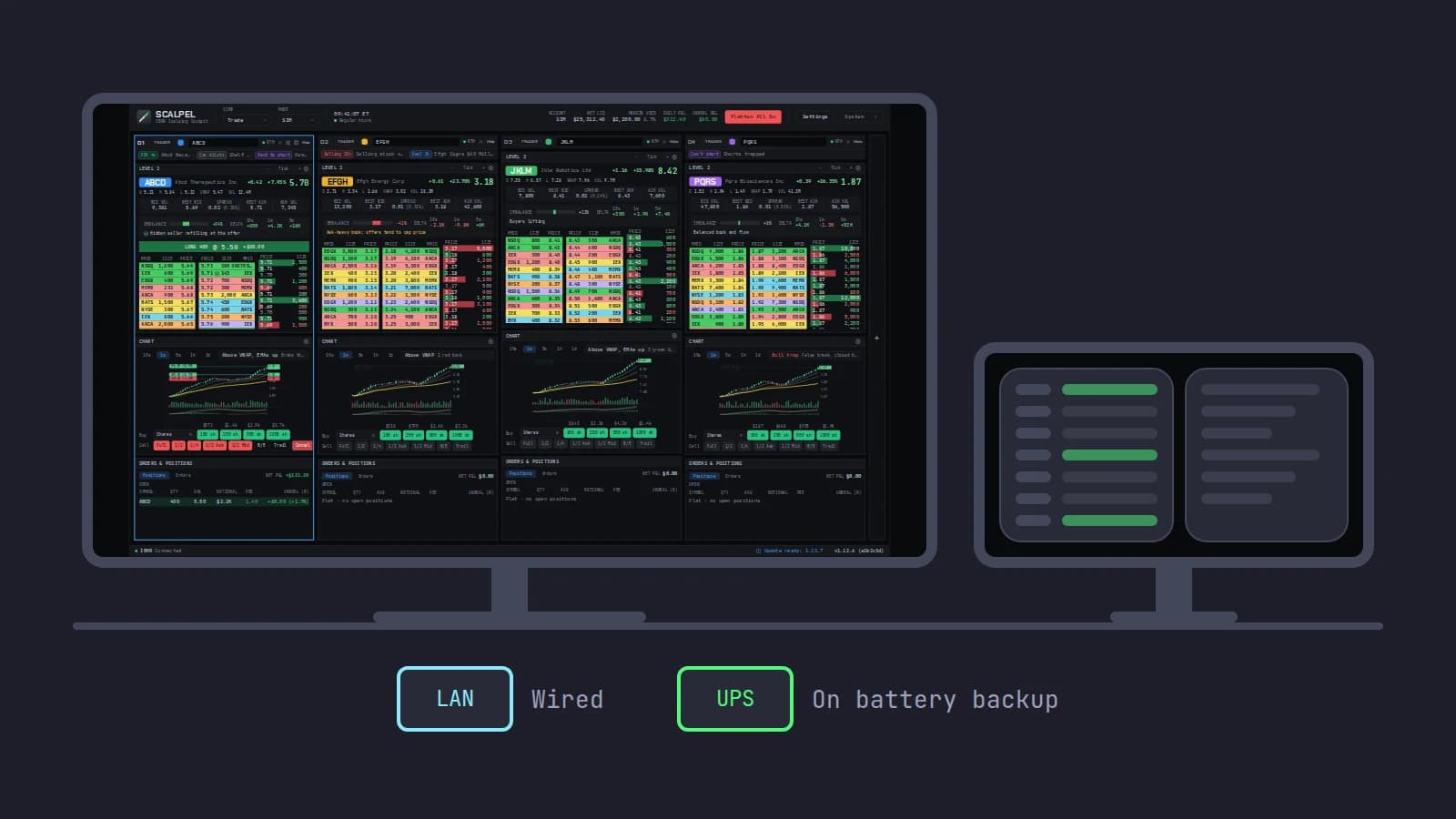
A good day trading computer setup is less about raw speed than about never stalling or dropping out. For TWS plus one more trading program, start from IBKR's own recommendation: an Intel i7 class processor or an Apple M-series chip, 16 GB of RAM, and a 2K or 4K screen. Add a second monitor, a wired Ethernet connection, a UPS on the computer and router, and a backup connection such as a phone hotspot. Spend on memory, screens and reliability before a faster processor or a gaming graphics card.
Most day trading computer setup advice online is about six-monitor walls. The parts that actually cost day traders money are duller: a platform that freezes because the machine ran out of memory, a Wi-Fi drop during a fill, a power cut with a position open, a laptop that went to sleep. This guide covers the specs, the monitors and the connection in that order of importance, with the numbers from the people who publish them: Interactive Brokers, the FCC, the US Energy Information Administration and the ergonomics agencies.
Facts below were checked on October 22, 2026. Scalpel is independent and not affiliated with or endorsed by Interactive Brokers, Microsoft or Apple. This post is part of our guide to day trading software for Interactive Brokers.
Day trading computer setup: the PC specs in one table
| Part | IBKR's minimum for TWS | What we would buy | Why |
|---|---|---|---|
| Processor | Intel i5, or Apple M1 | Intel i7 class or better, or a current Apple M chip | IBKR recommends i7+ on a PC, M4 on a Mac |
| Memory | 8 GB | 16 GB, 32 GB if you also run heavy charting | The most common cause of a frozen platform |
| Screen | 2K | One 2560 x 1440 or 4K main screen, plus a second | IBKR recommends 4K |
| Graphics | Not specified | Any current GPU with a current driver and enough outputs | Trading screens are not games |
| Storage | Not specified | An SSD | Fast start-up and restarts |
| Operating system | Windows 10, macOS 14, Linux kernel 3.10 | Windows 11 or a current macOS | Windows 10 no longer gets free security fixes |
| Connection | Broadband | Wired Ethernet, plus a backup | Stability beats speed |
The first three rows come straight from IBKR's TWS system requirements, which list a minimum and a recommended column for PC, Mac and Linux. Everything else is our view, with the reasons below.
CPU and memory: what TWS actually needs
Memory first. IBKR's minimum is 8 GB and its recommendation is 16 GB. The same page warns that traders with more than 500 stock positions, 100 option positions or more than 15 chart windows "may need to manually increase the amount of memory allotted to TWS (at least 2GB)". For programs that connect through the API, IBKR's memory allocation advice goes further: "Normally, it is recommended for API users to set 4000" MB, in Global Configuration > General, as long as the computer has the memory to spare.
Run the numbers on an 8 GB laptop. Give TWS IBKR's suggested 4,000 MB and half the machine is spoken for before the operating system, a browser with news and a chart, and your trading app have loaded anything. When memory runs out, the system starts swapping to disk, and that is when a platform hangs for a second at the worst moment. At 16 GB the same load has room. That is why we would put money into memory before anything else.
The processor matters less. A day trading screen streams quotes, a few depth books and the tape; it is not rendering video. IBKR's floor is an Intel i5 or an M1, with an i7+ or M4 recommended. Any current mid-range desktop chip from Intel, AMD or Apple clears that. If TWS still feels slow on a good machine, the cause is usually settings, not hardware: TWS slow or lagging covers the fixes.
IB Gateway is lighter. If your trading app only needs the API, run IB Gateway instead of TWS. IBKR's third-party FAQ says it "consumes 40% fewer resources" and can run longer without closing down. The trade-offs are in IB Gateway vs TWS.
Graphics card: you do not need a gaming GPU
A trading platform draws text, numbers and candles. What you need from the graphics side is a current driver and enough display outputs for your monitors. Count the ports before you buy screens: a laptop with one HDMI port and one USB-C port that carries video can drive two external monitors, not three.
The driver does matter for some software. Scalpel, for example, draws its interface on the GPU and its Windows charts in Microsoft's WebView2, so it needs a 64-bit Windows 10 or 11 PC with a current graphics driver (install on Windows). An outdated driver is a more common problem than a slow card.
Day trading monitor setup
How many monitors you need depends on how many stocks you watch at once, not on how serious you are. For a scalper who trades one or two names at a time, two screens is the sweet spot: one in front of you for execution, one to the side for the scanner, news and the broker's own windows.
Size and resolution. IBKR recommends a 4K screen for TWS. For dense Level 2 and tape, a 27 inch monitor at 2560 x 1440 is a good balance: sharp text at normal scaling and a lot of room. A 32 inch 4K screen holds more, but usually needs display scaling to be readable, which gives some of that room back.
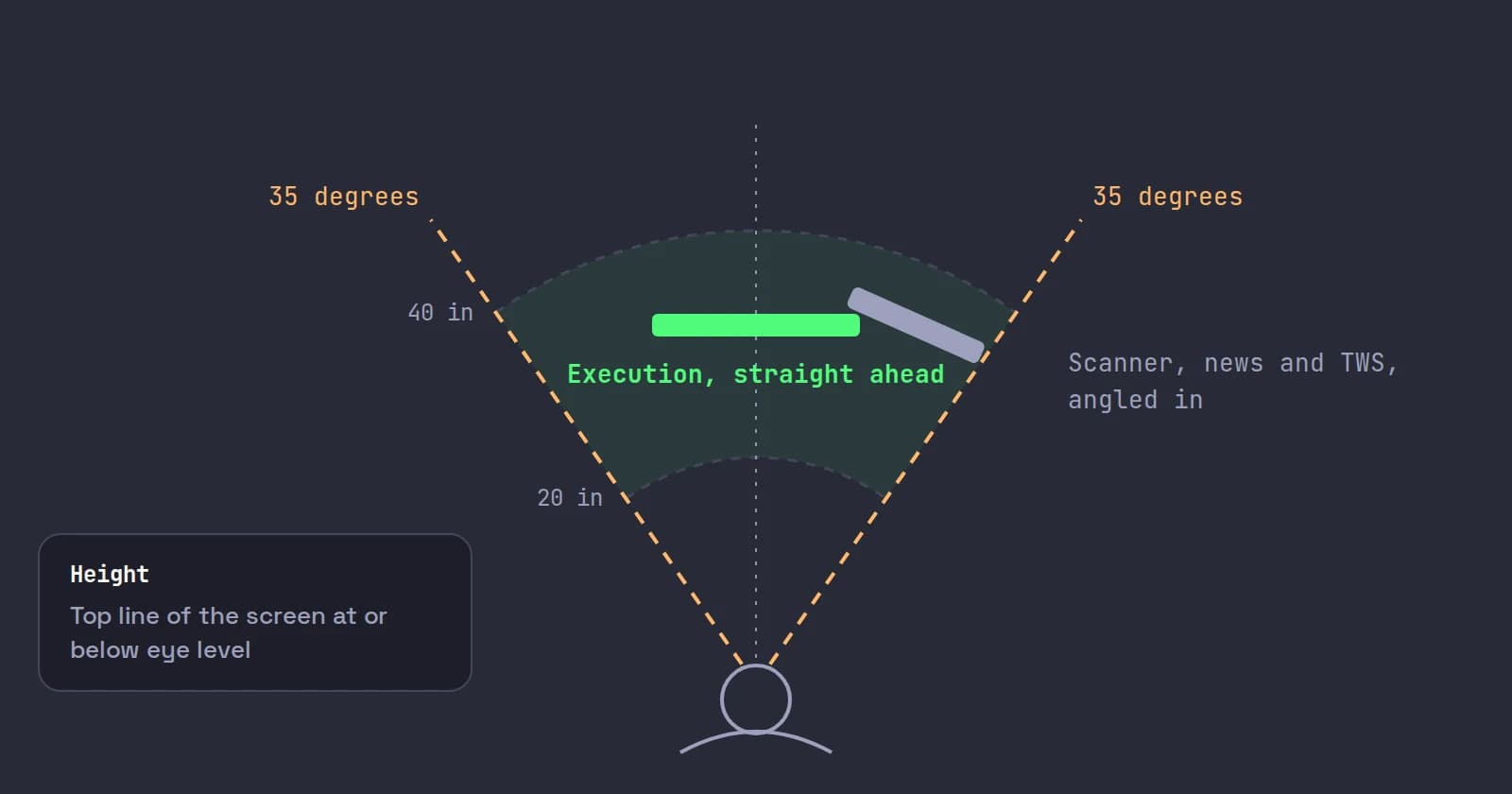
Placement. OSHA's monitor guidance puts the preferred viewing distance at 20 to 40 inches, the top line of the screen at or below eye level, and no monitor more than 35 degrees to the left or right. For a trader that means the execution screen dead center and the reference screens angled at the sides, not the other way round. The American Optometric Association's 20-20-20 rule is worth keeping in a long pre-market session: every 20 minutes, look at something 20 feet away for 20 seconds.
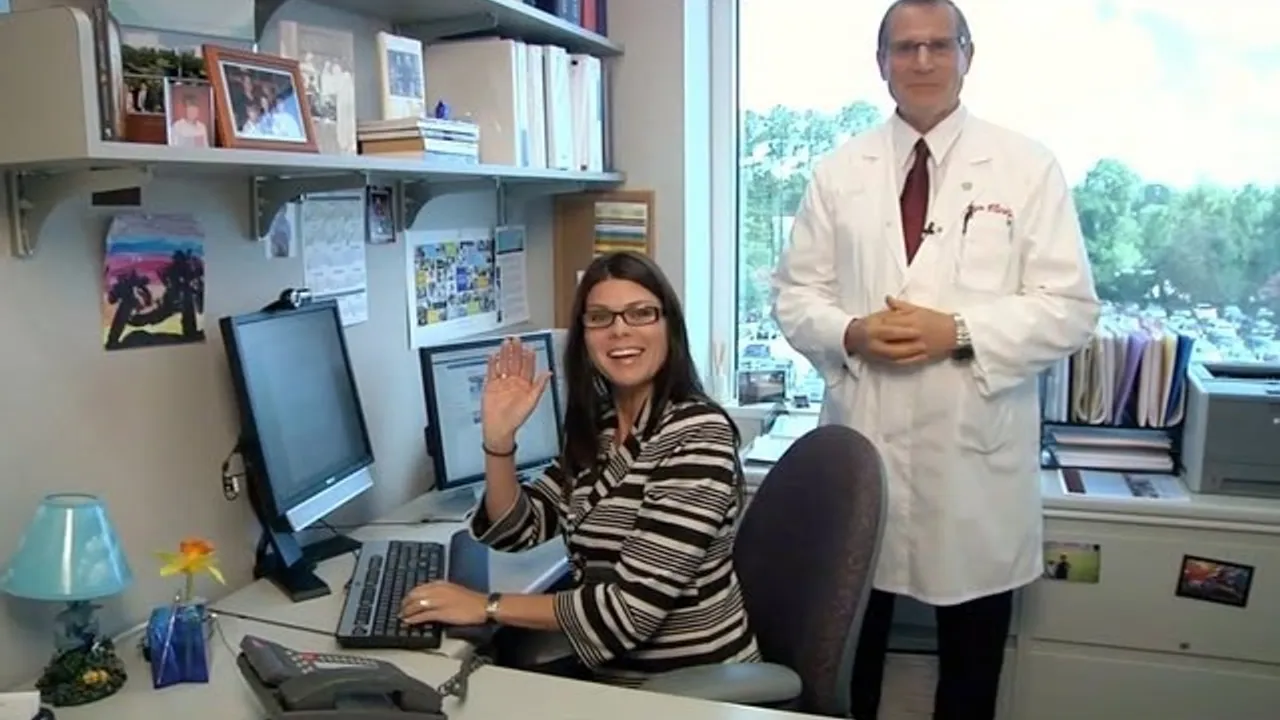
This short Mayo Clinic video from a certified ergonomist shows the desk, chair and monitor adjustments in under three minutes:
Internet for day trading: wired, stable, close to your server
Speed is rarely the problem. In March 2024 the FCC raised its broadband benchmark to 100 Mbps down and 20 Mbps up. Streaming quotes and order traffic for a day trader use a small fraction of that. A connection that meets the benchmark has plenty of headroom for trading, news and a video call at once.
Stability is the problem. What hurts is a dropout or a burst of delay at the moment you send an order. Use a cable from the router to the trading computer. Wi-Fi shares the air with every other device and your neighbors' networks, and a microwave or a family video call can make it stutter in a way a cable does not. If you cannot run a cable, a powerline or mesh backhaul with an Ethernet port at the desk is the next best thing.
Your IBKR server. Each IBKR account is assigned a server for TWS. IBKR's server location guide lists New York, Chicago, Zurich and Hong Kong, shows how to see yours (the Data connections window in TWS shows the primary server), and says it is "commonly recommended to choose a IB server location which is closer to your TWS location". A trader in Europe whose account sits on a US server can ask IBKR to move it with a web ticket, and choose which region's maintenance schedule to follow. More for non-US traders is in day trading US stocks from outside the US.
Power: a UPS and no sleep
Outages are not rare. The US Energy Information Administration reports that US electricity customers averaged 11 hours of interruptions in 2024, the most in 10 years, mostly from hurricanes, and that outages not caused by major events still average about two hours a year. A brief flicker is enough to reboot a desktop.
A UPS (uninterruptible power supply) on the computer, the monitors you trade from and the router and modem buys you the minutes to flatten or manage a position. Size it to run that load for at least ten minutes, and check that the modem is on it too: a computer with power but no internet cannot reach your broker.
Then switch off sleep. Set the power plan so the computer and screens never sleep while on mains power. This matters most for software that watches your position itself. Scalpel's stops, for example, are watched by the app, not held at IBKR, so they only work while Scalpel runs with a live feed; a laptop that sleeps with the lid closed leaves nothing watching (how stops work).
A backup connection and a backup plan
Have a second way in before you need it:
- A phone hotspot the trading computer already knows. Test it once on a quiet day: connect, check TWS reconnects, and note how long it takes.
- IBKR Mobile on your phone, logged out but ready, with its two-factor approval working. Logging in will sign out TWS or IB Gateway on the same username, which in an emergency is what you want: you can still see and close the position.
- A written note of your open orders, or at least the habit of checking them. A disconnect does not cancel orders already resting at IBKR.
Operating system: Windows 10 is out of support
Microsoft ended Windows 10 support on October 14, 2025: no more free security fixes. Enrolled PCs can get critical updates through Extended Security Updates until October 12, 2027. A trading computer holds broker logins and moves money, so plan the move to Windows 11, or a current macOS, rather than running unpatched.
On a Mac, check each program you rely on. TWS runs on macOS 14 or later per IBKR's requirements page. Scalpel runs on Macs with Apple silicon, M1 and later, but not on Intel Macs (install on a Mac).
Laptop or desktop?
A desktop is the better primary machine: more ports for monitors, better cooling, easy to put on a UPS, and no lid to close by accident. A laptop is a fine backup and a fine machine for a two-desk setup. If a laptop is your only computer, give it 16 GB, a dock with Ethernet, an external monitor, and a power plan that never sleeps on AC.
Whatever you trade on, the keyboard is part of the setup. A full-size keyboard where your hotkeys are easy to reach matters more than a fast processor; see day trading hotkeys for which keys to put where, and a macro pad for trading if you want dedicated buttons.
Where Scalpel fits
Scalpel is one window, opened maximized, with up to six desks across it. Each desk needs at least 240 pixels of width and reads comfortably at about 400 or more, so a 1920 x 1080 screen holds three or four desks, a 2560 x 1440 screen four or five, and a 3440 x 1440 ultrawide all six (multi-monitor setup).
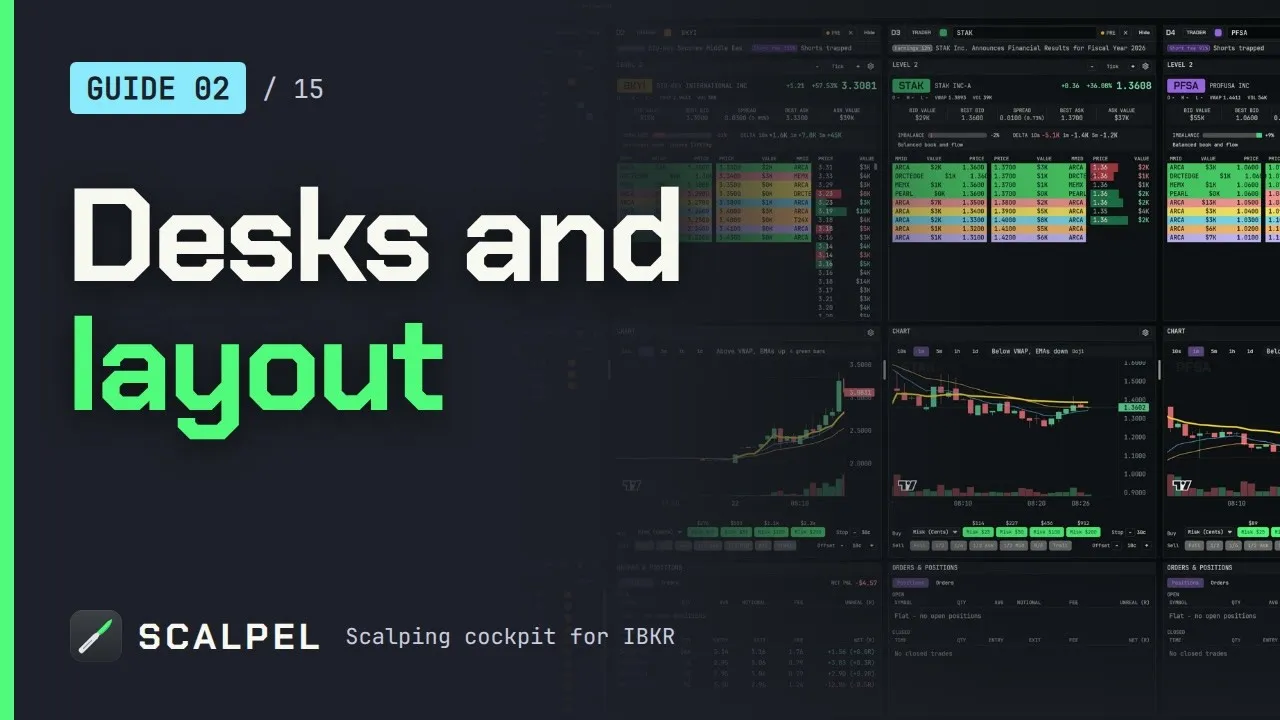
On two screens, either keep Scalpel on the main screen and TWS, news and the browser on the other, or stretch the window over both and line the gap between desks up with the bezel. TWS or IB Gateway must stay running and logged in, but it can sit minimized. Desk widths, panel order and UI scale (70% to 125%) are all adjustable (arrange desks). Our layout video shows the controls:
Scalpel runs on Windows 10 and 11 and on Macs with Apple silicon. It is long only, and its stops only work while it runs with a live feed, which is one more reason for the UPS and the no-sleep setting above.
Trading carries a significant risk of loss. Nothing here is financial advice.
Questions
- What computer specs do I need for day trading?
- IBKR's TWS requirements are an Intel i5 or Apple M1, 8 GB of RAM and a 2K screen at minimum, with an Intel i7 or better, an Apple M4, 16 GB and a 4K screen recommended. For TWS plus another trading program, 16 GB of memory is the part not to skimp on.
- How many monitors do I need for day trading?
- Two is enough for most day traders: one in front of you for execution and one to the side for scanners, news and the broker's windows. More screens help only if you actively watch more symbols at once.
- Do I need a gaming graphics card for day trading?
- No. Trading software draws text, numbers and charts. You need a current graphics driver and enough display outputs for your monitors, not a gaming card.
- What internet speed do I need for day trading?
- Far less than you probably have. The FCC's broadband benchmark of 100 Mbps down and 20 Mbps up is plenty. Stability matters more than speed: use a wired Ethernet connection and keep a phone hotspot as a backup.
- Is a laptop good enough for day trading?
- Yes, with 16 GB of memory, an external monitor, a wired connection through a dock and sleep turned off on mains power. A desktop is the better main machine because it has more ports, better cooling and is easier to put on a UPS.
- Do I need a UPS for day trading?
- It is cheap insurance. The US EIA reports customers averaged 11 hours of power interruptions in 2024. A UPS on the computer, the monitors and the router gives you minutes to manage an open position when the power goes.
Related guides
Guide 2.4Set up Scalpel for one, two or three screensLayouts that work on a laptop, one wide monitor or a multi-screen desk: how many desks to run, UI scale and zoom shortcuts, and where TWS fits.Guide 1.1Install Scalpel on WindowsDownload Scalpel for Windows, get past the SmartScreen warning safely, and find where it keeps your settings. Takes two minutes, no installer needed.Guide 2.2Add, remove and resize desksRun up to six desks, resize them with the grips, even them out, colour them, copy one layout to all, and switch a desk between TRADER and SCAN.
Keep reading
- IBKR trading platforms: day trading software for Interactive BrokersIBKR trading platforms compared for day trading: TWS, IBKR Desktop and third-party software like DAS, TradingView and Sierra Chart, with prices and setup.
- TradingView Interactive Brokers integration: data, orders, limitsTradingView Interactive Brokers integration explained: how to connect, which IBKR data shows in TradingView, orders, hotkeys and the limits for scalpers.
- Interactive Brokers vs Webull for day tradingInteractive Brokers vs Webull for day trading: commissions, payment for order flow, Level 2 cost, pre-market hours and hotkeys, checked on each site.
Practice in SIM, against the live book.A lifetime license, every update included, with a 7-day refund guarantee.Ask in DiscordGet Scalpel