TWS slow or lagging? How to make Trader Workstation fast
By Scalpel Team. , updated . 8 min read.
In short
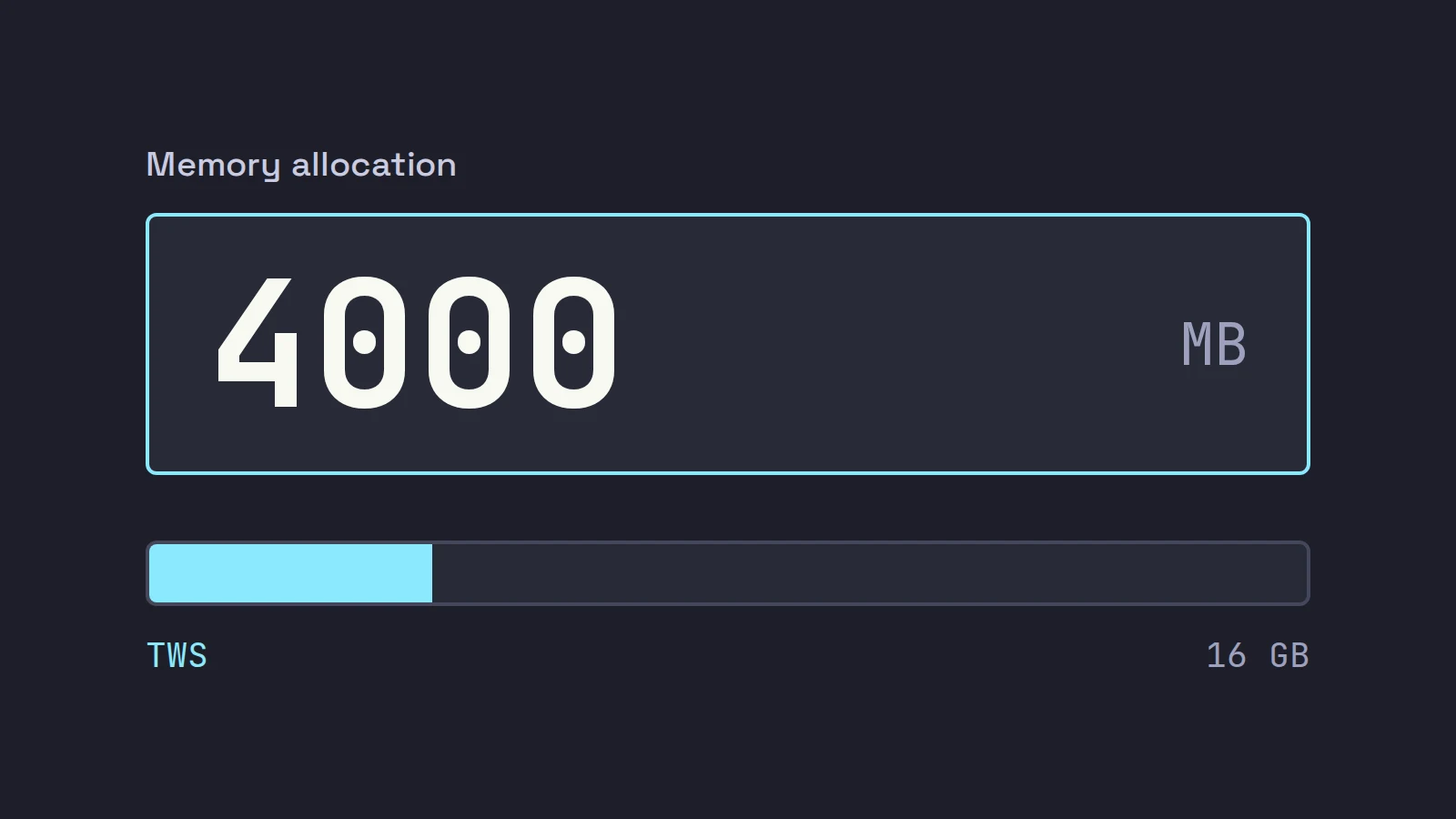
When TWS is slow or lagging, it is usually short of memory or doing more work than you need. Raise Memory Allocation in Global Configuration > General (IBKR suggests 4000 MB for API users if the computer has the RAM) and restart TWS, close the charts and windows you do not watch, restart TWS every day, and run the build made for your computer. If another program is your trading screen, run IB Gateway instead: IBKR says it uses about 40% fewer resources.
A TWS that lags is more than an annoyance for a day trader. The quote you click on is not the quote that is there, the hotkey order shows up a second late, and in a fast small cap a second is a different price. The good news is that a slow TWS is almost always a settings problem, not a broken program, and most of the fixes take a minute.
Settings and figures below were checked against IBKR's documentation on October 22, 2026. Scalpel is independent and not affiliated with or endorsed by Interactive Brokers.
First, find out what kind of slow it is
"TWS slow" covers three different problems with different fixes. Work out which one you have before you change anything, and change one thing at a time so you know what helped.
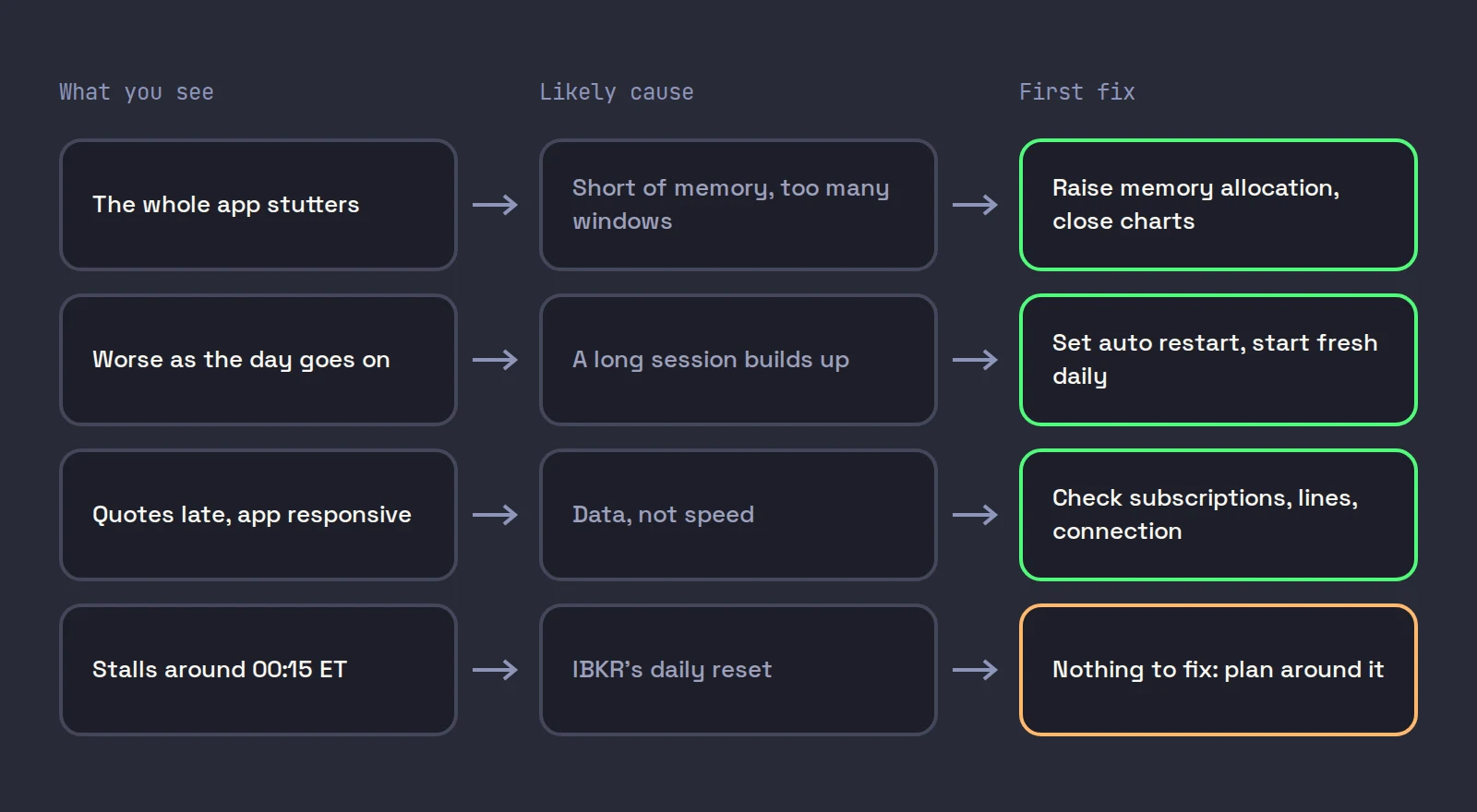
| What you see | Most likely cause | Start with |
|---|---|---|
| Menus, scrolling and window changes stutter | TWS is short of memory or overloaded | Memory allocation, then fewer windows |
| It gets worse through the day | Memory builds up over a long session | A daily restart |
| Quotes look late but the app is responsive | Data, not the app: subscriptions, lines or the connection | Market data checks, your connection |
| It freezes for a moment around midnight New York time | IBKR's daily reset | Nothing to fix: plan around it |
| Everything is slow on a new Mac | The Intel build running on Apple silicon | Install the Apple silicon build |
Raise the TWS memory allocation
TWS runs on Java, and Java only uses the memory it is allowed. When TWS hits that ceiling it spends its time cleaning up memory instead of drawing your quotes, which is exactly what lag feels like.
IBKR's guide to increasing the TWS memory size says users with more than 500 stock positions, or more than 15 chart windows open at once, may need more memory, and its system requirements page puts that at "at least 2GB". For programs that connect through the API, IBKR's memory allocation note goes further: "it is recommended for API users to set 4000", with the warning that setting it too high for your computer causes high memory use and an unresponsive app.
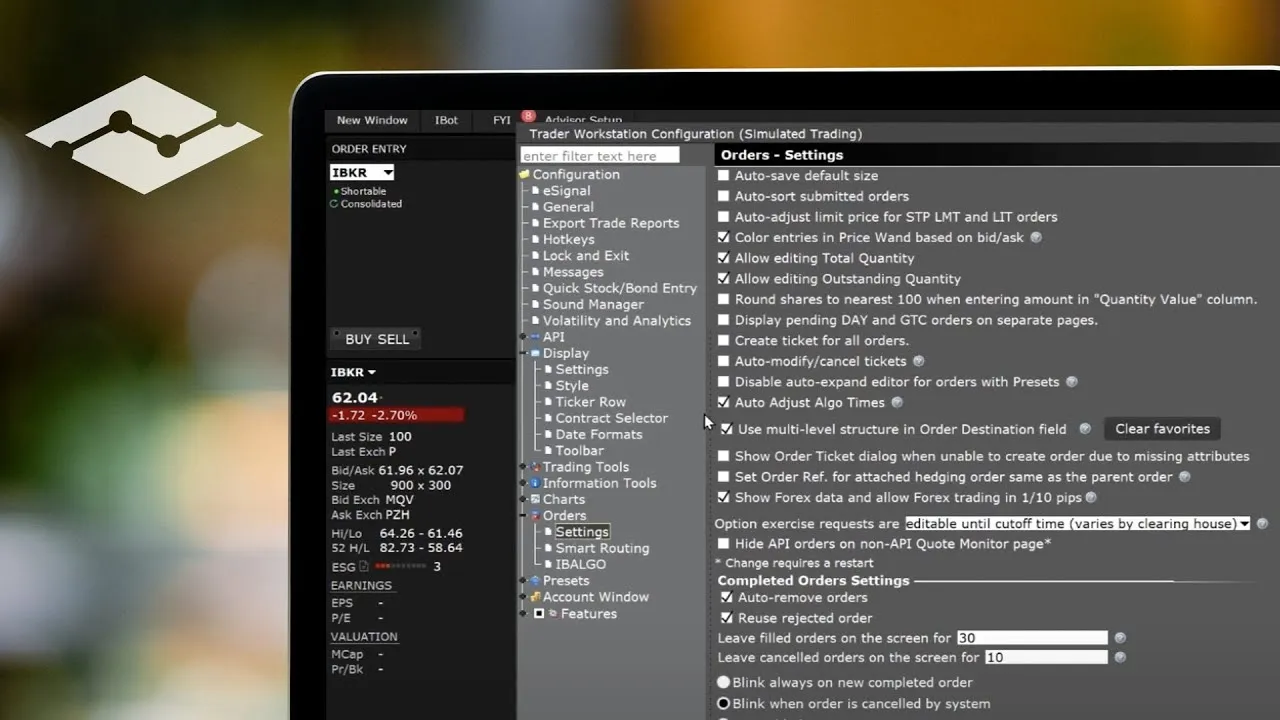
This short IBKR video shows where Global Configuration is and how its pages work, which is where the setting lives:
Open Global Configuration
In Mosaic, click File > Global Configuration. In the Classic layout, click Edit > Global Configuration.
Set Memory Allocation
Click General in the left pane and enter a new value in Memory Allocation (in MB). See the table below for a starting point.
Restart TWS
Click Apply and OK, then log out and start TWS again. The change only takes effect after a restart.
Check it took
Open Help > About and look at the max heap size in the Java version section. It should match what you set.
How much to give it is a judgment call, because TWS shares the computer with your operating system, browser and any other trading app. Our starting points:
| Computer RAM | TWS alone | TWS plus an API app |
|---|---|---|
| 8 GB (IBKR's minimum) | 2000 MB | 2000 to 3000 MB, and consider IB Gateway |
| 16 GB (IBKR's recommendation) | 3000 MB | 4000 MB |
| 32 GB or more | 4000 MB | 4000 MB or a little more |
On a 16 GB machine, 4000 MB is about a quarter of the RAM (4,000 of 16,384 MB), which leaves room for everything else. IBKR's advice is not consistent here: the same memory guide, in its section on editing the settings file by hand, recommends not going above 2 GB because it "will likely degrade your machine's overall performance". That is sound on an 8 GB computer. On a 16 GB machine we follow the API note's 4000 MB. If TWS gets slower after a large increase, the computer itself is now short of memory: step back down.
Close the windows and charts you do not watch
Every window in TWS costs memory and processing, and the costs add up quietly. A chart pulls its history when it opens and updates on every tick; a watchlist row streams a quote; a depth window streams the book. IBKR's own threshold for "needs more memory" is 15 charts, and a scalper's layout can reach that without trying: a 1-minute and a 5-minute chart for each of six stocks is already 12.
What helps most, in our experience of running TWS next to our own app:
- Charts. Keep only the timeframes you trade from. Shorten the history a chart loads; a 1-minute chart rarely needs more than a few days.
- Watchlists. Delete the scanner leftovers. Each row is a market data line as well as a load.
- Mosaic pages. Close the pages and windows you do not use instead of keeping them as spare tabs. We treat every open window as a cost, visible or not.
- Depth windows. One per stock you are trading, not one per stock you might trade. On the default allowance of 100 lines, IBKR lets you watch depth for three symbols at once anyway (market data pricing).
Our TWS day trading layout is built around one linked set of windows that follows the stock you are trading, which is lighter than a window per stock.
Restart TWS every day
TWS is designed to restart once a day, and a fresh start each morning clears whatever built up during a long session. Do not fight it by leaving the program on Auto log off and logging back in at random times. Set Auto restart under Global Configuration > Lock and Exit to a quiet time, and TWS restarts itself without asking for two-factor until the weekly login. The details, and the timing we use, are in TWS auto restart and the weekly login.
Run the right build and version
Two quick checks catch problems people spend hours on:
- Apple silicon Macs. The TWS download page has separate builds for Apple silicon and for Intel Macs. If you moved a TWS install across from an older Intel Mac, you may be running the Intel build through Apple's translation layer. Download the Apple silicon build.
- Latest, Stable or Beta. The same page offers Latest, an "Updatable Stable" version that "prioritizes reliability over new features", and Beta. If a slowdown started right after an update, try Stable. The Offline versions do not update themselves, so an old offline install can fall far behind.
Turn off detailed logging
When you work through a problem with IBKR support or an app vendor, you are often asked to set Logging Level to Detail and tick Create API message log file under Global Configuration > API > Settings. IBKR's API logs page warns that at Detail level "the resulting logs can grow considerably in size", and Include Market Data in API Log writes every streaming quote too. Once the case is closed, set the level back and untick the extras.
Check the computer and the connection
If none of that helps, compare your machine with IBKR's published TWS system requirements:
| Minimum | Recommended | |
|---|---|---|
| Windows | Windows 10, Intel i5 | Windows 11, Intel i7 or better |
| Mac | Mac OS 14, M1 or Intel i5 | Latest Mac OS, M4 |
| RAM | 8 GB | 16 GB |
| Screen | 2K | 4K |
IBKR also says a broadband connection is the minimum to avoid connectivity issues. If quotes are late while TWS itself is responsive, the problem is data, not speed: check that the stock is not on delayed data and that you have not run out of lines (fix delayed data). On a busy machine, a wired connection and fewer browser tabs can matter more than any TWS setting. For hardware advice beyond IBKR's table, see our day trading computer setup.
One slowdown is not yours to fix. IBKR's system status page lists a daily North America reset from 00:15 to 01:45 ET, Sunday to Friday, during which "there may be an interruption in the ability to log in or manage orders". A TWS that stalls around then is behaving normally.
TWS freezing with a position open
A full freeze is different from lag. If TWS stops responding while you hold a position, do not wait to see if it recovers. Manage the position from the IBKR mobile app or the Client Portal website, then restart TWS. Avoid logging in to a second copy of TWS with the same username: IBKR allows one trading session per username, so you would be fighting your own login (TWS signed out).
When the fix is IB Gateway
If another program is your trading screen, the fastest TWS is no TWS. IB Gateway serves the same API with no trading windows, and IBKR's third-party FAQ says it "consumes 40% fewer resources" and "can run for longer periods without automatically closing down". The trade-offs, such as losing TWS as a manual backup screen, are in IB Gateway vs TWS. For everything else that goes into an IBKR day trading setup, see day trading on Interactive Brokers.
Where Scalpel fits
Scalpel is a keyboard-first cockpit for your own IBKR account, built in Rust and drawn on the GPU, and it runs happily on top of IB Gateway. That is the setup we recommend when Scalpel is your trading screen: IB Gateway does the IBKR connection, Scalpel draws the Level 2, tape and charts for up to six desks, and there are no TWS windows left to slow down (connect Scalpel to Interactive Brokers, multi-monitor setup).
It also helps you tell lag from a quiet market. A desk shows STALE when no tick has arrived for 12 seconds or more, DELAYED when IBKR is sending delayed prices, and NO DATA when nothing has arrived at all, so a frozen feed does not look like a calm stock. If the link drops, the IBKR pill in the status bar turns red and a banner says what Scalpel found (fix a disconnected Scalpel). Our troubleshooting video walks through these states:
Scalpel's stops are watched by the app, not resting at IBKR, so if TWS or IB Gateway freezes or drops while you hold a LIVE position, nothing protects it until the link is back.
Trading carries a significant risk of loss. Nothing here is financial advice.
Questions
- Why is my TWS so slow?
- Usually TWS is short of memory or running too many windows. Raise Memory Allocation in Global Configuration, General, restart TWS, close charts and watchlists you do not use, and restart TWS daily. If quotes are late but the app is responsive, check your market data instead.
- How much memory should I give TWS?
- IBKR suggests 4000 MB for API users if the computer has the RAM, and at least 2 GB for heavy users with more than 15 charts or 500 stock positions. On an 8 GB computer, 2000 to 3000 MB is a safer start.
- Where is the memory allocation setting in TWS?
- File, Global Configuration in Mosaic (Edit, Global Configuration in Classic), then General, Memory Allocation (in MB). Restart TWS for it to take effect, and check the max heap under Help, About.
- Why does TWS freeze around midnight?
- IBKR runs a daily reset from 00:15 to 01:45 ET for North America, Sunday to Friday, and logins and order management can be interrupted during it. Brief stalls then are expected.
- Is IB Gateway faster than TWS?
- It is lighter: IBKR says IB Gateway uses about 40% fewer resources than TWS. It has no trading windows, so it only makes sense when another program is your trading screen.
Related guides
Guide 13.1Scalpel says Disconnected: fix the IBKR connectionScalpel cannot reach TWS or IB Gateway? Check the program is running and logged in, the API is on and the port matches, and use the banner's fix.Guide 13.4Delayed data, NO DATA or STALE, or Depth unavailableA desk shows DELAYED, NO DATA or STALE, or a Depth unavailable toast: which market data subscription or IBKR limit causes each one and how to fix it.Guide 2.4Set up Scalpel for one, two or three screensLayouts that work on a laptop, one wide monitor or a multi-screen desk: how many desks to run, UI scale and zoom shortcuts, and where TWS fits.
Keep reading
- Day trading on Interactive Brokers: the complete setup (2026)Interactive Brokers day trading, set up end to end: 2026 margin rules, Level 2 data costs, TWS vs IB Gateway, hotkeys, Tiered vs Fixed and a checklist.
- Scalping on Interactive Brokers: can you, and how to set it upIs TWS good for scalping? IBKR's routing and fills are fine; TWS is the friction. What slows scalpers down and a step by step TWS scalping setup to fix it.
- A TWS day trading layout for scalpers: the Mosaic setupA TWS day trading setup step by step: Mosaic windows, color-linked groups, 1 and 5-minute charts, time and sales, saving the layout and settings for speed.
Practice in SIM, against the live book.A lifetime license, every update included, with a 7-day refund guarantee.Ask in DiscordGet Scalpel