Keyboard-only day trading: why the mouse costs you fills
By Scalpel Team. , updated . 8 min read.
In short
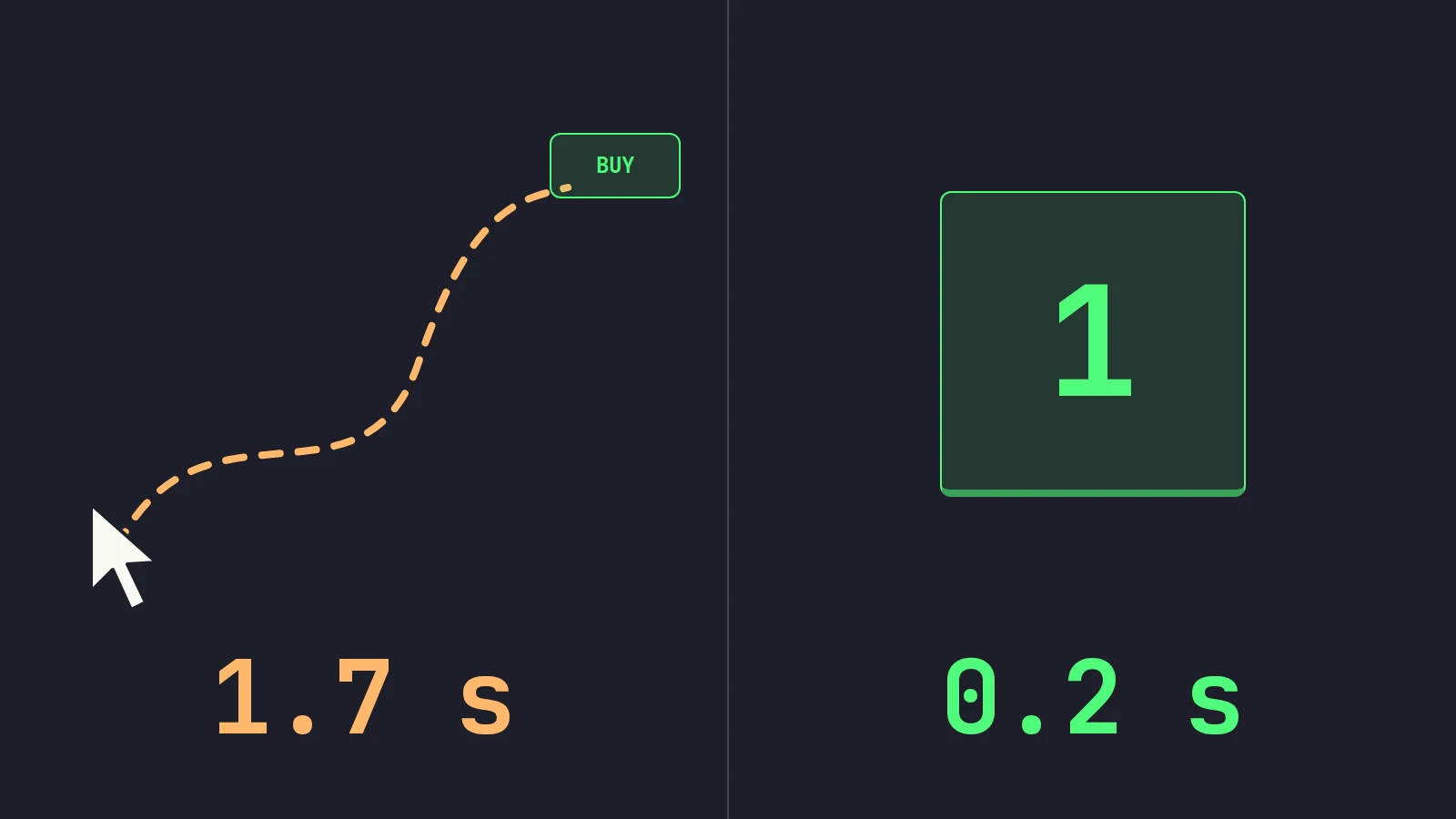
Keyboard only trading is faster because it skips the slow part of a mouse click: moving your hand and aiming at a button. The classic human-computer interaction estimates put pointing with a mouse at about 1.1 seconds and moving the hand to it at 0.4, against about 0.2 seconds for a keystroke. To trade without the mouse, give every order action a key, move between stocks by key, and keep the mouse for the jobs where it really is better, such as dragging a stop on the chart.
A mouse is an excellent pointing device. That is exactly the problem in a fast trade: you have to point. Your eyes leave Level 2, find the button, your hand moves, the cursor travels, you aim, you click. Keyboard only trading removes everything in that list except the click. On a slow stock it barely matters. On a small cap that moves 20 cents in a second, it is the difference between the fill you wanted and the one you chased.
This post covers what the research says about mouse versus keyboard, what that delay costs on a real-looking trade, how to build a workflow where you trade without the mouse, and the few places the mouse still wins. It is written for traders on Interactive Brokers, with TWS as the example; Scalpel is independent and not affiliated with or endorsed by Interactive Brokers.
Keyboard only trading: what the research says
The study of how long it takes to point at things is older than personal computers. Paul Fitts (1954, Journal of Experimental Psychology) showed that the time to hit a target grows with its distance and shrinks with its size, in a predictable way now called Fitts's law. A small button far from your cursor takes longer to hit than a big one nearby, and you miss it more often when you rush.
The first study to apply that to computer pointing devices compared a mouse with a joystick and two kinds of cursor keys. In Card, English and Burr (1978, Ergonomics), the mouse won: as summarized in MacKenzie's 1992 review in Human-Computer Interaction, its mean time to select a target was 1,660 milliseconds, including 360 milliseconds just to move the hand to it, with errors on 5% of selections. The step keys took 2,510 milliseconds. So for pointing, the mouse beats arrow keys, and anyone who tells you otherwise has not read the research.
The point of trading hotkeys is different: you do not point at all. One key is one order. The Keystroke-Level Model of Card, Moran and Newell (1980, Communications of the ACM), still taught in HCI courses, estimates the parts of a task with standard values:
| Operation | Typical time | In a trade |
|---|---|---|
| Keystroke (K) | 0.2 s | Pressing the hotkey |
| Pointing with the mouse (P) | 1.1 s | Moving the cursor onto the Buy button |
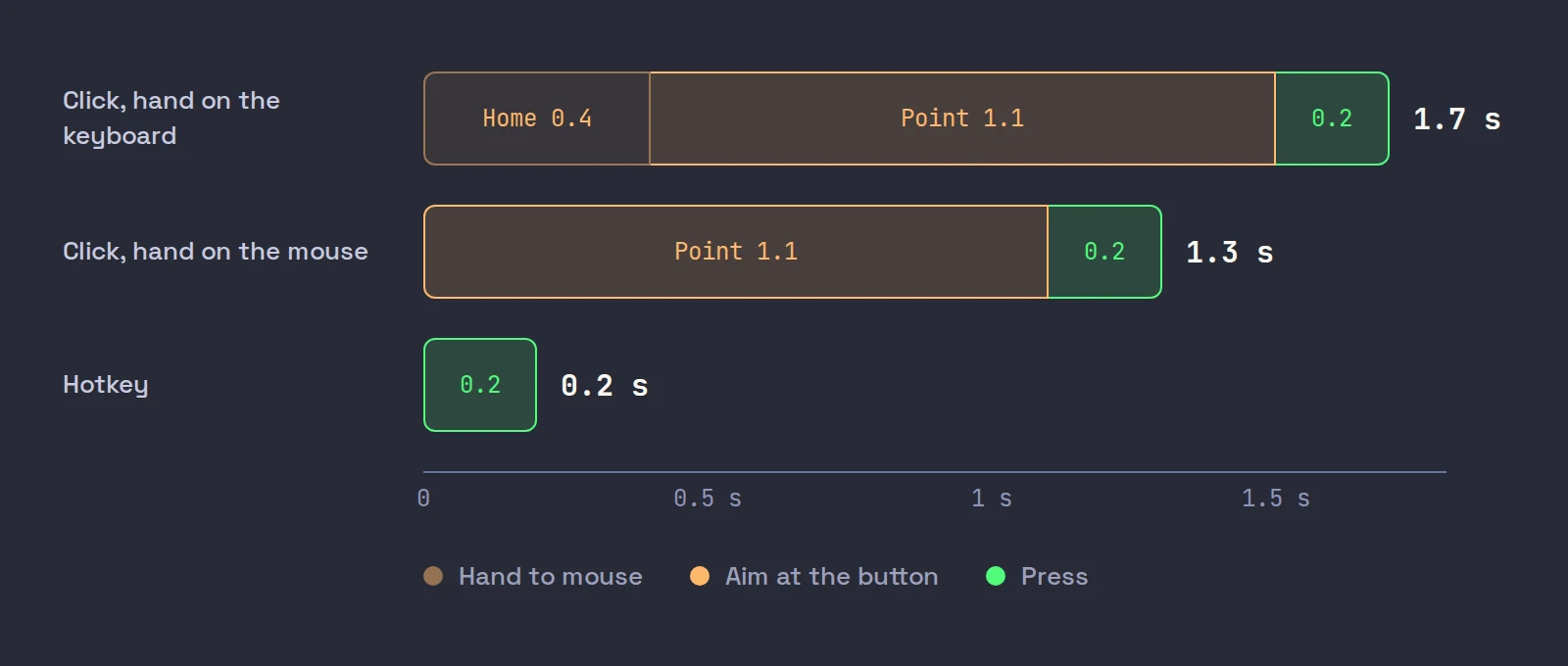
| Homing (H) | 0.4 s | Moving your hand from keyboard to mouse |
| Mental preparation (M) | 1.35 s | Deciding; the same either way |
The pointing value of 1.10 seconds came from Card, English and Burr's own mouse equation, as MacKenzie notes. Add it up for an order click starting with your hand on the keyboard: 0.4 + 1.1 + 0.2 = 1.7 seconds. A hotkey: 0.2 seconds. Even with your hand already resting on the mouse, the click is 1.3 seconds. These are averages from office tasks, not trading, so treat them as orders of magnitude. But the order of magnitude is the point.
How fast is the floor? In a study of 1,469 people, Woods and colleagues (2015, Frontiers in Human Neuroscience) measured a mean simple reaction time of 231 milliseconds, 213 once hardware delays were removed. A practiced hotkey press after a decision is close to that. A mouse click is several times it.
What a second and a half costs on a fast stock
Take a fictional ABCD breaking through 5.00 on volume. You decide to buy 500 shares as the ask hits 5.02.
- With a hotkey, the order is out in about a fifth of a second. Your limit is the ask plus 5 cents, 5.07, and you fill around 5.02 to 5.04.
- With the mouse, say the ask has moved to 5.12 by the time you click, 1.5 seconds later. Your order now prices off 5.12. Filling 10 cents higher on 500 shares is $50 paid for the same position, and your stop distance, and therefore your risk, just grew by 10 cents a share.
That is an illustration, not a measurement: on a quiet stock the price will not move in 1.5 seconds. But small-cap momentum is not quiet, and the moves you most want to catch are the fastest ones.
Then there are errors. A 5% miss rate in a calm lab test is a lot of misses on a screen of small, close-together order buttons, under stress. A miss on a trading screen is not a typo: it can be the wrong button, the wrong row or the wrong window. Our post on hotkey mistakes covers the keyboard's own failure modes, which are different but real.
Hotkey trading vs mouse: where each wins
Fair is fair. The mouse is better at some trading jobs:
| Job | Keyboard | Mouse | Better |
|---|---|---|---|
| Enter at the ask | One key | Point, click, maybe confirm | Keyboard |
| Exit at the bid | One key | Point, click | Keyboard |
| Cancel or flatten | One key | Find the button under stress | Keyboard |
| Move a stop to a chart level | Arrow keys in ticks, or retype | Drag the line to the level | Mouse |
| Place a limit at one exact price on a ladder | Type the price | Click the price row | Mouse |
| Pick a stock off a scanner | Arrow down, enter, if supported | Click the row | Close |
The pattern: time-critical actions belong on keys; actions that are about a place on the screen belong to the mouse. A stop under a candle low is a place. "Get me out" is not.
How to trade without a mouse
Give every order action a key
Buy, sell half, sell all, cancel and flatten at minimum. If any of those still needs a click, it is the click you will fumble at the worst moment. Our post on day trading hotkeys lists the set and how to price each key.
Remove the confirmation clicks
A key that opens a dialog is a mouse action in disguise. In TWS, tick Transmit the order instantaneously on each Buy and Sell key's Customize tab, and tick Don't display this message again on the order confirmation (IBKR: instantaneous transmit). Keep your precautionary size limits on: they only stop orders you did not mean.
Decide how the keys know which stock
This is the weak point of keyboard trading in TWS. Its hotkeys act on the selected row (IBKR: TWS hot keys), and selecting a row is usually a click. Link your watchlist, chart and order entry in one Mosaic color group so one click selects the stock everywhere, and make that click before the move, not during it. Our TWS day trading layout is built around this.
Keep the resting hand on the keys
Both hands are not needed. The left hand lives on the trading keys and never leaves; the right can rest on the mouse for scanning and chart work. That removes the 0.4 second homing step for every order.
Use sound or voice to confirm
If you have to look at an orders panel to see whether a key worked, your eyes have left the tape. TWS can play sounds for order events through its Messages and Sound Manager; dedicated tools go further with spoken confirmations.
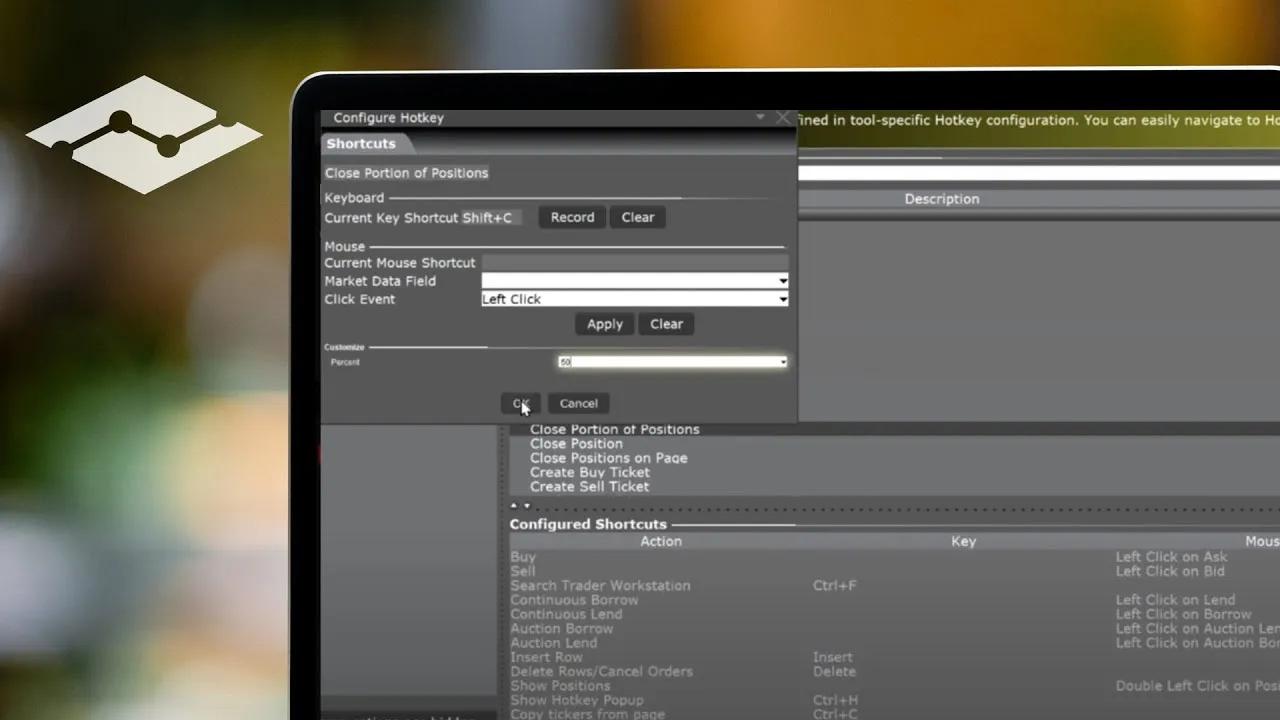
IBKR's lesson on configuring TWS hotkeys shows where each order key is set up, which is where the first two steps above happen.
Why most traders never switch
Knowing keys are faster does not make people use them. Lane, Napier, Peres and Sandor (2005, International Journal of Human-Computer Interaction) surveyed 251 experienced Microsoft Word users and found most of them rarely used keyboard shortcuts for their most common commands, even though a follow-up test confirmed shortcuts were the fastest method. Menus and buttons are easier to learn, so people stop there.
Traders are no different. The fix is deliberate practice where the stakes are zero:
- Week one, paper only. Take every trade with keys. If you reach for the mouse to place an order, cancel it and redo it with the key.
- Tape the mouse button. Only half a joke. Some traders physically block the order buttons with a sticky note for the first sessions.
- Name the key before you press. Say "sell half" in your head and press. It builds the link between the decision and the finger.
- Count the misses. Every wrong key in paper is one you will not press live.
Paper trading is where this belongs, not a live account.
Where the mouse still helps
Dragging a stop is the clearest case. You can see the level on the chart (a candle low, a whole dollar) and putting the stop one cent under it is a placement task, the thing the mouse is best at. Reading, scrolling a scanner and arranging windows are also mouse jobs. None of them is time-critical in the way an exit is.
The rule we trade by: the mouse may set up the trade; the keys take it and leave it. If you find yourself clicking to get out, that action needs a key.
Where Scalpel fits
Scalpel is a keyboard-first desktop cockpit for your own IBKR account, connected through TWS or IB Gateway with the API on, and it is built around the rule above. Every trading action has a key, and every key acts on the focused desk, the one with the outline, rather than on whichever row was last clicked. You move focus with Left, Right and Tab, so changing stocks mid-trade does not need the mouse.
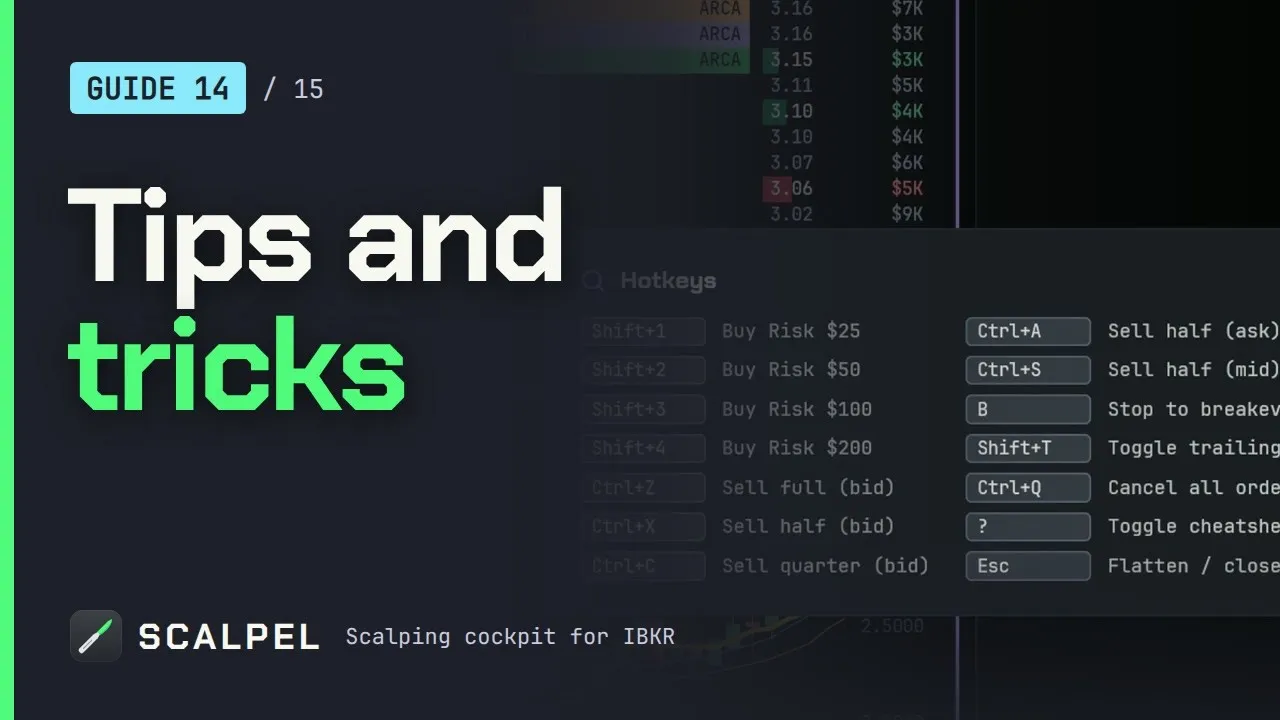
Each key is confirmed out loud ("Filled, level two.", "Out, half.", "Breakeven.") so your eyes stay on Level 2 and the tape (voice callouts). Trading keys never fire while a text box has the cursor, so typing a symbol cannot place an order. The mouse keeps the jobs it is good at: you load a symbol by clicking its box, and you drag your stop and target on the chart. Those stops are watched by the app, not resting at IBKR, so they only work while Scalpel runs with a live feed. The whole flow is in the keyboard-only workflow guide, and our tips video covers the habits that make it stick:
More habits are collected in forty tips for Scalpel. If you stay with TWS, the full key set is in our guide to TWS hotkeys for day trading.
Trading carries a significant risk of loss. Nothing here is financial advice.
Questions
- Is keyboard trading faster than using a mouse?
- For placing and exiting orders, yes. Standard human-computer interaction estimates put a keystroke at about 0.2 seconds, against about 1.1 seconds to point with a mouse plus 0.4 seconds to move the hand to it. The mouse is still the better tool for pointing at a place, such as dragging a stop.
- Can you day trade without a mouse?
- Almost entirely. Give every order action a key, remove confirmation dialogs, and use a platform where keys act on a focused stock you can change by key. Most traders still use the mouse for loading symbols and dragging stops.
- Why do TWS hotkeys need a mouse click?
- TWS hotkeys act on the selected row, and selecting a row is usually a click. Linking the watchlist, chart and order entry in one color group means one click selects the stock everywhere, made before the move rather than during it.
- How do I get used to trading with hotkeys?
- Practice in a paper account and take every trade with keys for a week. If you click an order button, cancel the order and redo it with the key. Name the key in your head before pressing it.
- Does the mouse cause trading mistakes?
- It can. Order buttons are small and close together, and in a 1978 lab study even the mouse missed its target on 5% of selections. Keys have their own mistakes, such as the wrong window or a double press, so both need guards.
Related guides
Guide 14.3Trade without touching the mouseLoad symbols, move between desks, enter, scale out, manage stops and flatten using only the keyboard: a full hotkey workflow for scalping in Scalpel.Guide 4.3Hotkeys: the defaults and how to change themEvery Scalpel hotkey and its default: buys, scale-outs, breakeven, trailing and cancel, each with a spoken confirmation. Esc's rules and how to rebind.Guide 14.140 Scalpel tips for faster, safer scalpingForty practical Scalpel tips on desks, keys, sizing, stops, the scanner and intel, each linked to its full guide. Small habits that save seconds and money.
Keep reading
- TWS hotkeys for day trading: a setup that actually worksSet up TWS hotkeys for day trading: where IBKR hotkeys live, the presets they need, a five-key scalping set with exact settings, and a printable cheat sheet.
- IBKR hotkeys not working? The causes and how to fix each oneIBKR hotkeys not working? Go through the checklist: row not selected, no instant transmit, popups, outside RTH unset, unmarketable prices. Exact TWS fixes.
- Day trading hotkeys: the keys every scalper should set upDay trading hotkeys that work: the five keys every scalper needs, how to price and size each one, where to put them on the keyboard, and drills to learn.
Practice in SIM, against the live book.A lifetime license, every update included, with a 7-day refund guarantee.Ask in DiscordGet Scalpel