TWS auto restart, daily logoff and two-factor: keep TWS running
By Scalpel Team. , updated . 7 min read.
In short
To keep TWS running all week, open Global Configuration > Lock and Exit, choose Auto restart instead of Auto log off, and tick Never lock Trader Workstation. TWS then restarts itself each day, Monday to Saturday, without asking for two-factor. Once a week, after IBKR's weekend reset, you log in again and approve it in IBKR Mobile. Set the restart time outside your trading hours and outside IBKR's daily reset window (00:15 to 01:45 ET), and do not log in elsewhere with the same username.
Out of the box, TWS logs you off once a day. For a trader who opens TWS each morning that is a small chore. For anyone who runs a trading app through the TWS API, it is a trap: the API connection drops at log off, and the app sits disconnected until someone types a password and approves a phone prompt. TWS auto restart fixes most of that, but not all, and the parts it does not fix are the ones that catch people on a Monday morning.
Settings below were checked against IBKR's documentation on October 22, 2026. Scalpel is independent and not affiliated with or endorsed by Interactive Brokers.
Auto log off vs auto restart
Both live on the same page. IBKR's Lock and Exit guide describes them like this:
| Setting | What it does | What you do afterwards |
|---|---|---|
| Set Auto Log Off Time | Logs TWS off at that time each day. IBKR notes "you must specify a time" | Start TWS, log in and approve two-factor again |
| Set Auto Restart Time | Restarts TWS at that time "without authentication requirements" | Nothing on most days; log in once a week |
| Lock trading system after N minutes | Locks TWS when idle; you unlock it with your password | Unlock it before you can trade |
| Never lock trading system | Removes the inactivity lock | Nothing |
IBKR's own advice for API users is to choose "Never lock Trader Workstation" and "Auto restart" (daily and weekly reauthentication). We would give the same advice to anyone who trades from TWS itself: a locked or logged-off TWS at 04:05 ET is a missed pre-market, and a daily login is one more thing to fumble when a stock is moving. One exception IBKR notes: clients of its Hong Kong entity do not get these two options in TWS and are pointed to IB Gateway instead.
Set up TWS auto restart
Open Lock and Exit
In Mosaic, click File > Global Configuration. In the Classic layout, click Edit > Global Configuration. Then click Lock and Exit in the left pane. In IB Gateway, the same page is under Configure > Settings > Lock and Exit.
Remove the inactivity lock
Choose Never lock Trader Workstation. You can still lock it by hand from the File menu when you step away.
Choose Auto restart and a time
Select Auto restart and set the time. See the timing section below before you pick one: it should be outside every session you trade and outside IBKR's reset window.
Apply and keep TWS open
Click Apply and OK. Leave TWS running. On most days it now closes and reopens itself at that time, logged in, without a two-factor prompt.
While you are on that page, Use/Store settings on server is worth a look: it saves your layout and settings to IBKR and loads them at login, so the same screens come back whichever computer you log in from.
The weekly login: why TWS still asks once a week
Auto restart does not remove the weekly login. IBKR's third-party FAQ puts it in one paragraph: TWS and IB Gateway can restart daily "without user authentication at a chosen time from Monday-Saturday", but on Sunday, "following the Saturday night server reset, it is necessary for the user to re-authenticate". With auto restart set, "the session is designed to be able to continue until the following Sunday".
IBKR's API docs describe the same cycle as starting each Monday, and give the message you will see when it is due: Login failed = Soft token=0 received instead of expected permanent. That message is not an error in your settings. It means "log in by hand now".
In practice: log in fresh on Sunday evening or early Monday, before your first session of the week, with your phone to hand. Do it before the pre-market, not during it.
Two-factor at login: IB Key in IBKR Mobile
IBKR requires two-factor for every user, and TWS logins are no exception (supported 2FA methods). For TWS and IB Gateway, IBKR lists IB Key, the smartphone apps, SMS and the Digital Security Card+ as supported, and the paper security code cards as not supported.
With IB Key, which lives inside the IBKR Mobile app, you enter your username and password in TWS, a notification arrives on your phone, you tap it and confirm with your fingerprint or PIN, and TWS carries on logging in. This IBKR video walks through it on an iPhone, including the fallbacks when the notification does not come: resend it, scan a QR code, or use challenge and response:
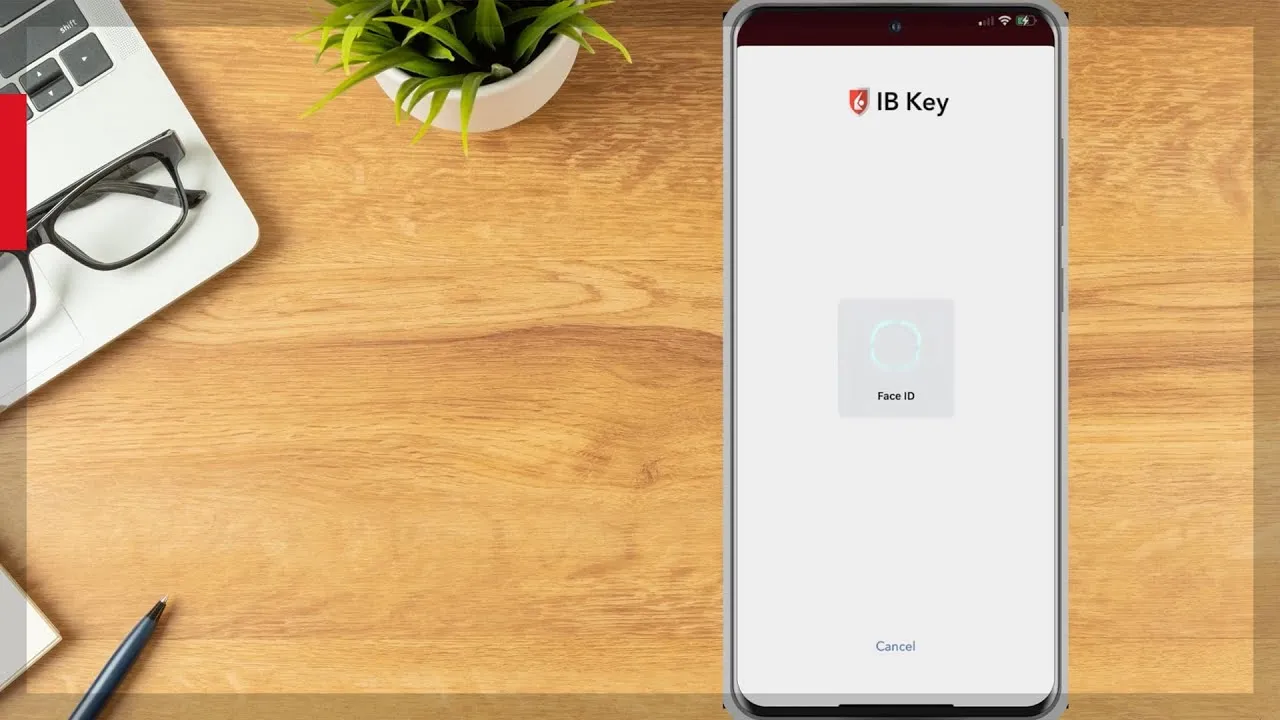
If the notification never arrives, IBKR's notification troubleshooting article lists the usual causes: notifications switched off for the app, Do Not Disturb or a Focus mode silencing it, power saving mode blocking background updates, or no data connection. Without a data connection, IB Key still works in challenge-response mode: TWS shows a challenge number, the app turns it into a response, and you type that in.
What breaks the week-long session
Auto restart keeps the session alive only if nothing else uses it. IBKR's FAQ adds the condition: the session continues "as long as there are no other logins with the same username to Client Portal, TWS, or IBKR mobile". Two cases catch people:
- A second trading login. IBKR allows one trading session per username (logging into multiple applications). Log in to TWS on a laptop, IB Gateway or IBKR Desktop with the same username, and the first session is closed (TWS signed out).
- Client Portal on the web. Less obvious. IBKR says that if the username TWS uses also logs in to Client Portal during the session, TWS "will not be able to automatically reconnect to the server after the next disconnection (such as the server reset)". You find out the next morning.
The clean fix is a second username, added free in Client Portal, for the website and the phone. Market data subscriptions are set up per username, so give the second one only what it needs.
When to schedule the restart
Three rules decide the time:
- Outside every session you trade. US stocks trade from 04:00 to 20:00 ET once you count the pre-market and after-hours sessions (Nasdaq trading hours). If you also trade IBKR's overnight session, there is no quiet time, only a least-bad one (IBKR extended hours).
- Outside IBKR's reset window. IBKR's system status page lists a North America daily reset from 00:15 to 01:45 ET, Sunday to Friday, and a weekend window on Saturday from 00:00 to 02:00 ET. During a reset, "there may be an interruption in the ability to log in". A restart is a login, so we keep it out of that window.
- With time to notice a failure. If a restart fails, you want to find out before the pre-market, not at 04:05 ET.
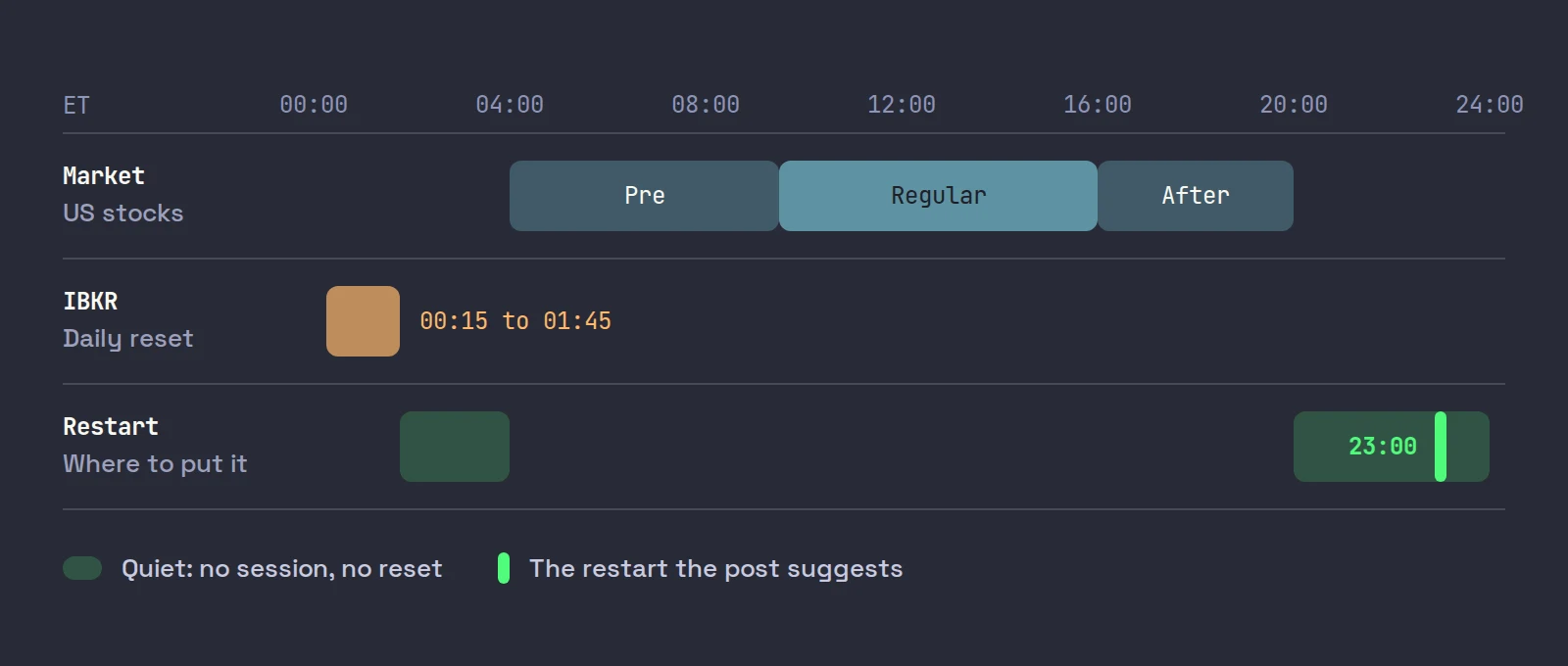
For a trader in New York who stops at 20:00 ET, 23:00 ET fits all three: three hours after the after-hours close, 75 minutes before the reset starts, five hours before the pre-market. Set the field in whatever time zone your TWS uses, and convert if you are not on New York time. A trader in London in summer, five hours ahead, gets the same moment by entering 04:00. If they would rather restart while awake, 02:00 ET is 07:00 in London: after the reset ends, two hours before the pre-market opens at 09:00 their time. Our guide to day trading US stocks from outside the US has the full time zone table.
What an API app sees during the restart
For a trading app connected through the API, a restart looks like a short outage. TWS closes, the socket drops, and the app loses quotes, Level 2 and order routing. When TWS comes back logged in, the API socket opens again and the app can reconnect, as long as it keeps retrying by itself. An app that gives up after one failed attempt will sit disconnected until you restart it too.
Your orders do not vanish. IBKR's status page notes that during a reset "existing orders (native types) will operate normally although execution reports and simulated orders will be delayed until the reset is complete". Anything your app watches on its own computer, such as an app-side stop, is not watched at all while the link is down. That is the real reason to restart when you are flat. The comparison of restart behavior between the two IBKR programs is in IB Gateway vs TWS, and if TWS is slow even after a fresh start, see TWS slow or lagging.
Where Scalpel fits
Scalpel is a keyboard-first cockpit that connects to TWS or IB Gateway on your computer through the API (connect Scalpel to Interactive Brokers). It is built to ride through a daily restart: when the link drops you hear IB connection lost and see an amber toast, Scalpel retries by itself, every few seconds and at least every 20, and when TWS or IB Gateway is back it reconnects and picks your LIVE positions back up from Interactive Brokers (fix a disconnected Scalpel).
Scalpel's stops are watched by Scalpel, not resting at IBKR, so they cannot fire while TWS or IB Gateway is restarting. Set the restart for a time you are flat. Our troubleshooting video covers the connection states and banners:
For the rest of an IBKR day trading setup, from account to hotkeys, see day trading on Interactive Brokers.
Trading carries a significant risk of loss. Nothing here is financial advice.
Questions
- How do I stop TWS from logging out every day?
- Open Global Configuration, Lock and Exit, choose Auto restart instead of Auto log off and set a time outside your trading hours. Also choose Never lock Trader Workstation. TWS then restarts daily without asking for two-factor.
- Why does TWS ask me to log in again every week?
- Auto restart only carries the session through the week. After IBKR's weekend server reset you must log in again with your password and two-factor, once a week.
- Does TWS auto restart need two-factor authentication?
- Not for the daily restarts: IBKR says they happen without user authentication from Monday to Saturday. The weekly login, and any login you start by hand, needs two-factor approval.
- What time should I set TWS to auto restart?
- Outside every session you trade and outside IBKR's daily reset window of 00:15 to 01:45 ET. For a trader who stops at 20:00 ET, 23:00 ET works well.
- Why did my TWS session end even with auto restart on?
- Usually another login used the same username: TWS on another computer, IB Gateway, IBKR Desktop, or a Client Portal login, which stops TWS reconnecting after the next reset. Use a second username for the website and phone.
- Why is my IB Key notification not arriving?
- Common causes are app notifications switched off, Do Not Disturb or a Focus mode, power saving mode, or no data connection. You can still log in with the challenge-response option in the app.
Related guides
Guide 13.3TWS signs out when IB Gateway startsInteractive Brokers allows one trading session per username, so TWS and IB Gateway sign each other out. Three ways to run Scalpel, and a second username.Guide 13.1Scalpel says Disconnected: fix the IBKR connectionScalpel cannot reach TWS or IB Gateway? Check the program is running and logged in, the API is on and the port matches, and use the banner's fix.Guide 1.4Connect Scalpel to Interactive BrokersRun TWS or IB Gateway, match the API port and watch Scalpel connect. Which program to use, the ports (7497, 7496, 4001) and what the link banner tells you.
Keep reading
- Day trading on Interactive Brokers: the complete setup (2026)Interactive Brokers day trading, set up end to end: 2026 margin rules, Level 2 data costs, TWS vs IB Gateway, hotkeys, Tiered vs Fixed and a checklist.
- Scalping on Interactive Brokers: can you, and how to set it upIs TWS good for scalping? IBKR's routing and fills are fine; TWS is the friction. What slows scalpers down and a step by step TWS scalping setup to fix it.
- A TWS day trading layout for scalpers: the Mosaic setupA TWS day trading setup step by step: Mosaic windows, color-linked groups, 1 and 5-minute charts, time and sales, saving the layout and settings for speed.
Practice in SIM, against the live book.A lifetime license, every update included, with a 7-day refund guarantee.Ask in DiscordGet Scalpel